This task can be performed using Wondershare Recoverit
AI-powered data recovery and 4K/8K video restoration tool.
Best product for this task

Wondershare Recoverit
productivity
Wondershare Recoverit is an AI-powered data recovery software designed to restore lost, deleted, or corrupted files across 2,000+ storage devices with a 99.5% success rate. Featuring patented Enhanced Video Recovery technology, it automatically auto-stitches fragmented 4K/8K video clips from camera SD cards, repairs corrupted media, and extracts critical files from crashed computers, formatted drives, and NAS servers in 3 simple steps.
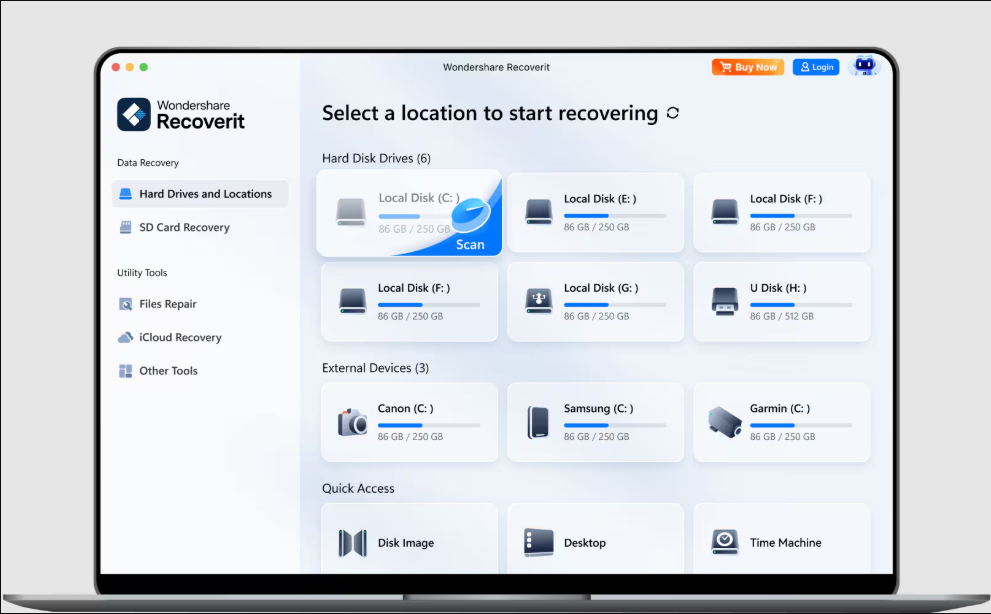
Choosing recoverit data recovery software starts with the type of loss you need to solve, not the price alone. Wondershare Recoverit is designed to restore deleted, lost, or corrupted files from more than 2,000 storage devices, including damaged drives, crashed computers, and NAS servers. Use this guide to evaluate the right capability, check licensing details, and verify recovery results before relying on the software.
If you are comparing options in the broader data recovery products category, focus on these practical checks.
1. Match the product to your recovery situation
First, write down three details:
- What was lost: documents, photos, videos, or mixed files
- Where it was stored: computer drive, external drive, SD card, or NAS
- What happened: deletion, formatting, corruption, or computer failure
For ordinary deleted files, look for scanning, filtering, preview, and safe extraction. For damaged media, confirm that the product supports video repair and fragmented-file handling. Recoverit uses deep-learning scan algorithms and neural-network mapping to identify data even when filesystem structures are severely damaged.
For professional footage, video recovery products are relevant because fragmented 4K and 8K clips require more than a basic undelete scan. Recoverit’s Enhanced Video Recovery technology can auto-stitch fragmented clips and repair corrupted media.
2. Evaluate features before comparing Wondershare Recoverit pricing
Do not compare plans until you know which features your case requires. Use this checklist:
- Supports your operating system and storage device
- Scans the file system involved in the loss
- Previews the file types you need
- Handles corrupted or fragmented video when necessary
- Allows recovery to a separate destination
- Provides a trial or preview process before purchase
Recoverit can preview more than 1,000 file formats during scanning. That matters because a visible filename does not prove that a file is usable. Open representative documents, photos, or clips before deciding.
When evaluating image recovery products, remember that photo recovery and high-resolution video restoration are different requirements. A tool that finds images may not be suitable for broken 4K or 8K footage.
3. Check the free trial, license, and total fit
Review the current Wondershare Recoverit free trial terms on the product page before scanning. A trial can help you confirm whether the software detects your missing files, but recovery limits may differ from paid access.
Then compare the available Wondershare Recoverit license options. Check:
- Whether the license covers the device or users you need
- Whether updates or support are included
- Whether the plan is subscription-based or offers a Wondershare Recoverit lifetime license
- Whether the license matches personal, creative, or team use
Treat the advertised 99.5% recoverit data recovery success rate as a product-level claim, not a promise for your specific drive. Results depend on overwriting, physical damage, encryption, and continued device use. The recoverit video recovery success rate can also vary by codec, fragmentation, and corruption severity.
For teams, productivity products may be relevant only when recovery work is part of a wider operational workflow. Do not pay for broader access if you only need one recovery event.
4. Run a safe evaluation and verify the result
Before scanning, stop using the affected storage device. Install Recoverit on another drive, and save recovered files somewhere else. This reduces the chance of overwriting recoverable data.
Run the scan, filter by file type and location, and preview several important files. Test recovered files in their normal applications. For example, open multiple documents and play video clips from beginning to end rather than checking only filenames.
If results are incomplete, try a deeper scan and reassess the condition of the drive. A rescan is an evaluated signal, not proof of future recovery performance or conversion improvement. For a guided next step, review Wondershare Recoverit and compare its current plan details with your recovery scenario.
More topics related to Wondershare Recoverit
Similar topics
- How to repair and stitch corrupted 4K videos from camera SD cards?
- Recover Lost RAW Photos and Repair Corrupted Videos From Camera Cards
- Restore Corrupted 8K Drone Footage With Recoverit Enhanced Video Recovery
- How to recover files from a crashed computer that will not boot?
- How to choose AI data recovery software and general file restoration

