This task can be performed using PDFTranslator
Free PDF Translate Online
Best product for this task
PDFTranslator
productivity
Free PDF Translate is an online PDF translate tool that translates documents without compromising formatting. Using advanced AI PDF translate technology, it supports nearly 100 languages while maintaining layout integrity.
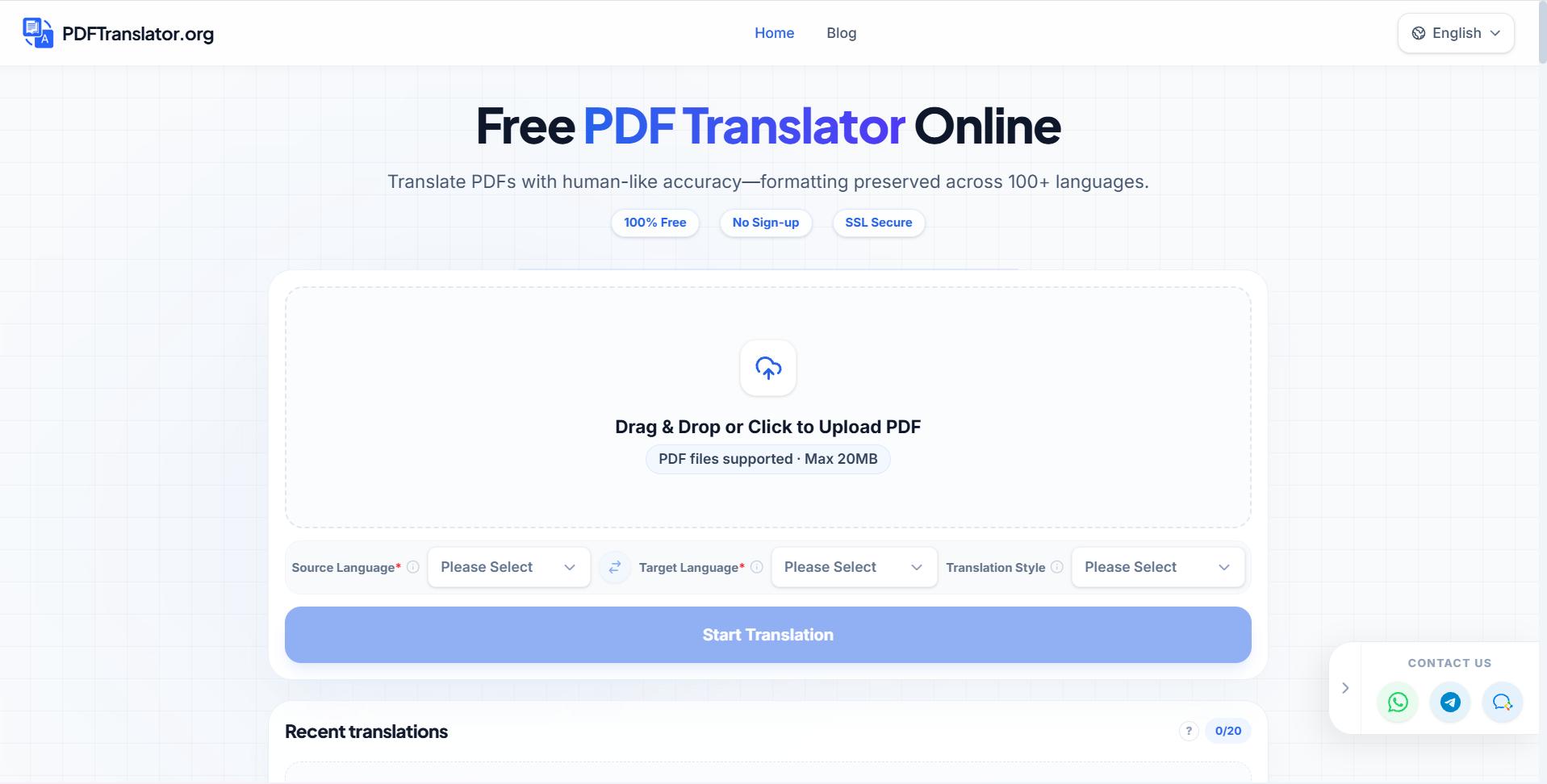
Need to translate a legal PDF online, an invoice, or a product manual for an international team? This guide gives you a repeatable upload-and-review process for contracts, presentations, brochures, forms, academic files, and official documents. You will finish with a practical checklist for terminology, tables, formatting, and sensitive details.
Before you upload the PDF
Choose the translation approach based on the document’s risk and layout:
- Contracts, government documents, immigration documents, and visa documents: review every defined term, name, date, and signature field.
- Invoices and client documents: verify amounts, tax labels, currencies, and payment instructions.
- Product manuals and safety data sheets: check warnings, units, tables, and numbered steps.
- Academic PDFs: a free PDF translator for students or researchers can help with reading and comparison, but confirm quotations and technical terms.
- Presentations and brochures: prioritize readable text placement and visual hierarchy.
For business use, an AI PDF translator can be a practical first pass, especially for remote teams, startups, founders, small businesses, ecommerce sellers, and international business teams. Review requirements still depend on the document’s purpose. The deciding factor among productivity products is whether they support this exact workflow.
If you are comparing tools, look for online PDF translator products that support your language pair and preserve the original structure.
Follow the upload and translation workflow
- Prepare the source file. Use the final PDF version. Remove duplicate drafts and check that scanned pages are legible.
- Record the requirements. Note the source language, target language, audience, deadline, preferred terminology, and whether the layout must remain unchanged.
- Upload the file. With PDFTranslator, you can use an online PDF translation workflow designed to retain document formatting across nearly 100 languages.
- Select the target language. If the file includes multiple languages, identify which sections need translation.
- Review the output page by page. Do not rely only on a quick first-page check.
- Compare high-risk content with the source. This matters when you translate a PDF contract without changing layout, translate a PDF invoice online, or translate a PDF form without changing format.
For manuals, brochures, and presentations, preserving design is especially important. A multilingual PDF tool can help when the same document must be prepared for several markets.
Run the final document checks
Use this PDF translation quality checklist before sharing the file:
- Names, addresses, dates, currencies, and numbers match the source.
- Defined legal terms are translated consistently.
- Headings, page numbers, footnotes, and references remain in the correct order.
- Tables have no missing rows, clipped text, or shifted columns.
- Text fits inside forms, labels, slides, and brochure panels.
- Warnings and safety instructions are complete and easy to notice.
- Links, email addresses, signatures, stamps, and codes remain usable.
- Headers, images, captions, and spacing still look correct.
- Sensitive details appear only where intended.
- A second reviewer has checked important or regulated content.
For a more detailed choice between automated and reviewed approaches, see this guide to choosing an AI PDF translator for accurate results.
Common mistakes and the final decision
A frequent mistake is checking only the words while ignoring layout. Translation can change text length, causing overlap or empty spaces. Another is treating a contract like a brochure. Legal, financial, safety, and official documents require closer review than informal materials.
Do not assume that a translated PDF is legally certified simply because it looks accurate. If an authority, client, or contract requires certified translation, confirm that requirement separately.
When you need a quick, formatting-aware first pass, try PDFTranslator. Before delivery, compare the translated file with the source, complete the checklist above, and have the appropriate reviewer approve the final document. For teams managing recurring files, free PDF translation products may also help you evaluate suitable workflows.
More topics related to PDFTranslator
Similar topics
- How to fix broken formatting after translating a PDF online?
- Online PDF Translation Workflow for Global HR and Recruiting Teams
- Free PDF Translation for International Student Applications and Academic Records
- How to Choose an AI PDF Translator for Accurate Results
- How to Translate a PDF Between Languages Online

