This task can be performed using PDFTranslator
Free PDF Translate Online
Best product for this task
PDFTranslator
productivity
Free PDF Translate is an online PDF translate tool that translates documents without compromising formatting. Using advanced AI PDF translate technology, it supports nearly 100 languages while maintaining layout integrity.
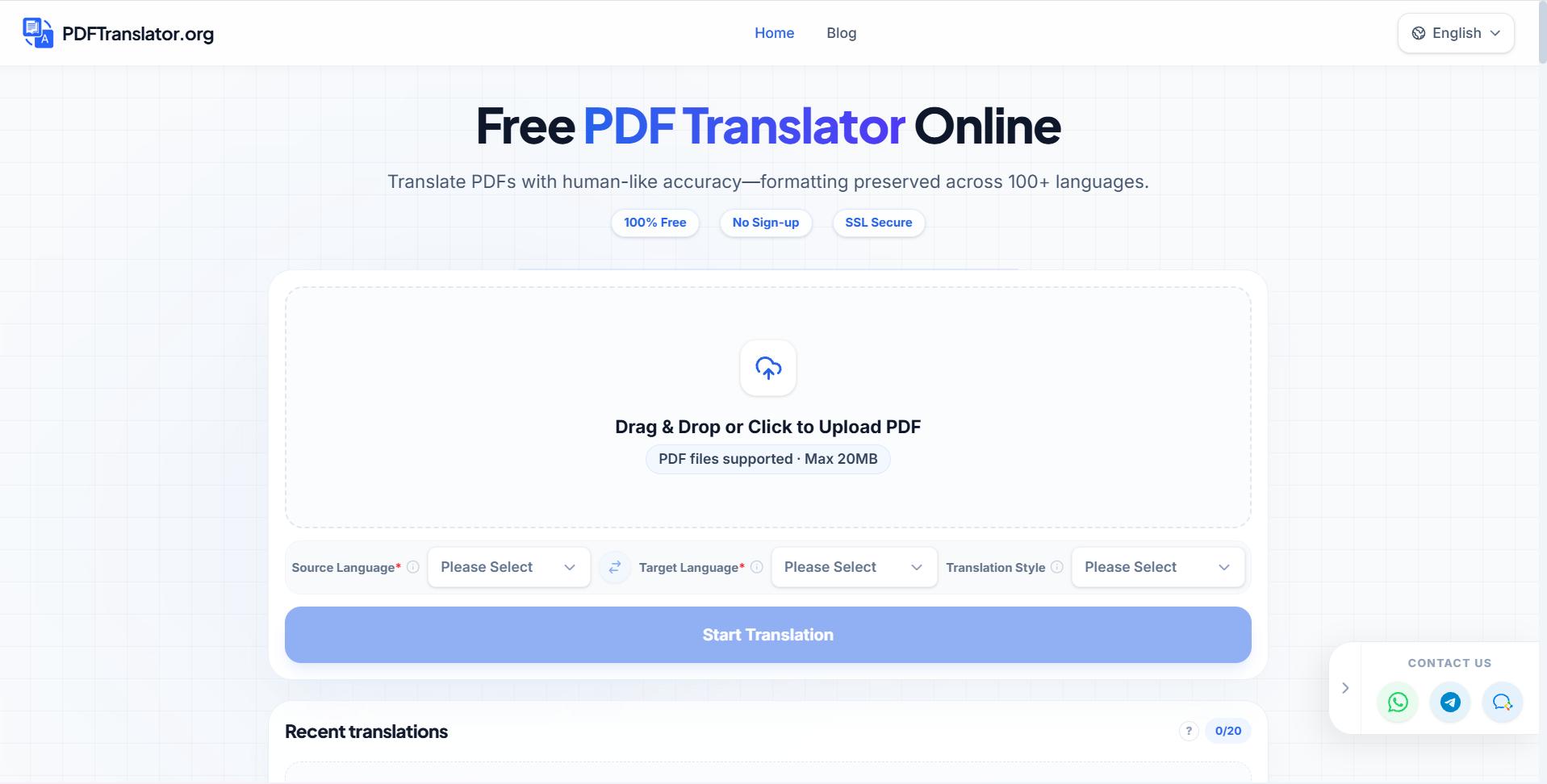
Need to translate a PDF without rebuilding every page? This guide shows how to compare an AI PDF translator by language coverage, formatting retention, usability, and cost. You will finish with a practical checklist for choosing a suitable free tool.
1. Confirm language coverage first
Start by writing down the source language and every target language you need. Do not assume a tool supports both directions equally. The deciding factor among productivity products is whether they support this exact workflow.
Use this quick check:
- Is your source language supported?
- Are all target languages available?
- Can the tool handle mixed-language pages?
- Does it translate text inside headings, tables, and captions?
A tool supporting nearly 100 languages may be a better fit for multilingual work than one focused on only the most common pairs. PDFTranslator, for example, is designed for online PDF translation across nearly 100 languages.
If you regularly translate several language pairs, compare multilingual PDF tools rather than selecting a service based on one successful test.
2. Test formatting retention with a representative page
Accurate wording is only part of a useful result. A translated PDF should remain readable, with the original structure preserved as closely as possible.
Before processing the full file, choose a page containing:
- A heading and body text
- A table or form field
- A footer, header, or page number
- Different font sizes
- A text box or image caption
Then compare the original and translated files. Check whether text overlaps, columns shift, or tables become difficult to read. Preserving PDF layout during translation is especially important for forms, reports, and presentation-style documents.
A free AI PDF translator is worth considering when it handles both language conversion and page structure. If the output requires extensive manual repair, a nominally free option may cost more time than expected.
3. Compare the workflow and total cost
The best AI PDF translator is usually the one that fits your document and working habits, not simply the one with the longest feature list.
Review the workflow:
- Upload a copy of the PDF.
- Select the source and target languages.
- Process one sample page or a short document if available.
- Download the translated result.
- Compare it with the original before sharing it.
Also check whether the service requires an account, limits file size, or adds restrictions to free use. A simple browser-based process can be useful when you need a quick result without installing software. You can compare more online PDF translator products when ease of access is your main concern.
For occasional work, start with a free PDF translation tool. For frequent or sensitive documents, compare the full workflow, privacy information, and any paid limits before committing.
4. Verify the result before delivery
AI translation can reduce manual effort, but you should still review the output. Pay special attention to names, dates, numbers, legal terms, and instructions.
Use this final checklist:
- The target language is correct.
- Tables and page breaks remain readable.
- No text is cut off or layered over other text.
- Numbers, currencies, and dates match the source.
- Important terminology is consistent.
- The final PDF opens correctly.
Checking translated PDF text for consistency can reveal errors that a quick visual scan misses. When you need a starting point, try PDFTranslator to translate a PDF online while retaining its formatting.
Choose the tool that passes your language, layout, usability, and cost checks on a representative page. Then verify the complete file before sending it to readers or clients.
More topics related to PDFTranslator
Similar topics
- How to fix broken formatting after translating a PDF online?
- Online PDF Translation Workflow for Global HR and Recruiting Teams
- Free PDF Translation for International Student Applications and Academic Records
- How to Translate Business PDFs and Check the Final Document
- How to Translate a PDF Between Languages Online

