This task can be performed using PDFTranslator
Free PDF Translate Online
Best product for this task
PDFTranslator
productivity
Free PDF Translate is an online PDF translate tool that translates documents without compromising formatting. Using advanced AI PDF translate technology, it supports nearly 100 languages while maintaining layout integrity.
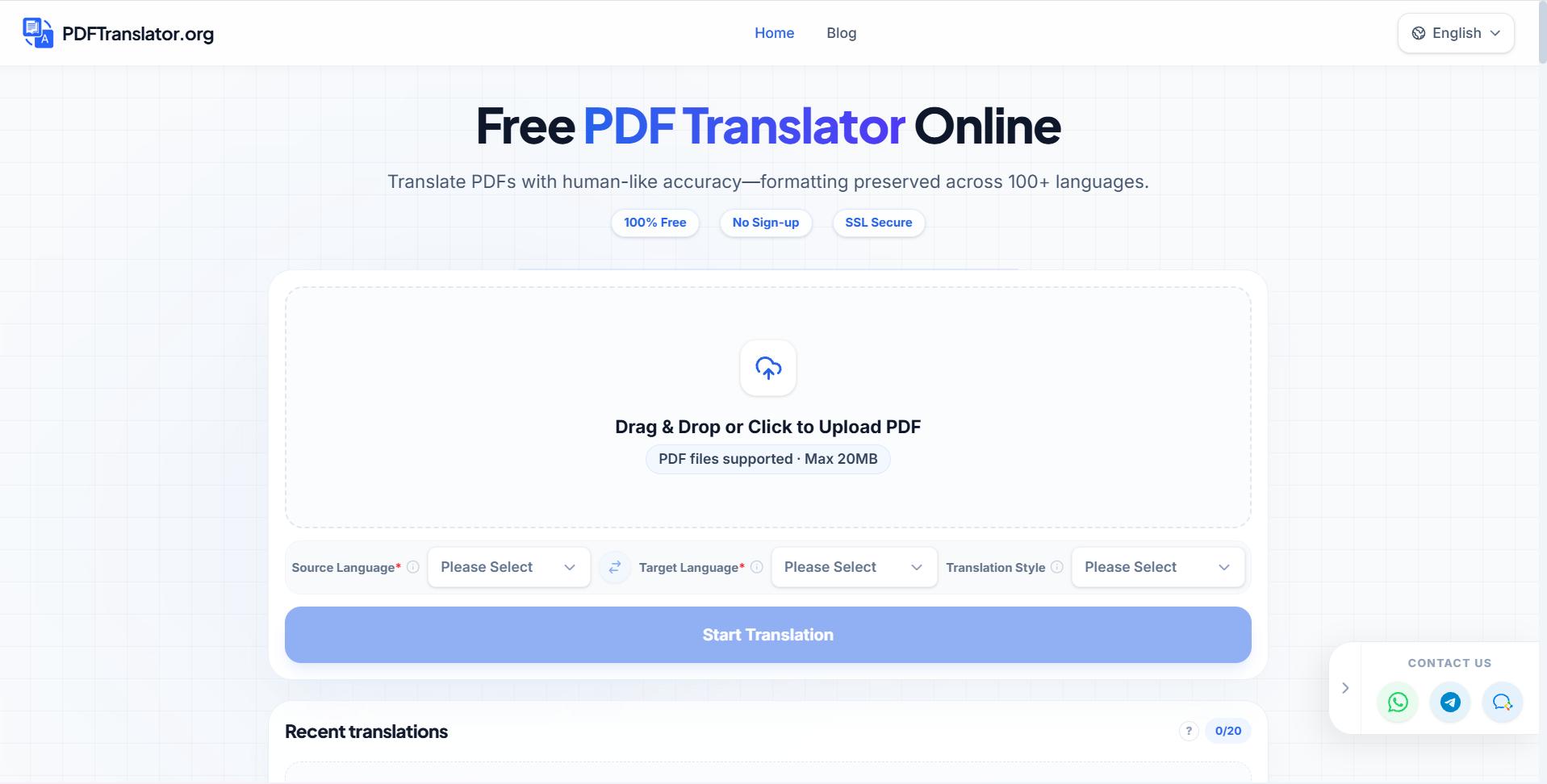
Need to translate a PDF between languages without rebuilding its pages? This guide shows how to choose source and target languages, translate common language pairs, handle multilingual files, and verify that the intended language appears throughout the document. PDFTranslator supports nearly 100 languages while aiming to preserve the original layout.
Prepare the PDF and language pair
Before starting, confirm that you have the correct file and know which language the PDF currently uses. The deciding factor among productivity products is whether they support this exact workflow.
- Open the online PDF translator products category and choose a tool that accepts PDF uploads.
- Check whether the document is written in one language or several.
- Identify the target language and any sections that should remain unchanged.
- Keep the original PDF so you can compare headings, tables, page numbers, and names after translation.
For example, select English as the source and Spanish as the target to translate a contract for Spanish-speaking readers. For a reverse workflow, select Spanish as the source and English as the target. Automatic language detection can help, but manual selection is safer when a file contains technical terms or multiple languages.
Select the source and target languages
Upload the file, then choose the languages in the translation controls.
Common pairs include:
- English to Spanish or Spanish to English
- French to English
- German to English
- Chinese to English
- Japanese to English
- Korean to English
- Arabic to English
- Portuguese to English
- Italian to English
These choices cover many practical requests, including translating a PDF to English online free or translating a PDF from English to Spanish free. If you need a free PDF translation product, confirm what language coverage and file limits apply before processing.
For broader coverage, use a multilingual PDF tool when the document contains more than one source language or you need versions for several audiences. A PDF translator for multilingual documents should let you review each selected language rather than assuming the entire file has one source language.
Translate and review the output
Start the translation after confirming the language direction. PDFTranslator uses AI PDF translation technology and supports nearly 100 languages, which can help when a file includes less common language combinations.
When the translated PDF is ready, compare it with the original:
- Check the title, headings, and table of contents.
- Search for a few words from the selected target language.
- Confirm that repeated labels, footnotes, and captions were translated.
- Review names, dates, numbers, and measurements manually.
- Inspect tables, page breaks, and text inside forms.
- Confirm that content marked to remain unchanged is still correct.
For a document translated into several languages, open each version separately and verify its language. Do not assume that one successful page proves the whole file was translated. This check is especially important for mixed-language PDFs, where a section may be skipped or interpreted as already translated.
If you are comparing workflows before choosing a tool, the guide to AI PDF translators for accurate results can help you evaluate language selection and output checks.
Fix common language selection mistakes
A frequent mistake is reversing the source and target fields. If an English PDF produces English output, confirm that the source is English and the target is the intended language.
Other useful checks:
- Reupload the original file if the wrong version was selected.
- Avoid choosing “detect language” when the PDF mixes scripts.
- Check Arabic, Chinese, Japanese, and Korean text for correct direction or character rendering.
- Review scanned pages separately because recognition quality can affect translation.
- Compare multilingual output page by page, not only by filename.
When the result looks correct, download it and keep the original beside it for future reference. For a direct next step, try PDFTranslator to translate your file online. The completed PDF should contain the intended target language throughout, with its layout still usable for reading and sharing.
More topics related to PDFTranslator
Similar topics
- How to fix broken formatting after translating a PDF online?
- Online PDF Translation Workflow for Global HR and Recruiting Teams
- Free PDF Translation for International Student Applications and Academic Records
- How to Choose an AI PDF Translator for Accurate Results
- How to Translate Business PDFs and Check the Final Document

