This task can be performed using Redimo
The Ultimate Redis GUI Client.
Best product for this task

Redimo
dev-tools
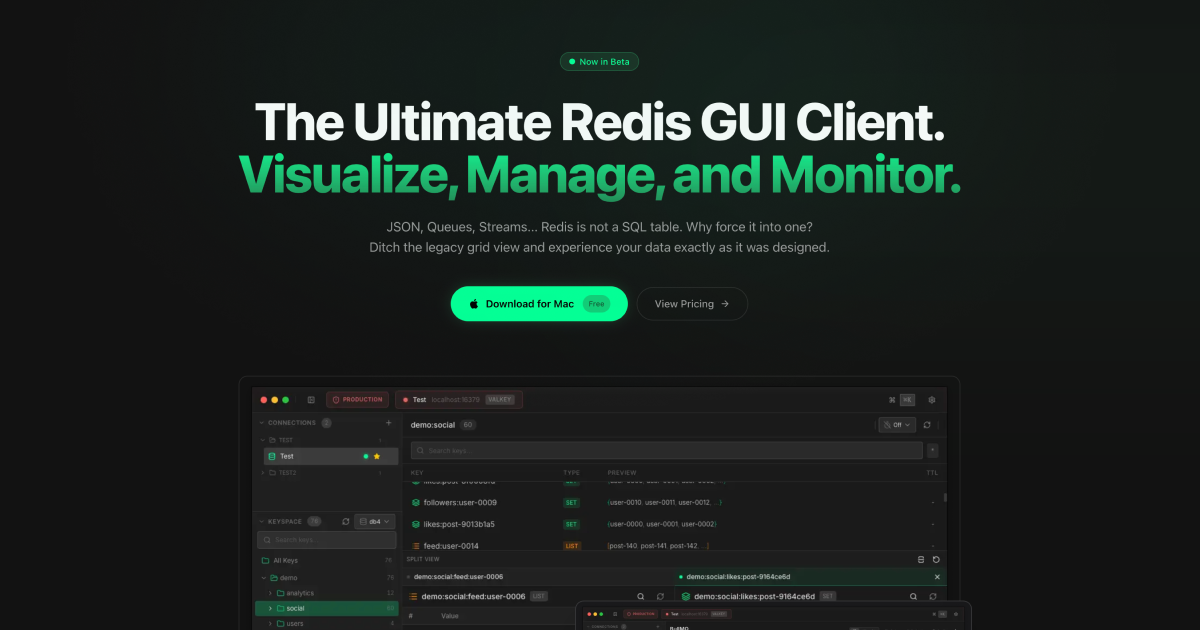
The Ultimate Redis GUI Client. Visualize, Manage, and Monitor. JSON, Queues, Streams... Redis is not a SQL table. Why force it into one? Ditch the legacy grid view and experience your data exactly as it was designed.
What to expect from an ideal product
- Redimo displays JSON data in its native tree structure instead of forcing it into flat table rows, making it easy to browse complex nested objects and arrays
- The interface shows Redis streams as flowing timelines with message details, letting you track data flow and debug stream processing without cryptic command-line outputs
- Queue management becomes visual with clear pending job counts, consumer groups, and message status indicators that update in real-time
- You can edit JSON values directly in the GUI using a proper editor with syntax highlighting, eliminating the need to construct complex Redis commands manually
- Real-time monitoring dashboards show memory usage, connection stats, and key metrics with graphs and alerts, replacing the need to remember and run multiple Redis INFO commands

