This task can be performed using CronWatch
Cron monitoring library, your stack and database, your alerts.
Best product for this task
CronWatch
dev-tools
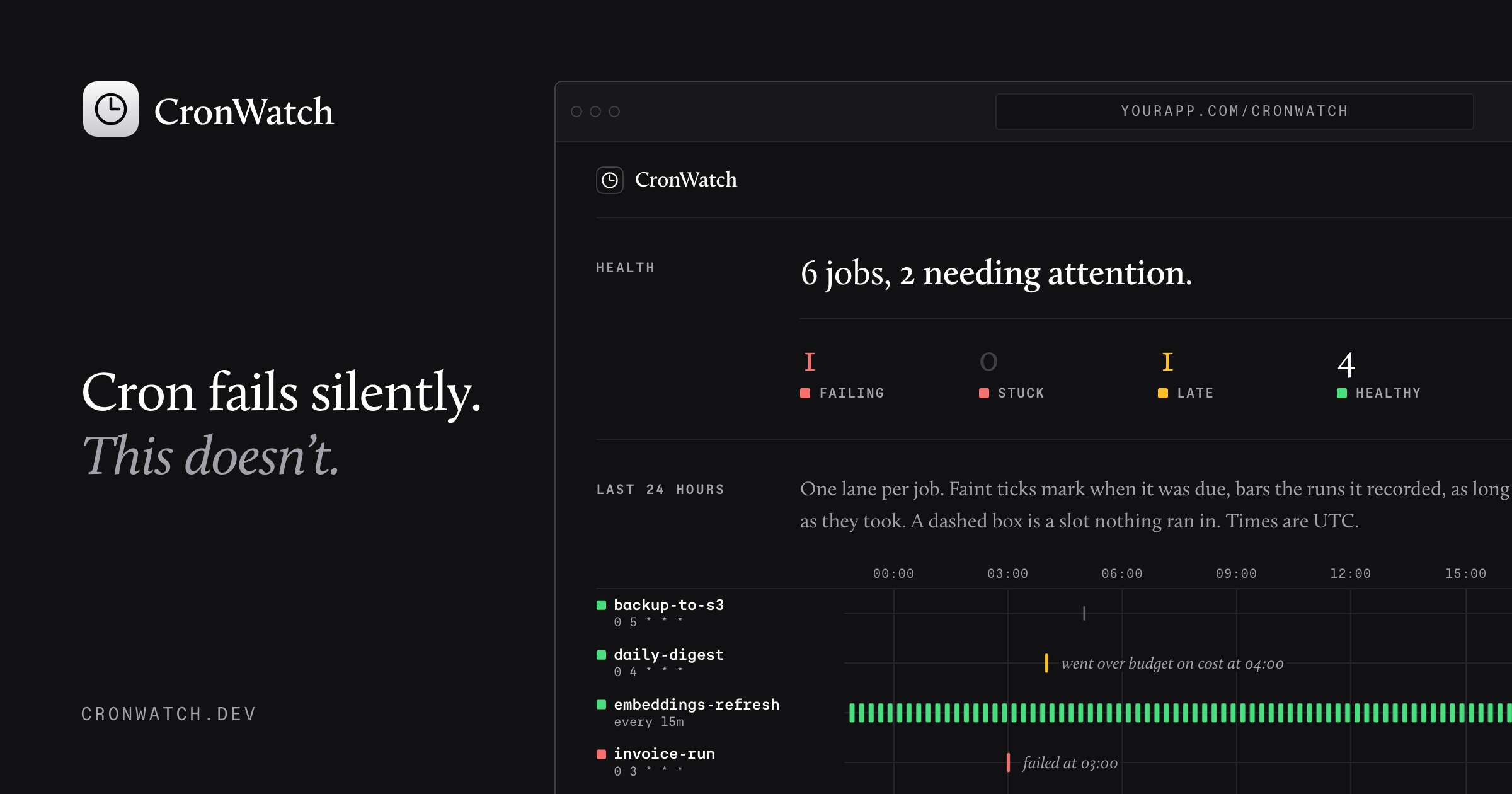
CronWatch is a language-agnostic cron monitoring library that logs scheduled jobs in your own database, visualizes run history, and sends detailed alerts when tasks fail, stall, run late, or exceed time and cost budgets.
cronwatch-librarycron-monitoringscheduled-job-trackerdevopsobservabilitysremonitoringdeveloper-tools
What to expect from an ideal product
- CronWatch hooks into any language or stack and writes job logs directly to your own database, so you never send sensitive execution data to a third-party service.
- When a cron job fails, stalls mid-run, or starts later than expected, CronWatch fires a detailed alert that tells you which job, when it broke, and how long it was running before it stopped.
- You set the rules: define time budgets and cost budgets per job, and get notified the moment a task overshoots what you expect it to spend or take.
- The run history view lets you spot patterns fast, like a job that always slows down on Sunday nights, without digging through raw logs or writing custom queries.
- Because CronWatch is language-agnostic, teams running Python scripts, Node workers, Ruby rake tasks, or shell cron jobs can monitor everything from one place without switching tools.

