This task can be performed using Quilt
Hands-free screenshot automation for macOS
Best product for this task
Quilt
productivity
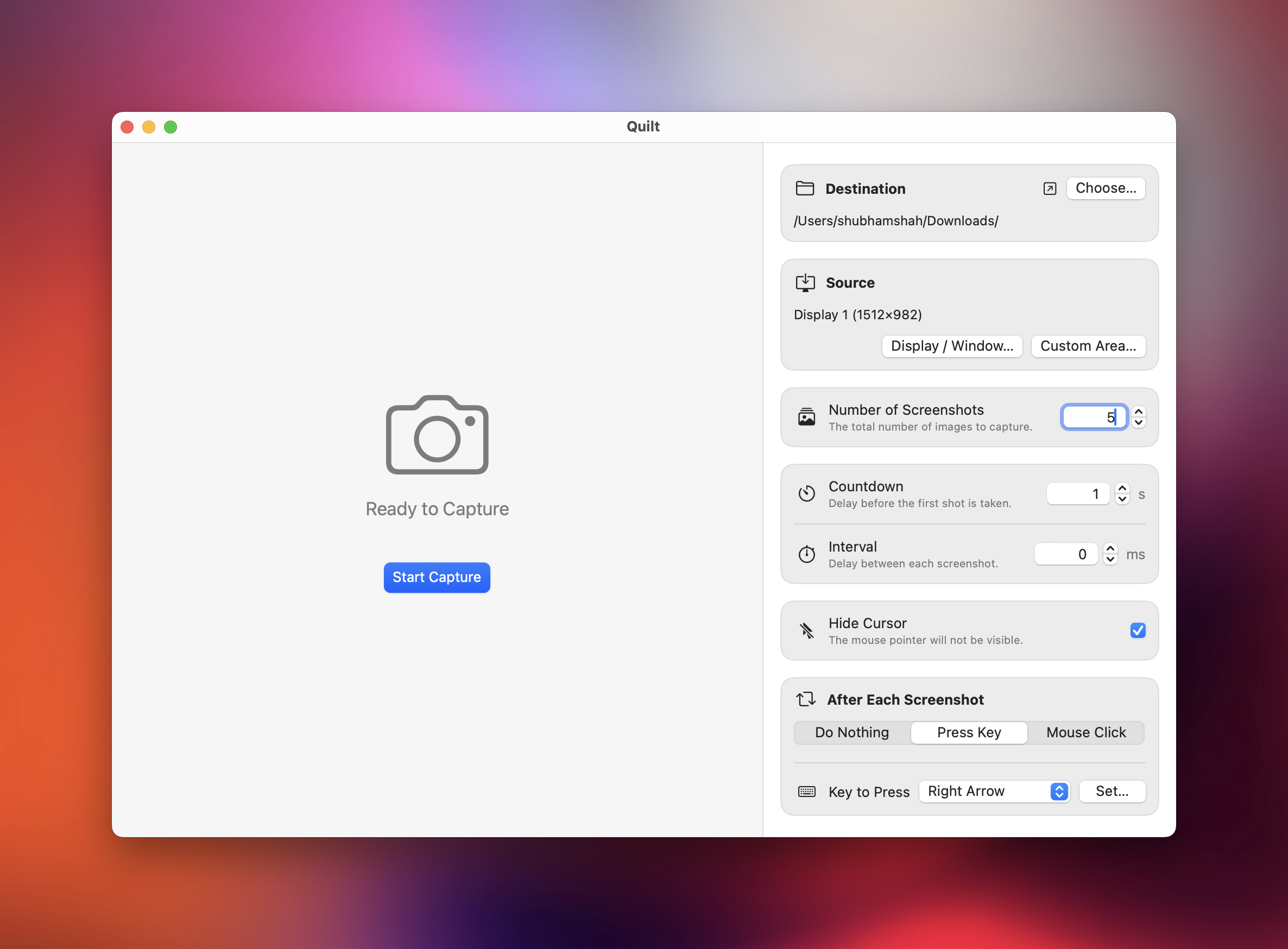
Quilt is a macOS app that lets you take automated screenshots of any content on your screen and export them as a searchable PDF. It can press keys or click between captures, making it perfect for scraping textbooks, viewing slides, or archiving protected material. With full control over intervals, countdowns, and capture area, Quilt saves time and works entirely offline.
What to expect from an ideal product
- Takes automated screenshots of protected content that blocks normal copying, letting you capture textbooks, presentations, and secure documents without manual work
- Exports all captured screenshots into a searchable PDF so you can easily find and reference specific content later without losing important information
- Automatically clicks buttons or presses keys between captures, which helps you navigate through multi-page documents or slide presentations without being there
- Works completely offline so you don't need internet access and your captured content stays private on your Mac instead of being uploaded somewhere
- Gives you full control over timing and screen areas so you can capture exactly what you need at the right speed for different types of protected materials

