This task can be performed using Improve My Page
Find what blocks your landing page from converting.
Best product for this task

Improve My Page
marketing
Improve My Page turns any SaaS landing-page URL into a prioritized audit report. It checks conversion structure, copy, pricing clarity, SEO, speed, accessibility, security, trust signals, links, and images, then shows what to fix first. Founders, marketers, creators, and agencies can start with a free limited audit, unlock one full report, or use a monthly plan for repeated page reviews.
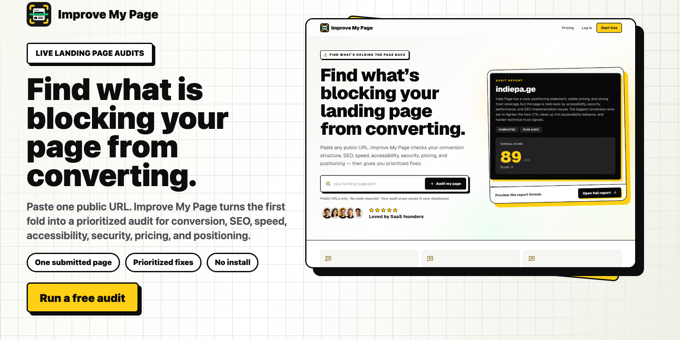
If you are asking, “Why is my landing page not converting?”, use this landing page conversion audit to find the biggest blocker before changing everything. You will review the page in a fixed order, score each issue by impact, and choose one next action instead of guessing.
Prepare a simple landing page audit
You need the exact public URL, your primary conversion goal, and a clear description of the visitor you want to convert. Decide whether the goal is a signup, demo request, purchase, or another action. The deciding factor among marketing products is whether they support this exact workflow.
Open the page in an incognito window and on a mobile device. Record the current conversion rate if you have enough traffic to measure it. Then create a basic landing page audit template with these columns:
- Section or element
- Observed problem
- Evidence
- Likely conversion impact
- Effort to fix
- Next action
Do not begin by checking every technical detail. The purpose of a landing page not converting audit is to identify the highest-impact problem first.
1. Check the message before the design
Read only the headline, subheadline, and primary CTA. Can a new visitor answer these questions in five seconds?
- What is this?
- Who is it for?
- What outcome does it provide?
- What should I do next?
If the headline says “The modern way to work better,” it is difficult to understand. A clearer example is, “Turn any SaaS landing page into a prioritized conversion audit.”
Next, compare the wording in your ad, email, or social post with the landing page. This is message mismatch. If the ad promises a free audit but the page leads with a paid plan, visitors may hesitate even when the product is relevant.
Mark unclear value propositions and mismatched promises as high priority. They affect nearly every visitor, so they usually deserve attention before typography or color changes. For a deeper diagnostic path, see The Best SaaS Landing Page Audit Tools for Finding Conversion Problems.
2. Test the CTA, pricing, and trust
Complete this landing page conversion problems checklist:
- Is there one primary CTA?
- Does the button describe the next step?
- Is the CTA visible without excessive scrolling?
- Does the form request only necessary information?
- Can visitors understand what happens after clicking?
- Are pricing, limits, and billing terms easy to find?
- Are privacy, security, testimonials, client logos, or guarantees relevant and visible?
Replace vague buttons such as “Learn more” with specific language such as “Start the free audit.” If pricing is unclear, explain what the user receives, what is limited, and when payment is required. Pricing friction often comes from uncertainty rather than the price itself.
Trust signals should support the decision, not decorate the page. Remove unsupported claims, add concrete proof where available, and make risk-reducing details easy to scan. A conversion optimization products category can help when you need tools for testing these changes.
3. Rank fixes with a short report
Turn your notes into a landing page audit report example:
- Issue: The hero does not identify the target user.
- Evidence: A first-time reader cannot explain the product after reading the hero.
- Impact: High, because the problem appears before the CTA.
- Effort: Medium.
- Fix: Rewrite the headline and subheadline around audience, problem, and outcome.
- Verification: Rescan the page, then monitor qualified visits and conversions.
Use the same structure for CTA, message match, pricing, trust, speed, accessibility, and broken links. For technical checks alongside business-facing issues, Improve a Page turns a submitted SaaS URL into a prioritized audit report.
Choose the fix with the highest combination of reach, likely impact, and reasonable effort. Apply one major change at a time. After the page is live, rescan it as an evaluated signal, then use real conversion data to confirm whether behavior changed. This is the practical way to decide what to fix on your landing page next.
More topics related to Improve My Page
Similar topics
- The Best SaaS Landing Page Audit Tools for Finding Conversion Problems
- How to Audit One Landing Page and Prioritize the Right Fixes
- How to Audit a SaaS Landing Page Before Launch
- Prioritized Landing Page Report: Copy, Pricing Clarity, Speed, and Trust Signals Reviewed in One Place
- How to prioritize which landing page issues to fix first for maximum conversion impact

