This task can be performed using Improve My Page
Find what blocks your landing page from converting.
Best product for this task

Improve My Page
marketing
Improve My Page turns any SaaS landing-page URL into a prioritized audit report. It checks conversion structure, copy, pricing clarity, SEO, speed, accessibility, security, trust signals, links, and images, then shows what to fix first. Founders, marketers, creators, and agencies can start with a free limited audit, unlock one full report, or use a monthly plan for repeated page reviews.
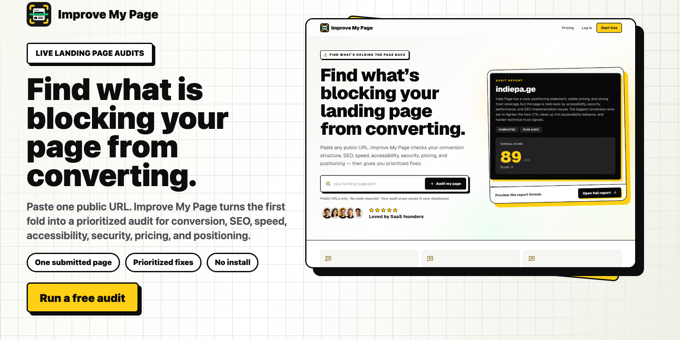
If you are about to buy traffic, launch a product, or redesign a page, submit one landing-page URL and review its conversion structure, copy, technical health, and trust signals in one workflow. This guide shows how to turn the results into a short fix list, rather than a pile of disconnected issues.
Prepare one page for a focused audit
Choose the exact public URL you want visitors to use. Do not start with your whole domain. A single URL landing page audit is most useful when the page has one clear goal, such as starting a trial, booking a call, or purchasing a plan. The deciding factor among marketing products is whether they support this exact workflow.
Before running an audit, record:
- The primary conversion action
- The audience and traffic source
- The offer or plan being promoted
- The current conversion baseline, if available
- Any recent page or campaign changes
This context helps you separate important problems from harmless warnings. A missing keyword may matter less than a confusing signup path for a page whose only goal is trial activation.
If you are comparing options, review landing page audit products that inspect a specific page instead of only crawling an entire website.
Run the audit across four decision areas
Use a landing page audit tool that combines business-facing and technical checks. Improve a Page accepts the URL you submit and evaluates conversion structure, hero clarity, message match, CTA consistency, pricing friction, copy, SEO, speed, accessibility, security, links, images, and trust signals.
Review the report in this order:
- Conversion structure: Is the goal obvious? Does the page guide visitors toward one primary action?
- Copy and message match: Does the headline explain who the offer is for and why it matters? Does the page match the promise made in the ad or referral?
- Technical health: Check speed, mobile usability, accessibility, security, broken links, and image problems.
- Trust and pricing: Look for proof, transparent plan details, risk reduction, policies, and answers to likely objections.
This is more useful than treating every warning equally. A website conversion audit tool should help connect a finding to a visitor decision, not merely label it as an error.
Convert findings into a ranked fix list
Create a simple table with four columns: issue, affected visitors, likely impact, and effort. Then rank each finding using these questions:
- Does it block or delay the main conversion?
- Does it affect many visitors?
- Is the problem visible before the CTA?
- Can you fix it quickly and verify the result?
- Is the issue technical, conversion-focused, or both?
For example, a weak hero headline may deserve priority over an image filename warning because it affects message clarity immediately. A broken signup link should usually come first because it can prevent conversion entirely.
Select one next action, not ten. A useful landing page audit with prioritized recommendations might look like this:
- Fix the broken primary CTA.
- Rewrite the hero to state audience, outcome, and action.
- Clarify pricing and remove an avoidable signup question.
- Compress oversized images.
- Add missing trust information near the decision point.
For deeper diagnosis after prioritization, use The Best SaaS Landing Page Audit Tools for Finding Conversion Problems.
Apply, rescan, and verify the result
Make the highest-priority change without bundling unrelated redesign work into the same release. Save the original version, record the change, and rescan the same URL with your landing page optimization tool.
A rescan tells you whether the evaluated issue has improved. It does not prove that conversions increased. Monitor the relevant real-world signal, such as completed forms, trials, purchases, or qualified calls, and compare against a suitable baseline.
More topics related to Improve My Page
Similar topics
- The Best SaaS Landing Page Audit Tools for Finding Conversion Problems
- How to Audit a SaaS Landing Page Before Launch
- Why Your Landing Page Is Not Converting and What to Fix First
- Prioritized Landing Page Report: Copy, Pricing Clarity, Speed, and Trust Signals Reviewed in One Place
- How to prioritize which landing page issues to fix first for maximum conversion impact

