This task can be performed using Improve My Page
Find what blocks your landing page from converting.
Best product for this task

Improve My Page
marketing
Improve My Page turns any SaaS landing-page URL into a prioritized audit report. It checks conversion structure, copy, pricing clarity, SEO, speed, accessibility, security, trust signals, links, and images, then shows what to fix first. Founders, marketers, creators, and agencies can start with a free limited audit, unlock one full report, or use a monthly plan for repeated page reviews.
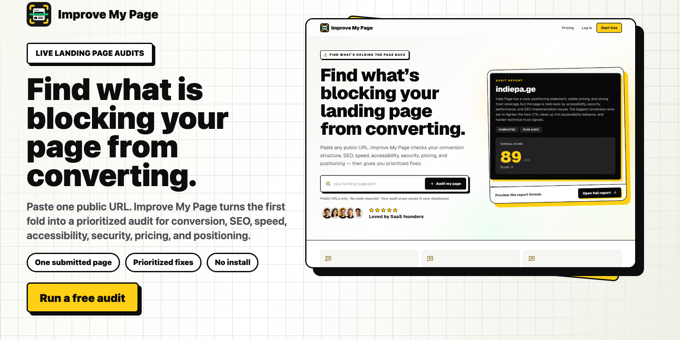
A SaaS landing page audit tool helps you find the reasons visitors hesitate, misunderstand your offer, or fail to take the next step. The best option should review the exact page you submit, connect technical findings to conversion problems, and tell you what to inspect first.
This guide explains how to evaluate an audit tool and use its report without confusing generic SEO advice with a real landing page conversion audit.
1. Define the page and conversion action
Before choosing software, identify the page you want to inspect and the action it should generate. That action might be starting a trial, booking a demo, joining a waitlist, or purchasing a plan. The deciding factor among marketing products is whether they support this exact workflow.
Prepare:
- The public SaaS landing-page URL
- The primary conversion action
- Your target audience and main promise
- Pricing or plan details shown on the page
- Any known traffic source, such as search, ads, or email
This context helps you judge whether a finding is relevant. For example, a page can have technically valid copy but still create message mismatch if visitors arrive expecting a different offer.
A useful landing page audit product should examine the submitted landing page rather than crawl an entire site and return broad recommendations.
2. Check whether the tool reviews conversion structure
Start with the visible path from headline to CTA. A useful automated SaaS landing page audit should help you inspect:
- Whether the hero explains the product and audience quickly
- Whether the primary CTA is clear and consistent
- Whether sections support the main decision
- Whether pricing is easy to understand
- Whether objections are answered near the relevant CTA
- Whether trust signals appear where hesitation is likely
Look for findings that explain the business impact, not just labels such as “improve content.” For example, “the CTA asks visitors to act before the page explains what happens next” is more useful than a generic copy warning.
If the tool also separates structure and copy findings from technical issues, you can avoid treating a missing trust signal like a broken link. That distinction makes a CRO product more useful for diagnosing landing-page problems.
3. Review technical and confidence signals together
Conversion issues are not always visible in the wording. Your landing page conversion optimization tool should also review:
- Page speed
- Mobile usability
- Accessibility
- Security signals
- Broken or inconsistent links
- Image quality and usage
- Basic SEO elements
Then inspect trust and clarity alongside those results. A slow page, unclear pricing, weak proof, and competing CTAs can combine into one larger hesitation problem.
An SEO audit product may identify search-related weaknesses, but a SaaS landing page audit should connect those findings to the page’s conversion purpose. A technically optimized page can still fail if its promise, pricing, or CTA does not match visitor expectations.
For a practical review, mark each finding with one of three labels:
- Blocks understanding
- Increases hesitation
- Creates technical friction
This keeps your assessment focused on what may prevent the intended action.
4. Compare reports, recommendations, and follow-up options
When comparing the best landing page audit tool for SaaS, inspect the output before judging the interface. Ask:
- Does it audit one exact URL?
- Does it prioritize findings instead of presenting an undifferentiated list?
- Does it include copy and pricing recommendations?
- Does it cover speed, accessibility, security, links, images, and trust?
- Can you use the recommendations with a developer or coding tool?
- Can you rescan after making changes?
Improve a Page turns a SaaS landing-page URL into a prioritized report across these areas. You can start with a free limited audit, unlock one full report, or use a monthly plan for repeated page reviews. Its fix prompt can also help translate a finding into an implementation task. Review the conversion optimization products category when comparing tools with this specific capability.
More topics related to Improve My Page
Similar topics
- How to Audit One Landing Page and Prioritize the Right Fixes
- How to Audit a SaaS Landing Page Before Launch
- Why Your Landing Page Is Not Converting and What to Fix First
- Prioritized Landing Page Report: Copy, Pricing Clarity, Speed, and Trust Signals Reviewed in One Place
- How to prioritize which landing page issues to fix first for maximum conversion impact

