This task can be performed using Vibecraft
See Claude code come alive in 3D, instantly.
Best product for this task

Vibecraft
vibe-coding
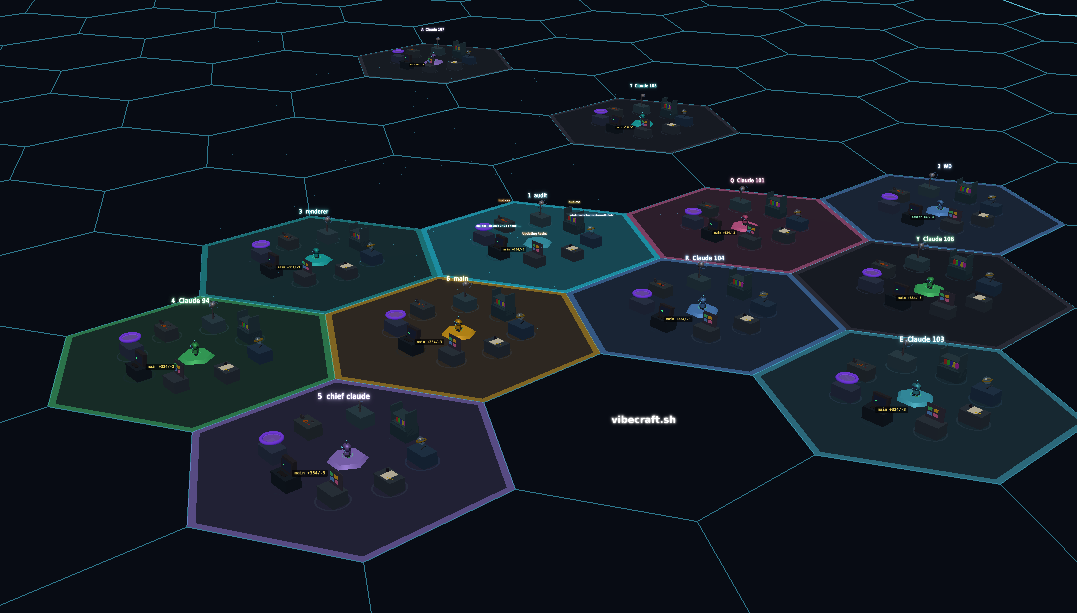
Vibecraft is a 3D visualization interface for Claude Code that maps your local AI coding sessions onto an interactive hex grid. It lets you monitor, control, and troubleshoot multiple Claude Code instances with spatial organization, tmux integration, and optional voice input while keeping all code on your own machine.
What to expect from an ideal product
- Maps each Claude coding session to a unique spot on a 3D hex grid so you can see all your active projects at once without switching between tabs or windows
- Shows real-time status updates and progress indicators floating above each session, making it easy to spot which ones are running, stuck, or finished
- Connects directly with tmux to give you instant control over any session just by clicking on its hex tile, letting you jump in and out of different coding tasks quickly
- Groups related sessions together on the grid using color coding and spatial clusters, so you can organize projects by type, priority, or team member
- Displays live code metrics and error alerts as 3D visual elements that pop up when something needs your attention, eliminating the need to constantly check logs or terminal outputs

