This task can be performed using Voktik
Voice typing for Windows that tidies as you talk
Best product for this task

Voktik
productivity
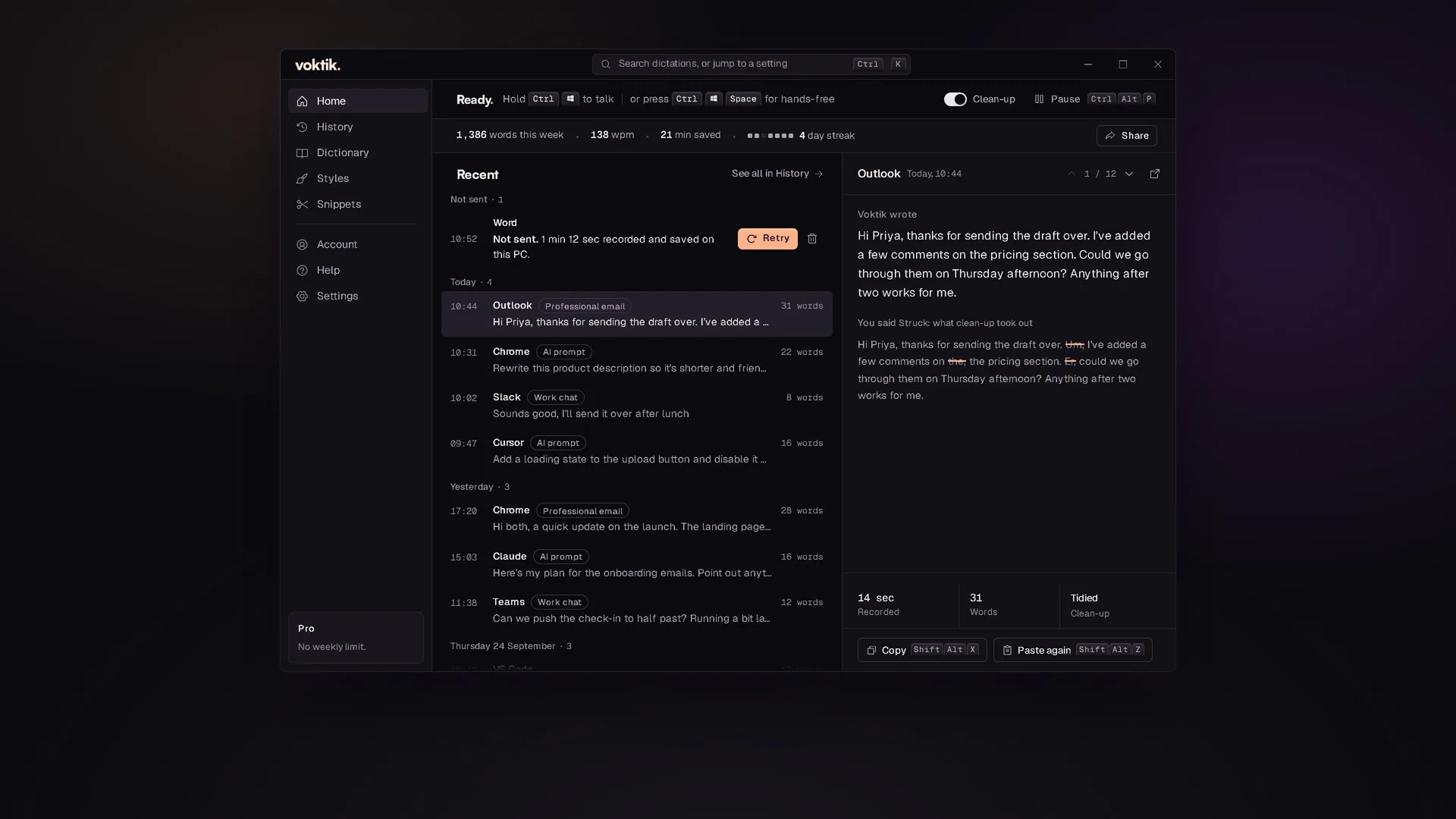
Hold Ctrl+Win, talk, let go. Voktik takes out the ums, adds punctuation and pastes clean text into the app you're typing in. Free for 2,000 words a week.
What to expect from an ideal product
- Voktik lets you trigger voice typing anywhere on Windows with a single keyboard shortcut: hold Ctrl+Win, speak, release, and your cleaned-up text appears instantly in whatever app you were using.
- Unlike built-in Windows voice typing, Voktik automatically removes filler words like "um" and "uh" and adds punctuation so you never have to edit what gets pasted.
- The shortcut works across all Windows apps including browsers, email clients, Word, and Slack, with no need to switch windows or open a separate tool.
- You get 2,000 words per week completely free, which covers dozens of emails, messages, or notes without touching your keyboard.
- If you type slowly, deal with RSI, or just think faster than you type, this shortcut turns spoken thoughts into ready-to-send text in seconds.

