This task can be performed using Voktik
Voice typing for Windows that tidies as you talk
Best product for this task

Voktik
productivity
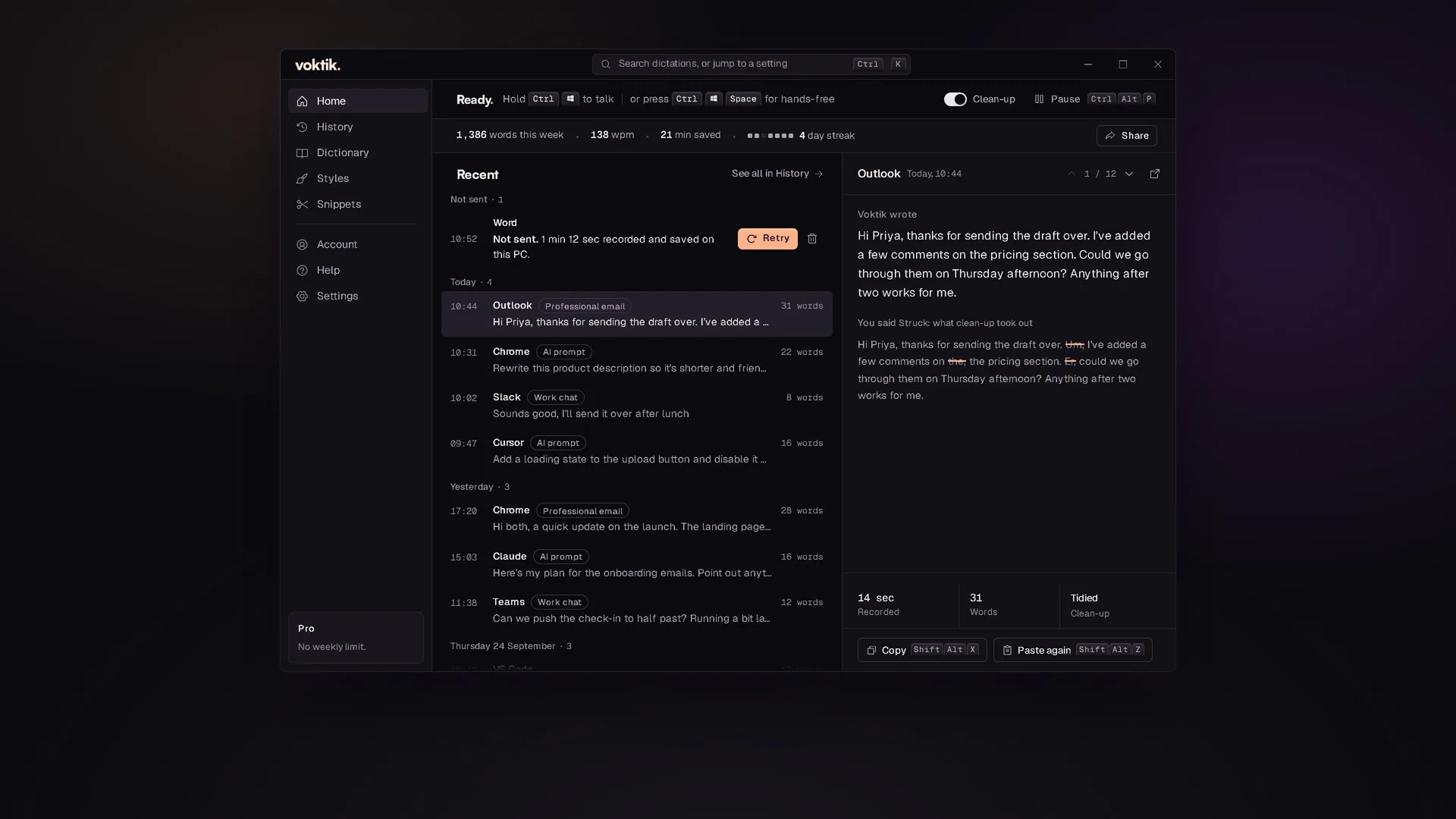
Hold Ctrl+Win, talk, let go. Voktik takes out the ums, adds punctuation and pastes clean text into the app you're typing in. Free for 2,000 words a week.
What to expect from an ideal product
- Voktik listens while you talk and strips filler words like "um" and "uh" before the text ever hits your screen, so you skip the cleanup step entirely.
- The shortcut is Ctrl+Win, hold to record, release to paste. No extra app to switch to, no text box to copy from, it drops clean text straight into whatever you have open.
- Punctuation gets added automatically based on how you speak, so you are not reading back a wall of run-on sentences after every dictation session.
- Works across Windows apps without needing you to change your workflow. Whether you are in Gmail, Notion, Word, or a browser form, the cleaned text lands right where your cursor is.
- You get 2,000 words free every week, which is enough to test it seriously on real writing tasks before deciding if it fits your daily routine.

