This task can be performed using DocsToAudio
AI Document to Audio Converter & Voice Cloning
Best product for this task
DocsToAudio
productivity
DocsToAudio converts PDF, EPUB, DOCX, and TXT into MP3 or M4B audiobooks using AI voices—or your own cloned voice. The free tier offers 300+ voices in 30+ languages, with no account or file-size limits; documents are parsed in-browser and the original file is never uploaded. Premium is pay-as-you-go with no subscription, offering 800+ ElevenLabs voices, Gemini narration, background conversion with email alerts, 7-day re-downloads, and voice cloning from a 10–30 second recording or authorized upload.
text-to-speechaudiobookPDF converterEPUBdocument converterAI voiceMP3productivityfree toolElevenLabs
What to expect from an ideal product
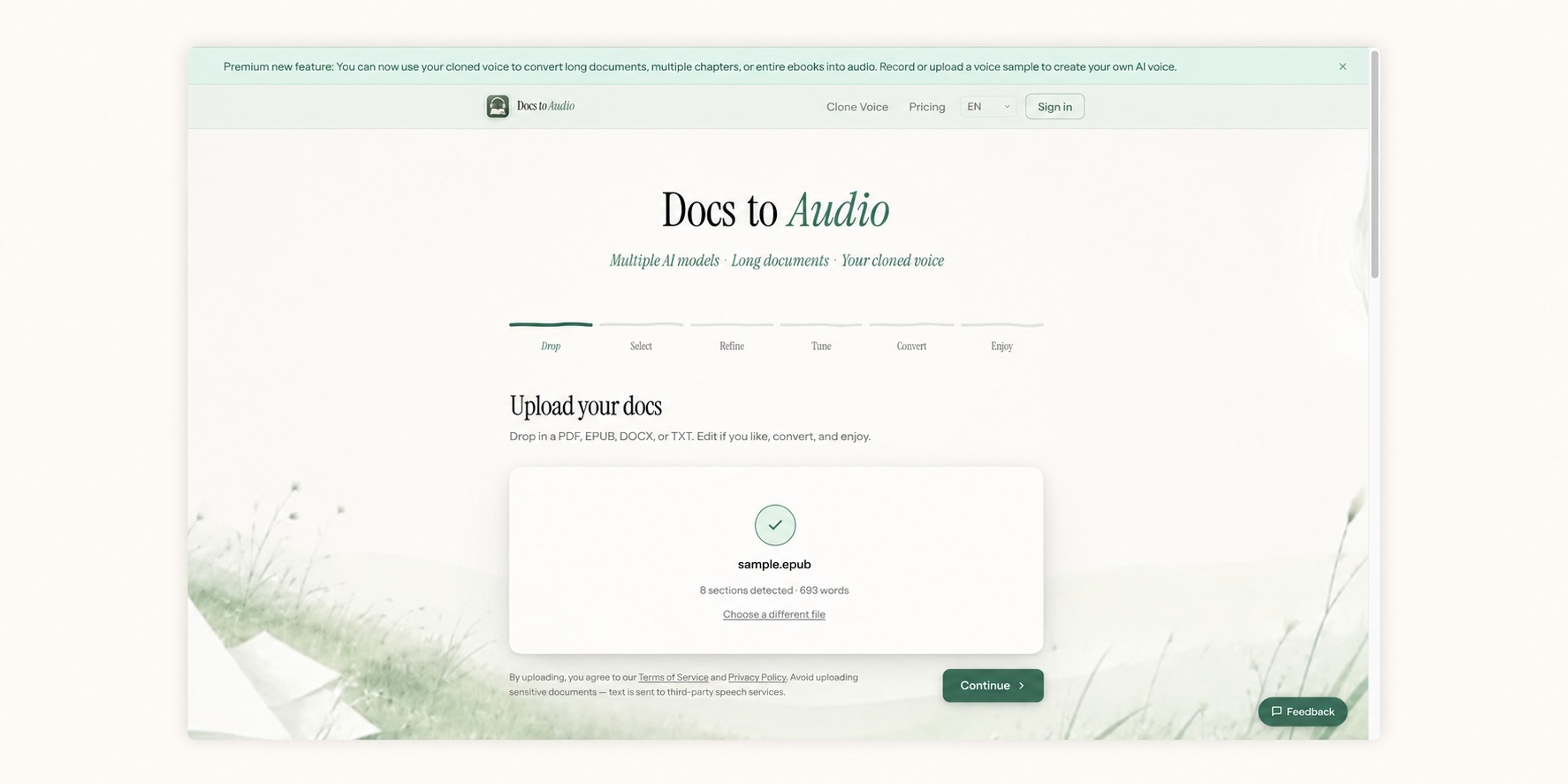
- DocsToAudio converts EPUB and DOCX files into M4B audiobooks directly in your browser — no software to install, no account required, and no paywall blocking the download.
- M4B is the preferred audiobook format for Apple Books and iPhone, making DocsToAudio the fastest way to turn a manuscript or ebook into a listenable file on Apple devices.
- The conversion workflow takes three steps: upload your EPUB or DOCX file, choose M4B as the output format, and download the finished audiobook — the whole process takes minutes, not hours.
- Unlike text-to-speech apps that stream audio only, DocsToAudio produces a downloadable M4B file you own and can load onto any device, transfer to USB, or archive locally.
- DocsToAudio supports multiple document formats including PDF, TXT, EPUB, and DOCX, so whether you're converting a finished novel, a research report, or a rough draft, the same free tool handles it without format juggling.

