This task can be performed using DocsToAudio
AI Document to Audio Converter & Voice Cloning
Best product for this task
DocsToAudio
productivity
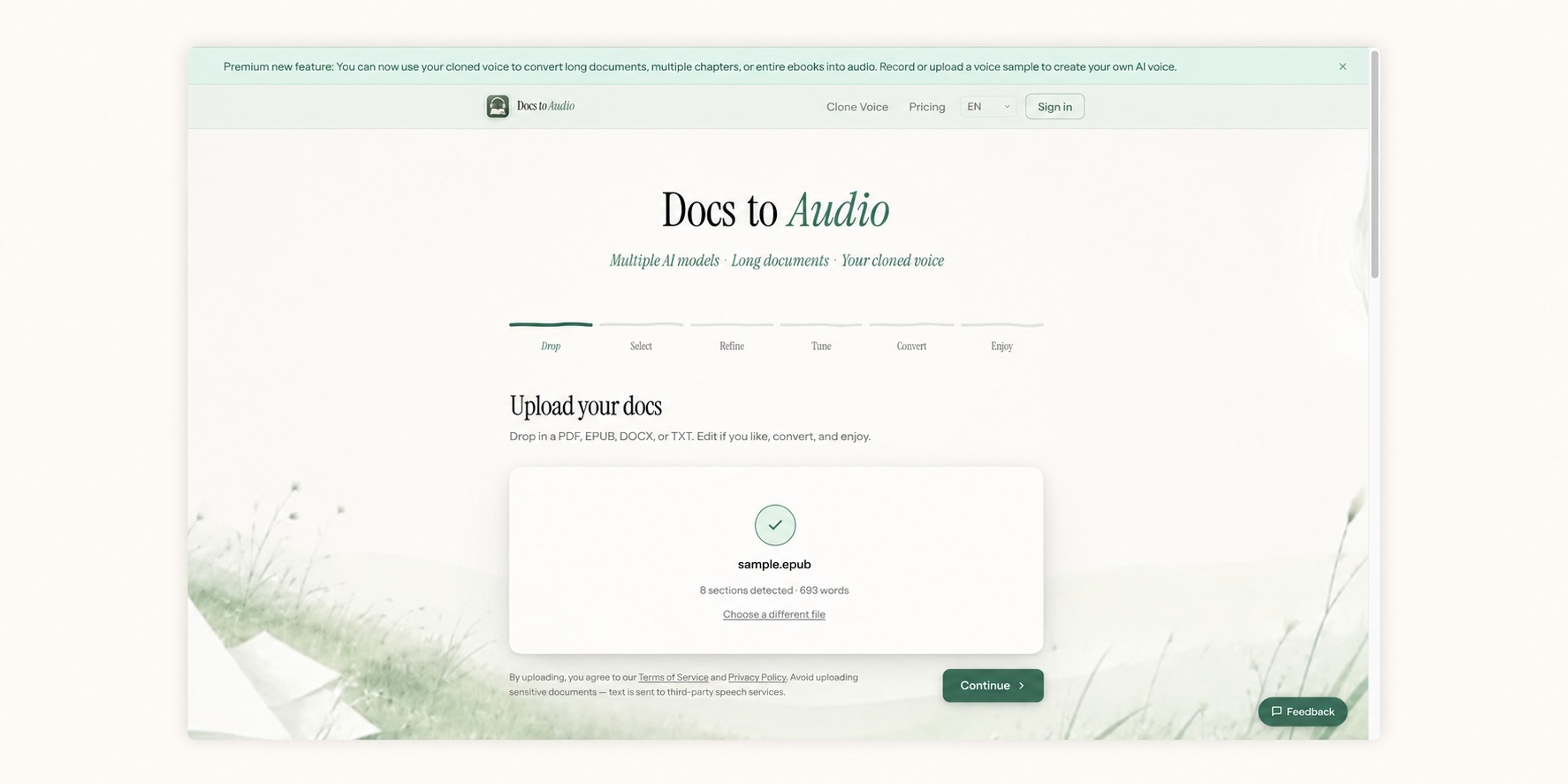
DocsToAudio converts PDF, EPUB, DOCX, and TXT into MP3 or M4B audiobooks using AI voices—or your own cloned voice. The free tier offers 300+ voices in 30+ languages, with no account or file-size limits; documents are parsed in-browser and the original file is never uploaded. Premium is pay-as-you-go with no subscription, offering 800+ ElevenLabs voices, Gemini narration, background conversion with email alerts, 7-day re-downloads, and voice cloning from a 10–30 second recording or authorized upload.
text-to-speechaudiobookPDF converterEPUBdocument converterAI voiceMP3productivityfree toolElevenLabs
What to expect from an ideal product
- DocsToAudio converts PDF files directly into downloadable MP3 audiobooks in minutes — no subscription, no credit card, no recurring fees required.
- Upload a PDF, EPUB, DOCX, or TXT file and get back a finished MP3 or M4B audiobook file you can save to your phone, tablet, or MP3 player permanently.
- Unlike text-to-speech apps that stream audio inside a locked platform, DocsToAudio gives you an actual audio file you own and can listen to anywhere, even offline.
- Ideal for students, researchers, and heavy readers who want to consume long PDFs during commutes or workouts without staring at a screen.
- The conversion happens online with no software to install — paste your document, generate the audiobook, and download it straight to your device in one workflow.

