This task can be performed using Rapidinventory
QuickBooks Desktop inventory tracking software
Best product for this task

Rapidinventory
productivity
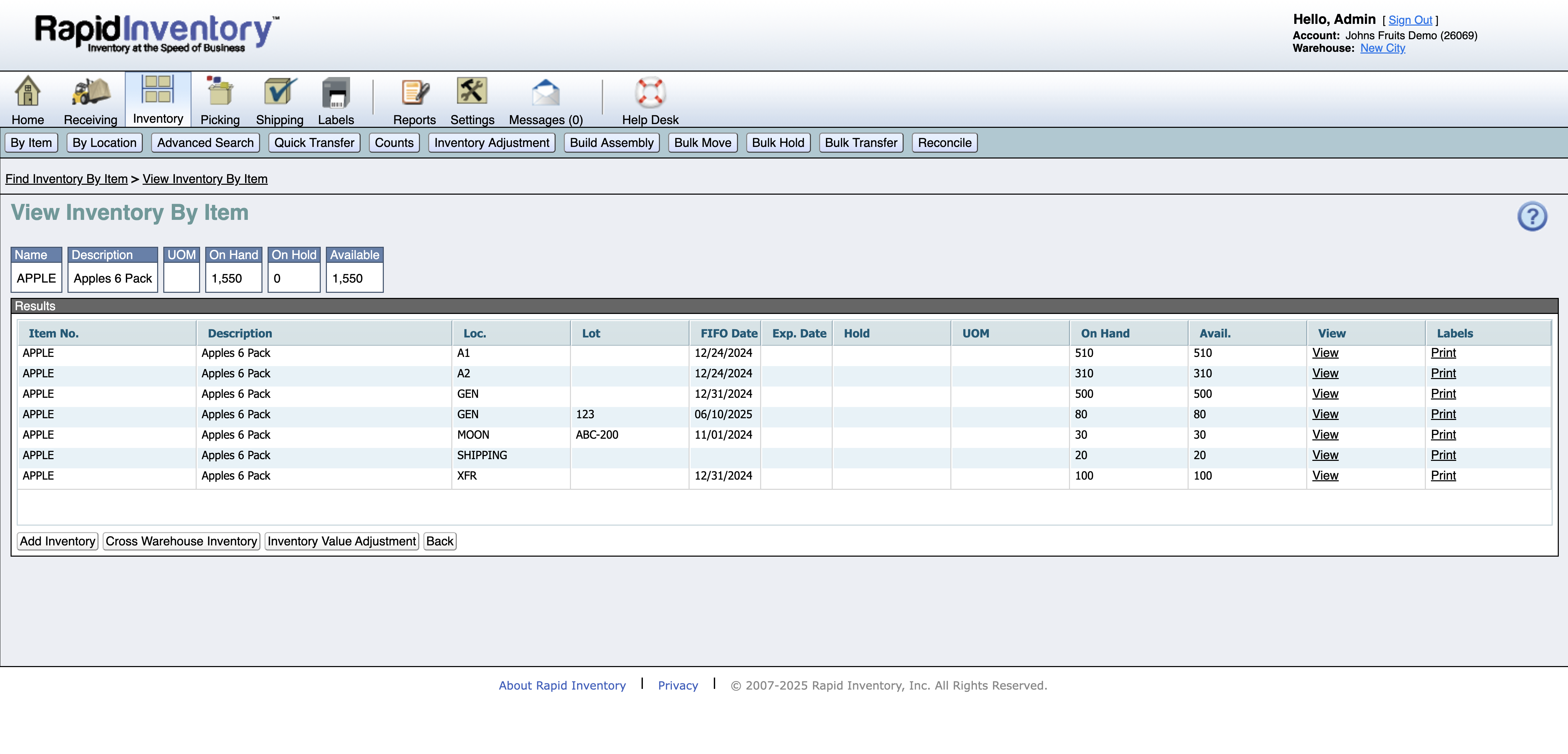
Rapid Inventory is designed for QuickBooks Desktop users (Pro, Premier, Enterprise) who need efficient inventory management. With 17 years of experience serving 400 clients, it ensures real-time, two-way synchronization of stock, orders, and locations. Its capabilities include multi-location support, FIFO/FEFO rotation, lot and serial tracking, mobile barcode scanning, label printing, and streamlined pick lists. Being cloud-based, teams can access it anywhere and onboard quickly. With transparent pricing, free support, and full QuickBooks integration, Rapid Inventory is ideal for small and mid-sized businesses seeking to optimize inventory management, reduce manual entry, and gain better stock insights.
What to expect from an ideal product
- Syncs inventory levels in real-time across all your QuickBooks Desktop locations so you always know what's in stock where
- Tracks which items are at which locations and automatically updates QuickBooks when you move products between warehouses or stores
- Uses barcode scanning to quickly update stock levels at each location without manual data entry that leads to mistakes
- Generates pick lists that show exactly where to find items across multiple locations to speed up order fulfillment
- Provides a single dashboard view of inventory quantities at every location while keeping your QuickBooks data perfectly synced

