This task can be performed using RouteCord
A visual mixer to transfer and record Discord voice with your own bots
Best product for this task

RouteCord
productivity
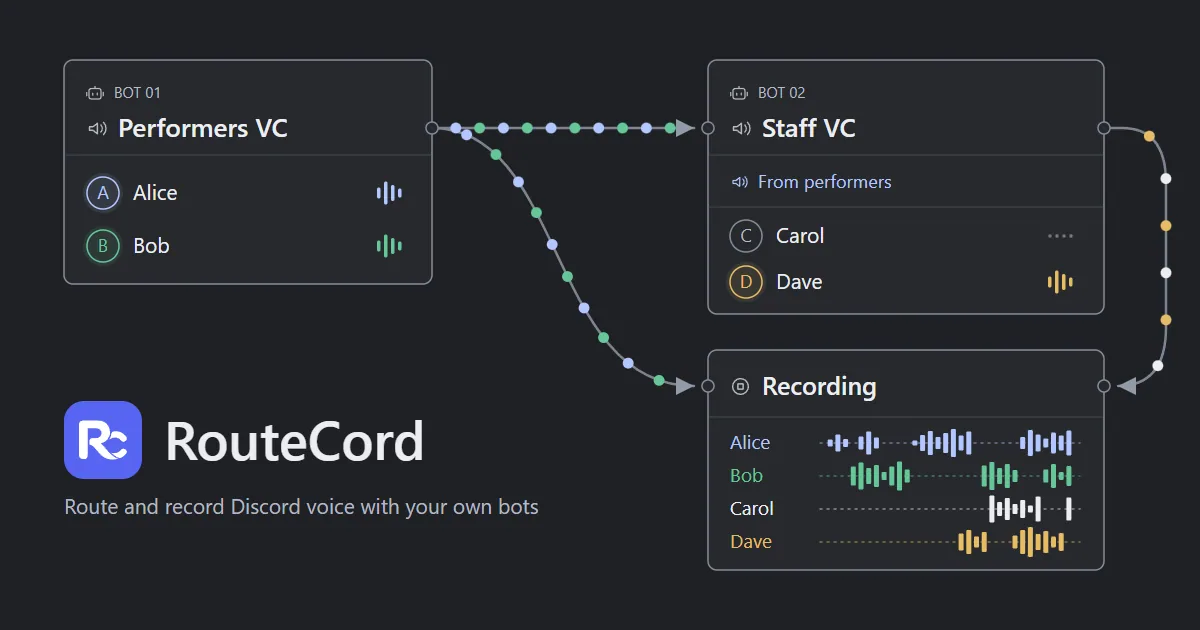
RouteCord routes audio between Discord voice channels and records each participant to separate tracks in your browser, using your own bots while keeping all audio processing and storage on your device.
discord routermultitrack recordervoice relaydiscord audiostreaming utilitiescontent creationvoice productioncommunity management
What to expect from an ideal product
- Mix Discord voice channels live using a visual audio router that runs entirely in your browser, no external servers involved.
- Record every Discord participant to a separate audio track without uploading anything to third-party cloud storage.
- Use your own Discord bots to route audio between voice channels, so you stay in full control of who handles your data.
- Produce clean multi-track recordings for podcasts, streams, or meetings directly from Discord without extra software installs.
- RouteCord processes and stores all audio on your own device, which removes privacy risks tied to cloud-based Discord recording tools.

