This task can be performed using Talat
The private meeting notes app.
Best product for this task
Talat
ai
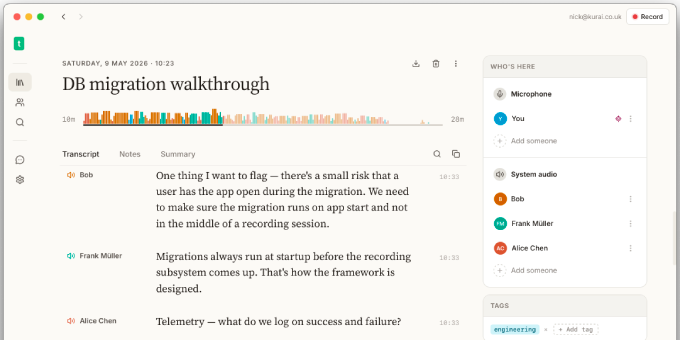
Stay present in remote calls and in-person meetings while talat transcribes them in real time, using 100% on-device AI. Export your notes, transcripts, and summaries to Markdown, PDF, webhooks, or any MCP-aware AI assistant.
What to expect from an ideal product
- Export transcripts directly to Markdown format for easy editing and sharing across different platforms and text editors
- Generate PDF versions of meeting summaries with one click to create professional documents for stakeholders and team members
- Set up webhook integrations to automatically send meeting notes to your preferred project management tools or communication channels
- Connect with MCP-aware AI assistants like Claude or ChatGPT to get instant analysis, action items, or follow-up suggestions from your meeting data
- Choose from multiple export options right after your meeting ends, so you can quickly distribute information while it's still fresh and relevant

