This task can be performed using Paisty
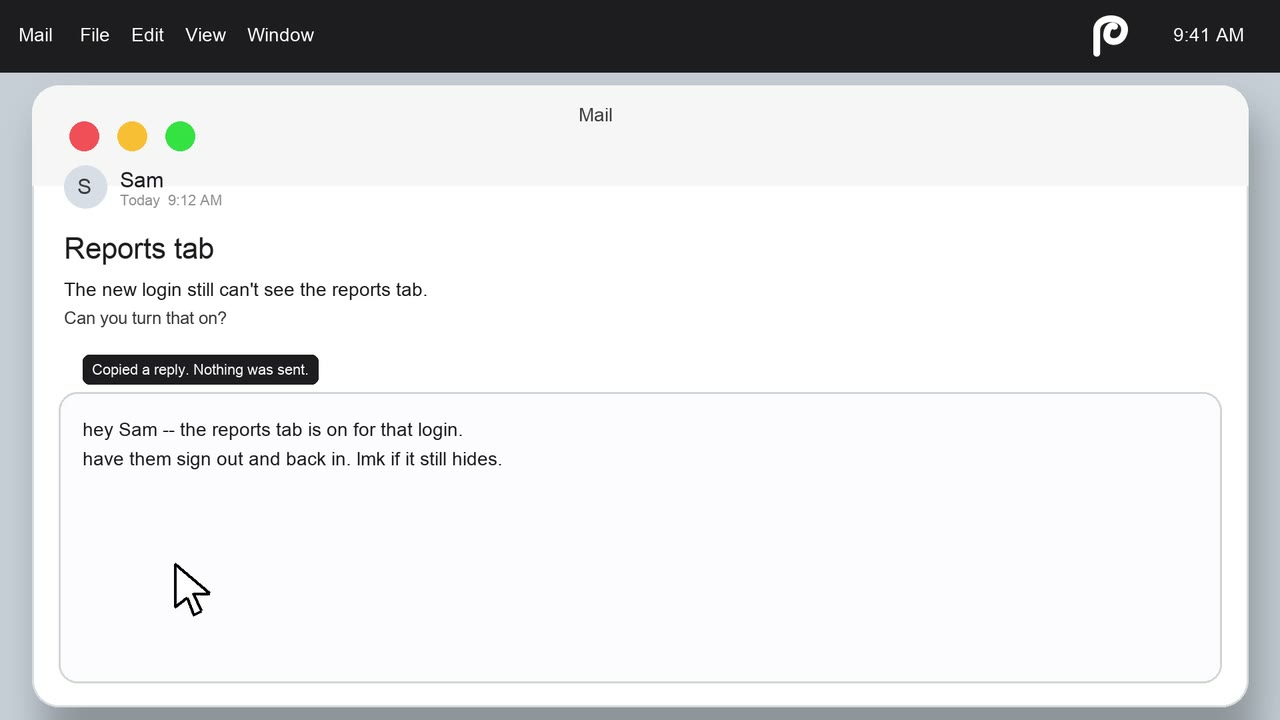
One menu click, instant drafted replies from your active window
Best product for this task

Paisty
ai
Paisty is a Mac menu-bar drafting assistant that reads your current window and uses your existing mail, chats, notes, and calendar to draft context-aware replies that you review and send yourself.
contextual-drafterreply-assistantknowledge-brainproductivityai-writingmacosknowledge-workemail-management
What to expect from an ideal product
- Paisty sits in your Mac menu bar and drafts replies based on whatever window you have open, no copy-pasting, no tab switching, no context loss.
- It pulls from your actual emails, chats, notes, and calendar to write replies that sound like you and fit the situation you are already in.
- You stay in control: Paisty drafts, you review, you send. Nothing goes out without your eyes on it first.
- Works across mail clients, messaging apps, and notes without forcing you into a separate writing tool or breaking your flow.
- If you spend chunks of your day crafting replies across different apps, Paisty cuts that time down to a single click from the menu bar.