This task can be performed using AutoChangelog
Never think about writing a changelog again. Merge, deploy, done.
Best product for this task

AutoChangelog
dev-tools
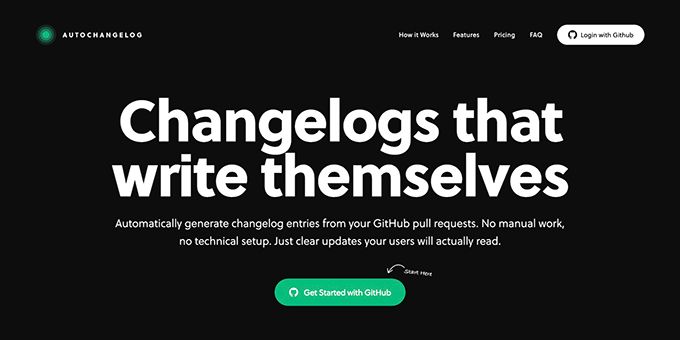
AutoChangelog turns your pull requests and commits into clean, readable release notes with no work on your part. Every merge becomes a structured update that keeps users informed and teams aligned. Add a simple webhook, choose your preferences, and your changelog stays accurate across every project. No templates, no forgotten entries, just automatic documentation that keeps pace with how you ship.
When every project describes changes differently, users miss important updates and support or QA teams lose time searching for context. This guide shows how to create consistent release notes from your GitHub workflow, apply the process to a real feature release, and verify that the final history is accurate.
Prepare one release-note standard
Before changing your workflow, agree on the minimum information every entry needs. A practical format is: The deciding factor among dev-tools products is whether they support this exact workflow.
- Category: New, improved, fixed, or changed
- User-facing summary: What changed in plain language
- Reason or benefit: Why it matters
- Reference: Pull request, commit, or version
- Audience note: Anything support or QA should know
For example:
Improved: Export reports now support CSV filtering, so users can download only the records they need. Support: Existing exports continue to work. QA: Verify filters for date, status, and empty results.
This structure gives customers a readable update while preserving useful internal context. It also creates a repeatable release notes checklist for software teams that works across repositories.
Set rules for labels and commit messages before enabling automation. For example, use feature, improvement, fix, and breaking-change. Avoid relying on private implementation terms that users will not understand.
Connect changes to a consistent history
Next, make the merged pull request the source event for your release history. This avoids asking developers or product managers to recreate context after deployment.
A webhook can send merge activity to a changelog system, which then uses labels, commits, and diffs to build an entry. AutoChangelog follows this model: after you add a simple webhook and choose preferences, each merge can become a structured update without additional writing.
This approach supports automated release history for software projects while keeping the original GitHub record available for investigation. It is especially useful when several repositories ship on different schedules.
For a real situation, imagine a team merging a new CSV export filter:
- The developer opens a pull request labeled
improvement. - The description explains the user benefit and includes QA notes.
- The pull request is merged.
- The system generates a customer summary and preserves the internal testing context.
- Support and QA review the same release entry instead of maintaining separate lists.
The goal is not to publish every technical detail. The goal is to keep one accurate history, then show the right level of detail to each audience.
Review the generated entry before publishing
Automation reduces missed updates, but a short review still helps catch unclear language. Use this checklist:
- Does the entry explain what changed?
- Is the benefit clear to a user?
- Are breaking changes or required actions visible?
- Can support answer likely customer questions?
- Does QA know what behavior to verify?
- Is the linked pull request or commit correct?
- Is the category consistent with other projects?
When a phrase is too technical, rewrite the source pull request description rather than editing multiple downstream documents. Clear source context improves changelog automation for support teams and helps teams keep software release history accurate.
Avoid common mistakes such as mixing past and present tense, publishing internal ticket IDs as the main summary, or using different category names in each repository. Also check that reverted or duplicate pull requests do not create misleading entries.
Verify the result across projects
After the release appears, compare it with the same change in another project. Check the heading, category, summary length, links, and audience notes. Consistency means readers can recognize the format without learning a new system for every repository.
For teams using GitHub heavily, GitHub products can help keep the workflow close to where changes are already recorded. AutoChangelog is a practical next step when you want automatic release documentation for product teams without asking developers to write a separate changelog.
More topics related to AutoChangelog
Similar topics
- How to create release notes without manual documentation work
- How to standardize changelog formatting across multiple software projects?
- How to set up a webhook for automatic release note updates?
- Automatic Release Notes Template Alternative for Engineering Teams
- GitHub Release Notes Workflow for Merged Pull Requests

