This task can be performed using BioSnap AI
No photoshoot? No problem. AI delivers flawless headshots.
Best product for this task
Tired of bad profile pics? BioSnap AI turns selfies into studio-quality headshots in seconds - perfect for LinkedIn, resume or Social Media. No photoshoots, no hassle - just upload, customize, and get a polished, pro-looking shot with perfect lighting.
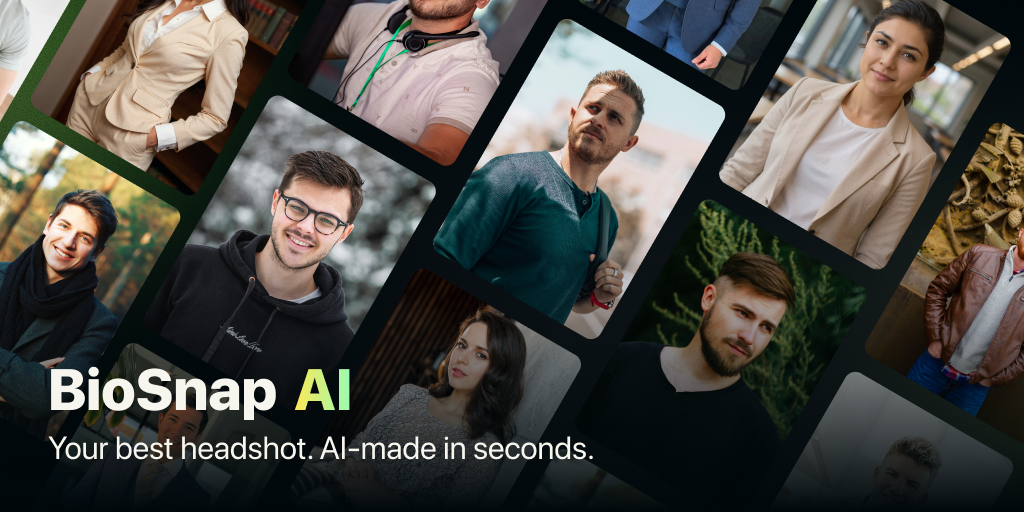
Need a credible photo for a resume, job application, or portfolio but have no photoshoot booked? Use an AI resume photo generator to turn a clear selfie into a polished headshot, then choose the crop, expression, style, and background that fit your industry.
1. Choose the right professional photo style
Before generating your image, decide where it will appear and what impression it should create. The deciding factor among AI products is whether they support this exact workflow.
- Corporate roles: Choose a clean outfit, neutral expression, simple office or plain background, and a head-and-shoulders crop.
- Creative roles: Use a warmer expression, modern clothing, or a subtle studio or environmental background.
- Client-facing or service roles: Choose an approachable smile, tidy styling, and bright, uncluttered lighting.
- Portfolio work: Match the image to your personal brand. A designer, photographer, or writer may use more personality than an accountant or legal professional.
A polished image should still look like you. Avoid dramatic effects, unrealistic skin smoothing, or backgrounds that compete with your face. If you need to compare visual approaches, this guide to creating a LinkedIn headshot that looks professional and natural can help you choose a direction.
2. Start with a suitable selfie
Your source image affects the final result. Prepare two or three selfies with these checks:
- Your face is clearly visible and not covered by sunglasses, hats, or heavy shadows.
- The camera is near eye level.
- Your face is turned only slightly, if at all.
- The image is sharp and reasonably well lit.
- Your expression is relaxed and recognizable.
- There are no other people in the frame.
A simple phone selfie is enough if the face is clear. You do not need to wear the final outfit in the original photo, especially if your chosen tool includes outfit generation. For more preparation help, see this practical guide to turning a selfie into a professional headshot without a photoshoot.
3. Generate and customize your headshot
BioSnap AI lets you upload selfies, select a style, and generate polished headshots with adjusted lighting, backgrounds, and optional outfit changes. It can work as an AI headshot for job application needs, a resume image, or an AI headshot for portfolio use.
Use this workflow:
- Upload your clearest selfie.
- Select corporate, creative, or casual, based on your target role.
- Choose a plain, office, or outdoor background that supports your industry.
- Select a natural expression, such as a slight smile or calm confidence.
- Generate several options if available.
- Save the version that looks most realistic and professional.
For a broader look at similar tools, browse AI Headshot Generator products and Professional Photo products. If you want a professional resume photo from selfie results without arranging a studio session, BioSnap AI is a practical next step.
4. Check the crop and final image
Use a head-and-shoulders crop for most resumes and job applications. Keep your eyes near the upper third of the frame, leave modest space above your head, and make sure your face remains visible when displayed as a small thumbnail.
For a portfolio, you may use a slightly wider crop if the background supports your work. However, the image should not look like a vacation photo or social media post.
Before uploading, verify:
- The face still looks like you.
- Lighting is balanced and not overly dramatic.
- Hair, glasses, and clothing look believable.
- The background has no distracting objects.
- The file is sharp at its intended display size.
- The same photo fits your resume, application profile, and portfolio.
Avoid using different styles across every platform. A consistent professional job seeker profile photo AI result can make your applications feel more considered. Finally, view the image at thumbnail size. If your expression, eyes, and outline remain clear, your resume or portfolio photo is ready.
More topics related to BioSnap AI
Similar topics
- Create Professional Resume Headshots From Selfies With BioSnap AI
- How to Turn Selfies Into Professional Headshots Without a Photoshoot
- How to get professional headshots without hiring a photographer
- How to turn selfies into LinkedIn-quality profile pictures
- How to create studio-quality headshots with perfect lighting at home

