This task can be performed using YABANIN AI
Self-hosted AI workflows with full data control and clarity
Best product for this task

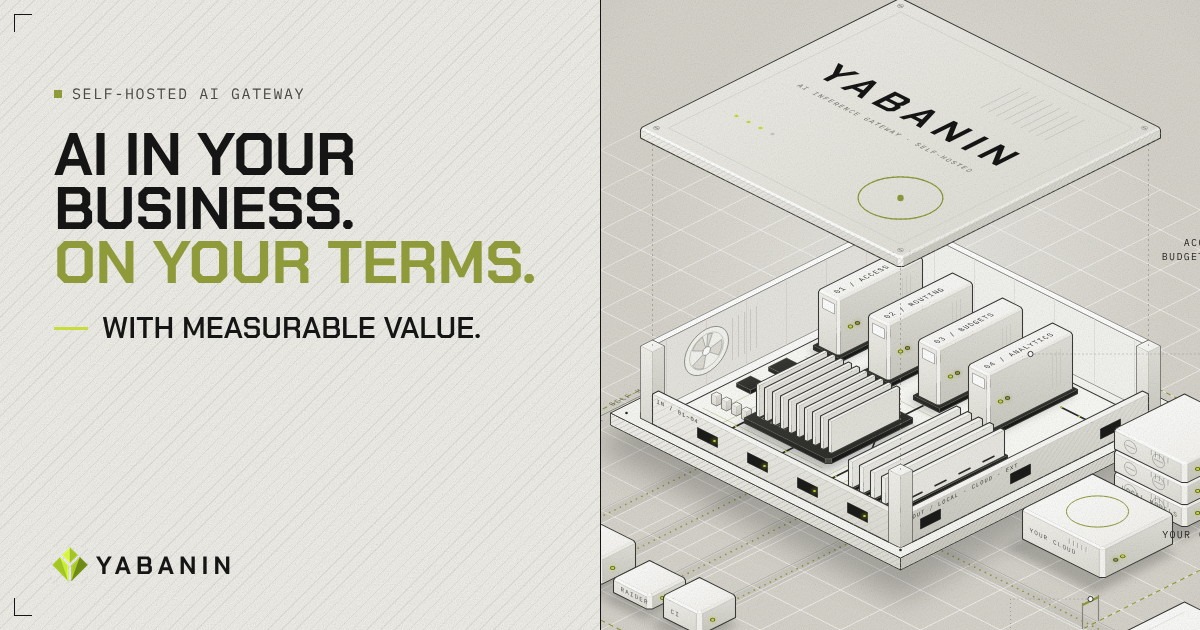
YABANIN is a self-hosted AI inference gateway that centralizes model access, routing, budgets, and analytics so enterprises can run AI inside their own infrastructure with full control and measurable ROI.
If model bills are spread across cloud accounts, experiments, and internal tools, use this guide to assign each request to a team, project, agent, and workflow. You will create an attribution model, enforce limits across providers, and identify expensive use cases before they create surprise costs. This is practical self hosted AI cost tracking for teams that need control without giving up local infrastructure.
1. Define the cost dimensions before tracking usage
Start with a required metadata schema. Each LLM request should include:
- Team: engineering, support, sales, or another budget owner
- Project: the application or initiative
- Agent: the automated worker making the request
- Workflow: the business process or task
- Provider and model: local or approved cloud destination
- Tokens and estimated cost: input, output, and total usage
For example:
team=engineering
project=code-review
agent=pr-reviewer
workflow=pull-request-analysis
model=approved-model
This structure supports llm cost attribution by project, AI inference cost tracking by team, and track AI costs by workflow reporting without relying on provider invoices alone.
Use a central AI inference gateway product when requests currently bypass consistent tagging. A gateway can require metadata before forwarding traffic and provide one record for every call.
2. Choose where requests should run
Next, separate workloads by cost, sensitivity, and performance needs. Local models may suit private, predictable workloads. Approved cloud models may be useful for tasks requiring capabilities unavailable internally.
Do not let each application select providers independently. Route both destinations through one control layer so you can control AI costs across multiple providers and compare usage consistently. A self-hosted LLM product can keep this process inside your infrastructure.
Create a routing policy such as:
Routine classification: local model
Sensitive documents: local model only
Complex reasoning: approved cloud model
Unclassified request: deny
This also improves shadow AI project cost visibility. Any request outside the gateway becomes a discoverable exception instead of an invisible bill.
3. Add team, agent, and workflow budget rules
Set limits at multiple levels. A project limit alone may not stop one automated agent from consuming the entire allocation.
Use rules like:
- Team monthly budget: shared ceiling for all applications
- Project budget: allocation approved for a specific initiative
- Agent daily limit: protection against loops or retries
- Workflow per-run limit: maximum spend for one job
- Provider limit: safeguard for cloud traffic
Example llm budget policy template:
Engineering:
  monthly: approved allocation
  code-review agent: daily limit
  pull-request workflow: per-run limit
  over budget: route to local model, then block
For AI budget management by agent, define what happens at each threshold:
- At 70%, notify the owner.
- At 90%, use a lower-cost approved route.
- At 100%, block new requests and preserve an audit record.
These are practical llm budget controls for engineering teams and help prevent unexpected LLM costs. A gateway with enforced rules, such as an AI infrastructure product, is preferable to reminders in a spreadsheet.
4. Review attribution and fix common mistakes
Run a weekly llm usage cost analytics review. Sort by team, project, agent, workflow, model, and provider. Investigate high-cost workflows, repeated retries, unusually large prompts, and requests missing metadata.
Use this AI usage cost attribution template:
Date | Team | Project | Agent | Workflow | Model | Tokens | Cost | Outcome
Common mistakes include tagging only the application, mixing test and production traffic, and allowing fallback providers without recording the destination. Also check whether agents can create new sub-workflows that inherit no budget.
For organizations comparing broader enterprise AI products, make attribution and enforcement required selection criteria, not optional analytics.
More topics related to YABANIN AI
Similar topics
- How to Track AI Usage and ROI Inside Enterprise Infrastructure?
- Best Self-Hosted AI Gateway for Centralized Model Access
- How to Set Up Self-Hosted AI Model Routing With Budget Controls?
- YABANIN vs Cloud AI Gateways for Enterprise Data Control
- How to deploy a self-hosted AI gateway for secure enterprise workflows