This task can be performed using YABANIN AI
Self-hosted AI workflows with full data control and clarity
Best product for this task

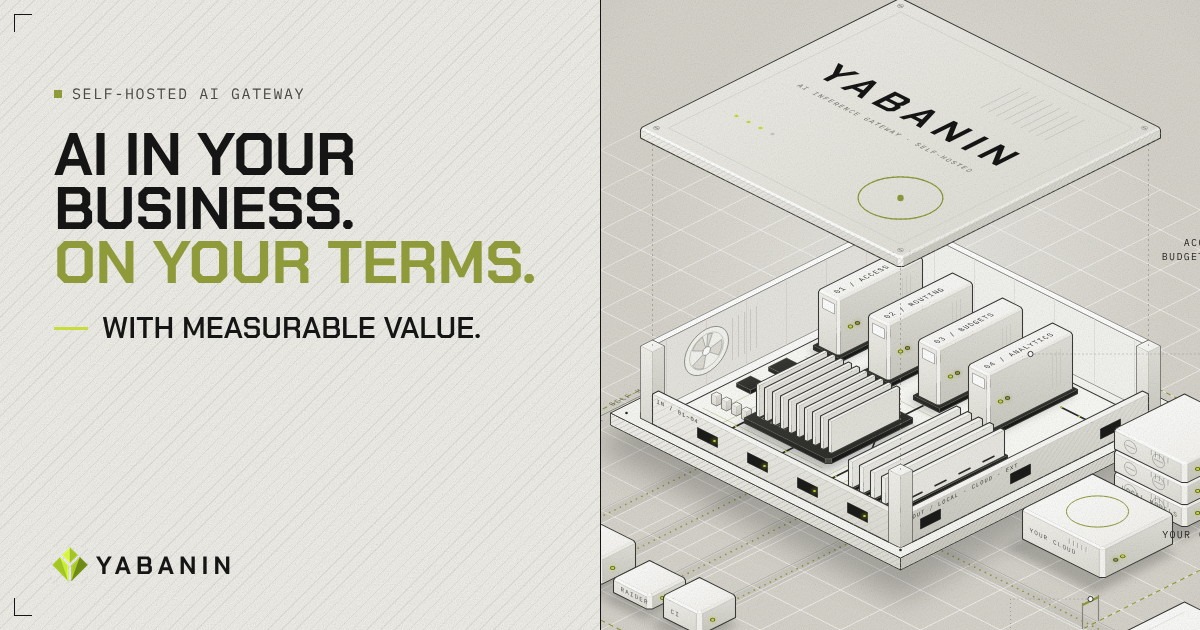
YABANIN is a self-hosted AI inference gateway that centralizes model access, routing, budgets, and analytics so enterprises can run AI inside their own infrastructure with full control and measurable ROI.
If your team needs to run LLMs inside your own infrastructure, this guide shows how to choose an on-premise or private-cloud deployment and create a secure internal access layer. You will define requirements, centralize model traffic, apply access and budget controls, and verify usage tracking for sensitive enterprise workflows.
1. Choose the right private deployment model
Start by deciding where the gateway and models must run.
- On-premise AI inference gateway: Choose this when data must remain in facilities your organization directly operates.
- Private-cloud deployment: Choose this when your team needs isolated infrastructure with centralized cloud operations.
- Hybrid model: Use local models for sensitive workloads while routing approved requests to permitted cloud providers.
Record these decisions before installing anything:
- Which data classifications may reach each model
- Which teams, agents, or applications need access
- Which models are approved for each workflow
- Whether outbound requests are allowed
- How long usage records should be retained
For teams comparing AI infrastructure products, the key choice is not only model performance. It is whether the deployment gives security, routing, and cost controls a single enforcement point.
The deciding factor among AI products is whether they support this exact workflow.
2. Prepare the gateway environment
Create a small deployment plan for your self-hosted LLM infrastructure for companies. The gateway should sit between internal applications and model endpoints, including local inference servers and approved external providers.
Before deployment, complete this checklist:
- Provision a private host, cluster, or virtual machine
- Place the gateway behind your internal network controls
- Create service identities for applications and agents
- Define approved model destinations
- Set logging, retention, and administrator permissions
- Test network access without exposing unrestricted model endpoints
Use a single API contract where possible. Applications should call the gateway rather than embedding provider-specific credentials. This creates a secure internal LLM access layer and makes later routing changes less disruptive.
A self-hosted AI inference gateway such as YABANIN AI can centralize model access, routing, budgets, and analytics while running inside your infrastructure. It supports local models and approved cloud providers through one controlled path.
3. Configure access, routing, and budgets
Now turn your deployment into an operational control plane.
First, map each team or workflow to permitted models. For example, a document-processing agent may use a local model, while a development assistant may use an approved cloud endpoint if policy allows it.
Next, apply controls at the gateway:
- Create identities for teams, applications, and agents.
- Assign model permissions by identity or workflow.
- Set per-team or per-agent spending limits.
- Define routing rules for local and approved provider endpoints.
- Enable usage analytics with attribution by task or business unit.
- Send a test request through the gateway and confirm the recorded destination and owner.
This is where a private AI inference gateway differs from scattered model calls. The gateway can make access and spending decisions consistently. If you are also evaluating self-hosted LLM products, check whether they provide this centralized policy layer, not only model hosting.
For an enterprise AI deployment in private cloud, document what happens when a budget is reached, a model is unavailable, or a request contains restricted data. Fail closed when policy requires it.
4. Verify security and operating readiness
Run a short acceptance test before connecting production workflows.
- Attempt an allowed request and confirm successful routing.
- Attempt a restricted model request and confirm it is denied.
- Exceed a test budget and verify the configured response.
- Confirm analytics identify the team, task, model, and destination.
- Review logs for sensitive prompt or response exposure.
- Check that credentials are not present in application code.
Common mistakes include exposing model endpoints directly, giving every application the same credentials, and enabling analytics without useful attribution. Another mistake is treating usage tracking as an afterthought. It is essential for private LLM deployment with usage tracking and measurable cost ownership.
More topics related to YABANIN AI
Similar topics
- How to Track AI Usage and ROI Inside Enterprise Infrastructure?
- Best Self-Hosted AI Gateway for Centralized Model Access
- How to Set Up Self-Hosted AI Model Routing With Budget Controls?
- YABANIN vs Cloud AI Gateways for Enterprise Data Control
- How to route local and cloud LLM requests through one gateway