This task can be performed using NextCell
Lightweight Excel alternative
Best product for this task

NextCell
analytics
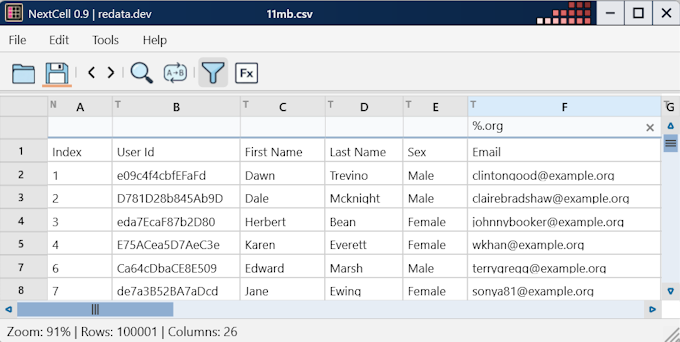
NextCell is a lightweight spreadsheet editor designed as a fast and minimalist alternative to Excel. The application is distributed as a single executable file. It is well suited for data engineers. It supports fuzzy search across columns and allows users to easily filter data.
What to expect from an ideal product
- NextCell ships as a single executable file, so there is no installation process and no dependencies to manage before you can start filtering data.
- The fuzzy search feature lets you match column values even when spelling is approximate, which saves time when working with messy or inconsistent datasets.
- Data engineers who need a fast way to explore CSV or tabular data can open NextCell and query columns in seconds without opening a heavy tool like Excel.
- Unlike Excel, NextCell stays out of the way with a minimalist interface, so the focus stays on the data and not on navigating toolbars and ribbons.
- Filtering columns with fuzzy search in NextCell works well for quick data validation tasks where exact string matching would miss relevant rows.

