This task can be performed using CaptainCode AI
CaptainCode: One prompt, always the best AI model.
Best product for this task

CaptainCode AI
dev-tools
Captain Code is a local TUI crew chief that routes each developer task to the best mix of coding and reasoning models across your existing subscriptions and open-source deployments.
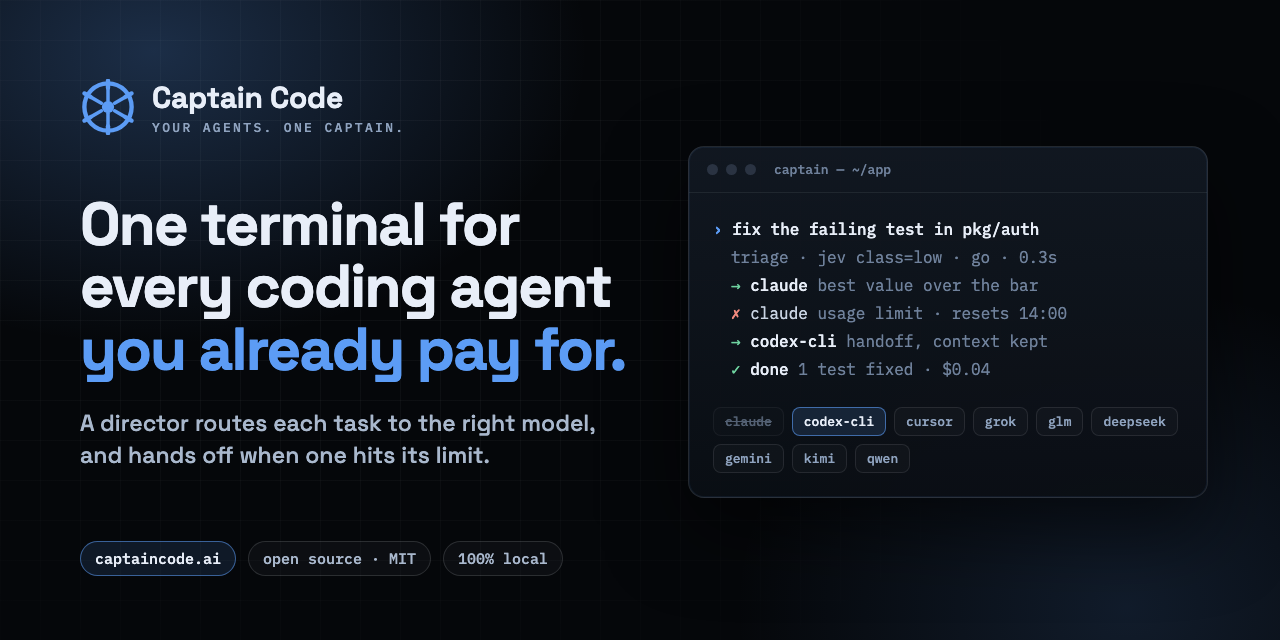
If you want to use multiple AI subscriptions in one coding tool, you can keep each provider’s inference and billing while controlling them from one workflow. This guide shows how to combine Claude, Codex, Cursor, API keys, and open source models with a local routing layer, then verify that tasks reach the intended provider.
1. Decide which providers should handle each task
Start by listing the subscriptions and deployments you already use:
- Claude for careful reasoning, refactoring, or architecture
- Codex for implementation and repository changes
- Cursor for editor-based work
- Open source models for local, restricted, or lower-cost tasks
- Other API providers for specialized coding or reasoning
Do not assume one model should handle everything. A practical split might send documentation edits to a lean model, debugging to Claude, and larger implementation tasks to Codex. The deciding factor among dev-tools products is whether they support this exact workflow.
This approach is more flexible than manually switching windows, but your provider terms and account permissions still apply. Check which subscriptions expose usable access for your workflow and which require separate API keys.
If you are comparing AI routing products, focus on whether they preserve provider-specific inference and billing rather than forcing every request through one pooled account.
2. Create a provider configuration
Choose a local orchestration layer that can read your configured credentials and expose one command interface. Captain Code is a local TUI crew chief that routes prompts across subscriptions, API keys, and open-weight deployments.
Add each provider using its supported credential method. Keep keys in environment variables or the tool’s secure configuration rather than placing them in project files. Give every entry a clear name, such as:
claude-reasoning
codex-build
cursor-editor
local-open-model
Then test each connection with a small, low-risk prompt. Confirm the selected provider, model, and billing path before sending production code.
Captain Code’s captain why command makes the routing decision inspectable. Use it to check whether the task was classified as coding, reasoning, local-only, or frontier work.
3. Route coding tasks between Claude and Codex
Use explicit controls when you need predictable behavior:
/frontierfor difficult reasoning or implementation/cheapfor routine edits/teamfor multiple agents/parallelfor independent investigations/repeatfor reproducible runs/interruptto stop a stalled task
For example, ask one model to analyze a failing test, then route the implementation to another:
Analyze the failing authentication test.
Use Claude for diagnosis, then use Codex to implement the smallest fix.
This creates a simple model orchestrator pattern without copying context between separate applications. For editor work, Cursor can remain the place where you inspect files and review changes, while Captain coordinates the agents behind the workflow.
4. Add policies and verify the result
Before regular use, define boundaries for sensitive repositories. You may require open-weight-only execution, deterministic serving, or manual approval before a frontier model runs.
Use a checklist:
- Every provider connection succeeds
- The intended model appears in the routing explanation
- Local-only tasks stay local
- Changes are visible in your normal editor
- Provider billing remains attached to the original account
- Stalled runs can be interrupted and recovered
A unified interface for Claude Code, Codex, and Cursor is useful only if it remains transparent. Review the ledger after a multi-step run and confirm which model handled each request.
For teams evaluating dev orchestration products, this audit trail is an important choice criterion. It helps separate genuine routing from a simple chat wrapper.
Common mistakes
Avoid putting all credentials in one shared file, routing every task to the most expensive model, or assuming editor access automatically grants API access. Also test subscription limits before parallel execution.

