This task can be performed using CaptainCode AI
CaptainCode: One prompt, always the best AI model.
Best product for this task
CaptainCode AI
dev-tools
Captain Code is a local TUI crew chief that routes each developer task to the best mix of coding and reasoning models across your existing subscriptions and open-source deployments.
If your coding workflow jumps between expensive frontier models, fast coding models, and local deployments, use this guide to route each task deliberately. You will classify a real feature request, send it to the right model crew, and verify the result without losing context.
1. Classify the coding task before choosing a model
Start by identifying what the task actually needs. This is the key step in any AI model router for coding agents because model choice should follow the work, not habit. The deciding factor among dev-tools products is whether they support this exact workflow.
Use these practical categories:
- Routine editing: formatting, renaming, small functions, and straightforward tests
- Repository navigation: locating dependencies, tracing call paths, and understanding unfamiliar code
- Deep reasoning: architecture changes, concurrency bugs, migrations, or security-sensitive logic
- Parallel work: independent implementation, review, testing, or documentation tasks
For example, “add retry logic to the payment webhook” may require repository navigation, code changes, and careful reasoning. Do not route it as a simple edit if failure could create duplicate payments.
Write down the acceptance criteria, affected files, test command, and risk level. This gives a multi-model AI coding assistant enough structure to make a useful decision.
2. Define routing rules and constraints
Next, decide which models are eligible for each category. A simple policy might look like this:
- Use a fast, economical model for routine edits.
- Use a strong coding model for multi-file implementation.
- Use a frontier reasoning model for ambiguous or high-risk design decisions.
- Use open-weight models when privacy or local execution is required.
- Ask a second model to review changes when the task affects production behavior.
Your choice should also account for context size, tool access, latency, and whether the model can work with your repository. This is where automatic LLM routing for software development becomes practical: the router applies consistent rules instead of relying on manual switching.
If you are comparing implementation approaches, a model orchestrator for development workflows can help you evaluate orchestration tools separately from individual model providers.
3. Run one real task through a crew
Consider the webhook example. Give the router one prompt:
Add exponential backoff for transient webhook failures. Prevent duplicate processing, update tests, and explain any schema or deployment risks.
A capable AI coding agent model orchestration layer can split this into useful roles:
- A coding model inspects the existing handler and drafts the change.
- A reasoning model checks idempotency and failure scenarios.
- A fast model updates focused tests and documentation.
- A reviewer model examines the final diff.
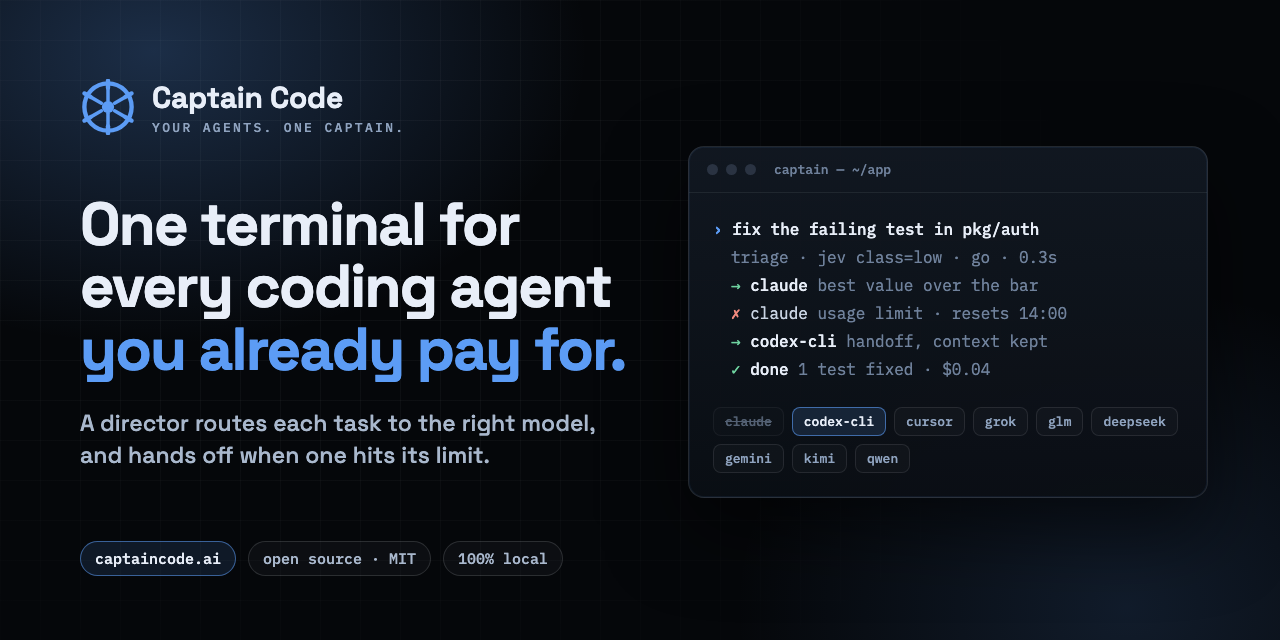
CaptainCode AI is designed for this setup. Captain Code runs locally as a TUI crew chief, selects models across configured subscriptions and open-weight deployments, and explains decisions through captain why. You can also steer execution with commands such as /cheap, /frontier, /team, or /parallel.
For a broader comparison of agent router products, focus on whether each option supports inspectable decisions, policy controls, and recovery when a run stalls.
4. Verify the routing and the code
Do not assume the best model was selected. Inspect both the route and the output.
- Run
captain whyand confirm the task classification. - Check that the selected model matched your cost, privacy, and reasoning policy.
- Review the diff for unrelated edits.
- Run unit, integration, and failure-path tests.
- Ask a second model to challenge assumptions around retries and idempotency.
- Confirm the final response names unresolved risks.
A router’s evaluation is a useful signal, but it is not proof that your workflow improved. Track actual latency, model usage, review findings, and production outcomes over time.
Common mistakes include routing every task to the strongest model, ignoring repository context, and skipping human review for risky changes. If you need a terminal-first interface, compare relevant terminal captain products.

