This task can be performed using CaptainCode AI
CaptainCode: One prompt, always the best AI model.
Best product for this task
CaptainCode AI
dev-tools
Captain Code is a local TUI crew chief that routes each developer task to the best mix of coding and reasoning models across your existing subscriptions and open-source deployments.
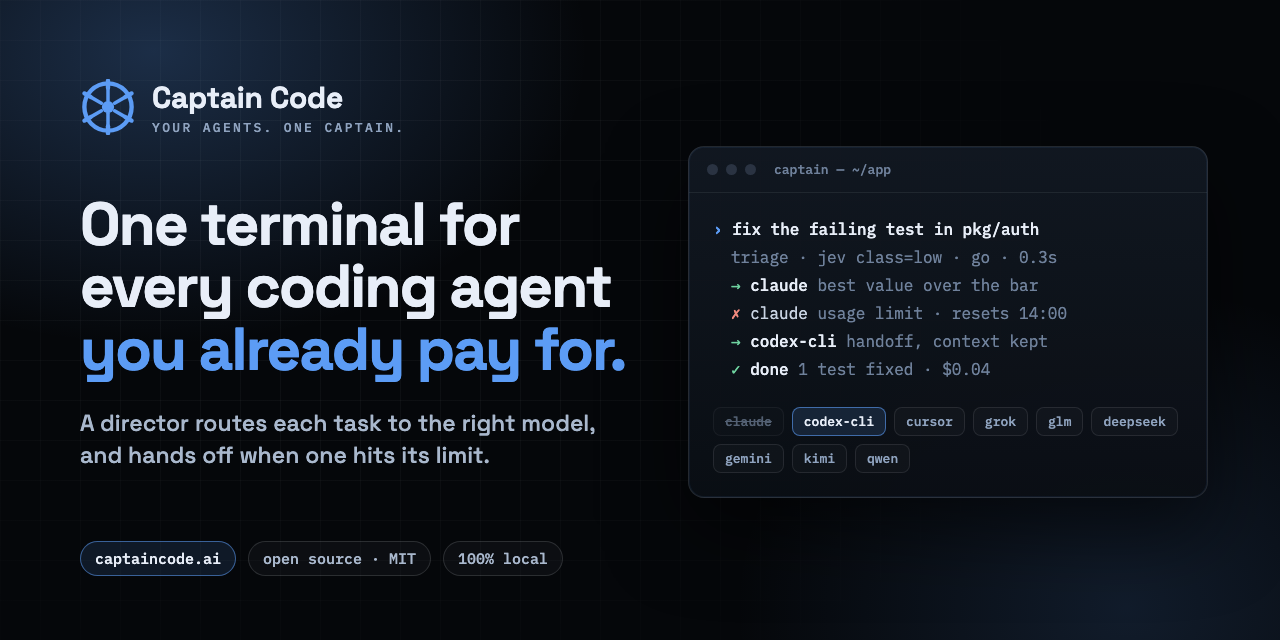
If you are tired of switching between coding agents, set up a local terminal or TUI workflow that keeps them in one interface. This guide shows how Captain Code coordinates multiple agents, routes tasks across your available models, and keeps each run scriptable and inspectable.
1. Prepare your terminal workflow
Before starting, make sure you have:
- A working terminal on your development machine
- Access to the coding and reasoning models you already use
- Any local open-weight deployments you want to include
- A project repository with a clear test or build command
- A repeatable task, such as fixing a failing test or reviewing a feature
This setup is different from using a single coding agent in isolation. The goal is to compare model choices while keeping the work inside one terminal based multi-agent coding workflow.
Create a clean project branch, then decide which tasks should stay cheap and routine and which deserve a frontier model. This simple decision helps prevent unnecessary model usage before routing begins. The deciding factor among dev-tools products is whether they support this exact workflow.
2. Start Captain Code and define the crew
Captain Code is a local TUI crew chief. It classifies each prompt, selects a suitable mix of coding and reasoning models, and explains the decision.
Start the TUI in your project directory, then give it a concrete task:
Review the authentication module, identify the failing test, propose a fix, and run the focused test suite.
Captain Code can assemble the right crew from configured subscriptions, API keys, and local open-weight deployments. If you want to control the run directly, use command-style controls such as:
/team
/cheap
/frontier
/parallel
/interrupt
Use /cheap for routine edits, /frontier for difficult debugging, and /parallel when independent agents can investigate separate parts of the same task. The /team control is useful when you want to specify a collaboration pattern rather than accept the default selection.
For developers comparing model orchestrator products, the key choice is whether routing remains visible and controllable. Captain Code records its decisions, and captain why lets you inspect why a model or crew was selected.
3. Control and repeat the run
Keep the workflow deterministic where possible. Ask one agent to inspect the code, another to reason about the failure, and a third to validate the proposed patch. Then require a shared result:
Inspect, implement, test, and summarize the change. Do not modify unrelated files.
Use /workflow to run a defined sequence and /repeat to rerun a proven task. If the output needs correction mid-turn, use /btw to steer the active run without opening another window.
This approach supports AI routing products while preserving a single ledger and unified memory. It is especially useful when you need coding agents without switching windows, but still want to know which model handled each stage.
A practical validation checklist is:
- The agent changed only expected files
- The focused test command passed
- The routing decision is visible with
captain why - A repeat run produces a comparable result
- Any stalled agent was interrupted and recovered cleanly
4. Choose the right interface for your team
A local TUI for AI coding agents is a strong fit when you prefer keyboard-driven controls, scriptable runs, and one persistent context. An editor-centered workflow may be better when visual navigation is the priority. You can also use a fusion workflow where an editor remains in charge while Captain coordinates agents and model selection.
For teams evaluating dev orchestration products, compare three things: how easily you can add providers, how clearly routing is explained, and whether the workflow can be repeated from the command line.
Captain Code keeps existing providers responsible for inference and billing while acting as the orchestration layer. To try this terminal AI model orchestrator for your own repository, visit CaptainCode AI.

