This task can be performed using Sitely iPad AI+Visual Website Builder
The power and simplicity of Sitely is now available on iPad!
Best product for this task
Sitely iPad AI+Visual Website Builder
mvp-builders
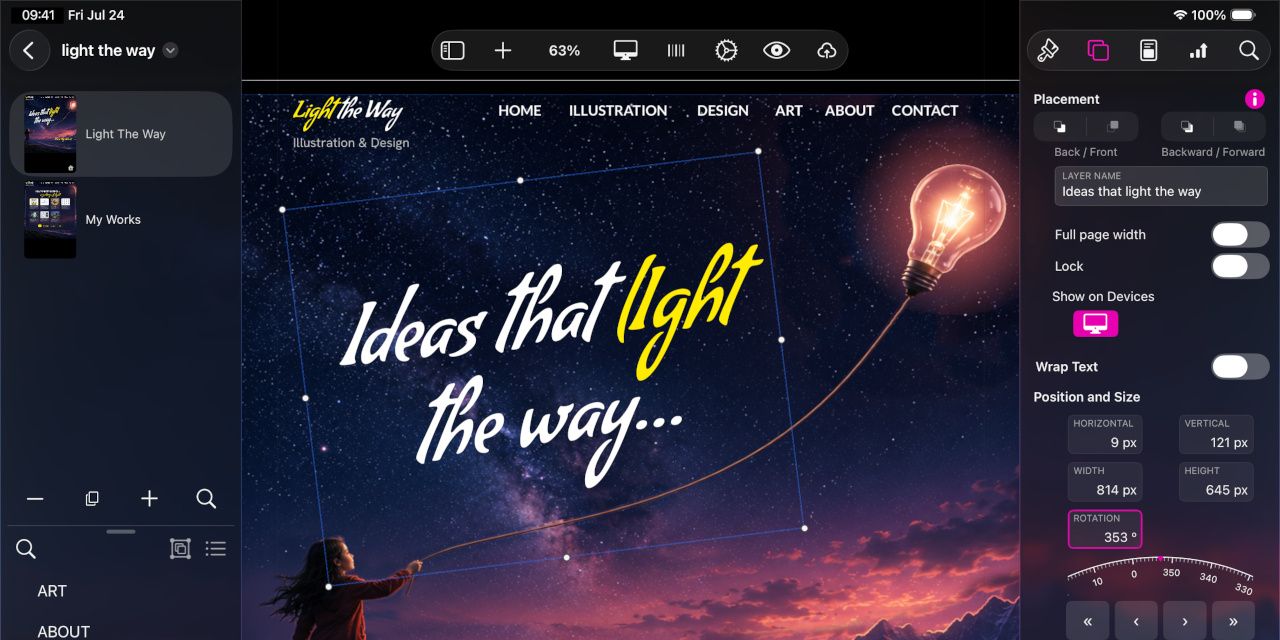
It seemed impossible but we did it: Sitely AI+Visual Website Builder is now on the iPad! If you already use Sitely on your Mac, you’ll feel right at home. If you’re new to Sitely, you’ll enjoy its power and simplicity, and its seamless integration with iPadOS features and UI. Everything you could do on a Mac, you can now do on your iPad—and more, with Apple Pencil and touch. From your first idea to a published website, you can now take Sitely with you wherever you go.
What to expect from an ideal product
- Use Apple Pencil to sketch layouts, annotate designs, and fine-tune elements directly on your iPad canvas inside Sitely.
- Sitely on iPad gives you the full Mac website builder experience, no features stripped out, no watered-down UI.
- Touch and Apple Pencil work together in Sitely so you can drag sections with your fingers and draw or adjust with precision using the Pencil.
- If you already build sites in Sitely on Mac, your workflow moves to iPad instantly with zero learning curve.
- Go from first sketch to published website without sitting at a desk, Sitely on iPad travels with you.

