This task can be performed using Sitely iPad AI+Visual Website Builder
The power and simplicity of Sitely is now available on iPad!
Best product for this task
Sitely iPad AI+Visual Website Builder
mvp-builders
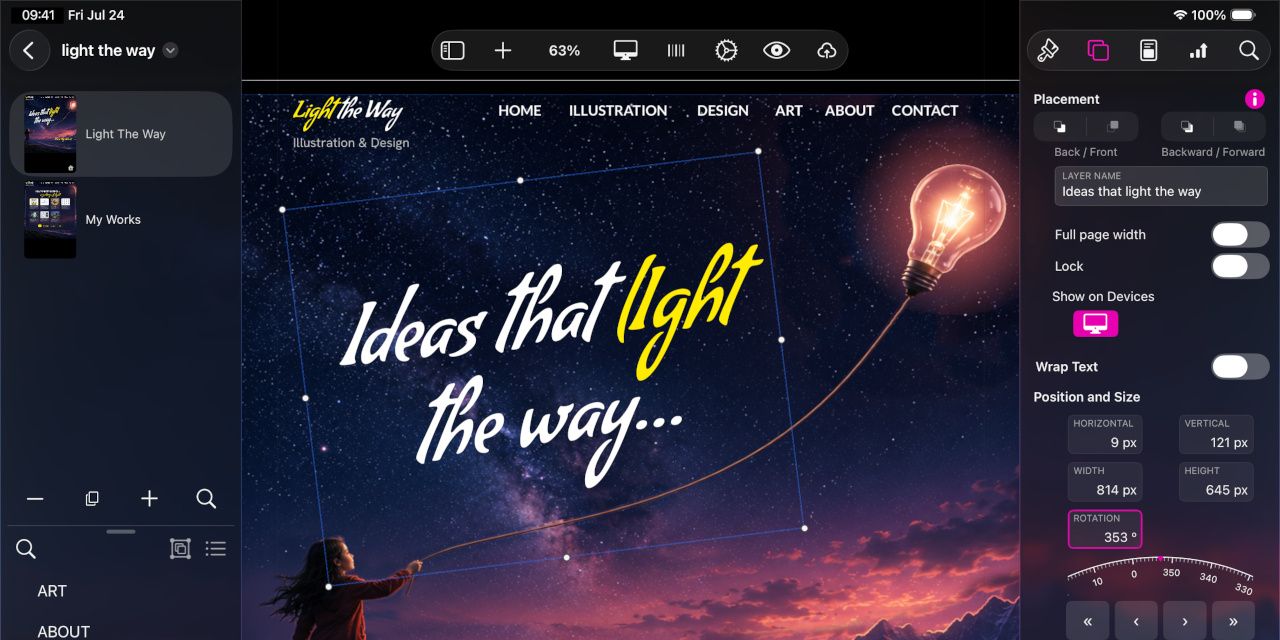
It seemed impossible but we did it: Sitely AI+Visual Website Builder is now on the iPad! If you already use Sitely on your Mac, you’ll feel right at home. If you’re new to Sitely, you’ll enjoy its power and simplicity, and its seamless integration with iPadOS features and UI. Everything you could do on a Mac, you can now do on your iPad—and more, with Apple Pencil and touch. From your first idea to a published website, you can now take Sitely with you wherever you go.
What to expect from an ideal product
- Build and publish a full website directly from your iPad using Sitely AI+Visual Website Builder, no Mac required.
- Already a Sitely user on Mac? The iPad version feels identical, so there is zero learning curve when switching devices.
- Use Apple Pencil and touch gestures to design pages in ways that a mouse and keyboard simply cannot match.
- Sitely on iPad connects natively with iPadOS, so the interface feels built for the device, not just ported to it.
- Go from a rough idea to a live, published website without sitting at a desk, Sitely travels with you.

