This task can be performed using Symvibe
Run your AI coding agents on one infinite board
Best product for this task

Symvibe
dev-tools
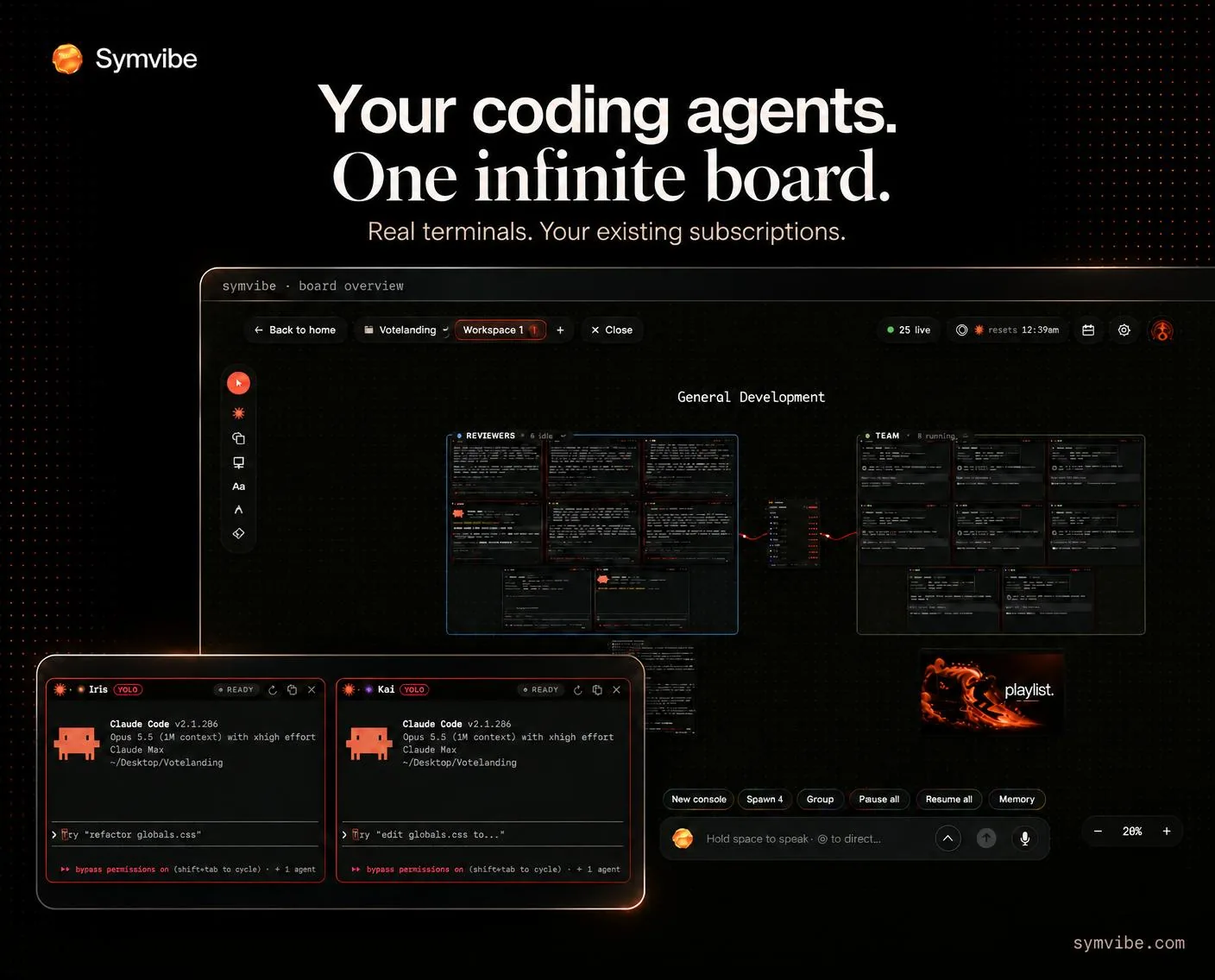
Run Claude Code, Codex, Gemini and other CLI agents side by side on an infinite board. Symvibe brings real terminals, agent status, teams, voice control and live previews into one native Mac app. Use the agent accounts you already have. macOS 14+, Apple Silicon.
What to expect from an ideal product
- Symvibe shows live agent status for every Claude Code, Codex, or Gemini session running on your board, so you always know what is running, stuck, or done without switching windows.
- Each agent gets a real terminal on an infinite Mac canvas, letting you scroll, compare, and organize parallel coding tasks the way you would sticky notes on a whiteboard.
- Built-in live previews update as your agents write code, so you catch broken layouts or failing builds the moment they happen instead of after a long context switch.
- Symvibe uses your existing Claude, Codex, and Gemini accounts, meaning no new subscriptions, no API wrappers, and no vendor lock-in baked into the tool itself.
- Voice control lets you spin up a new agent session or move tasks around the board without touching the keyboard, which keeps your hands free when you are deep in a review cycle.

