This task can be performed using Doc Maker - AI Document Generator
DocMaker AI – Free AI Document Generator, PDF Maker & Online Editor
Best product for this task
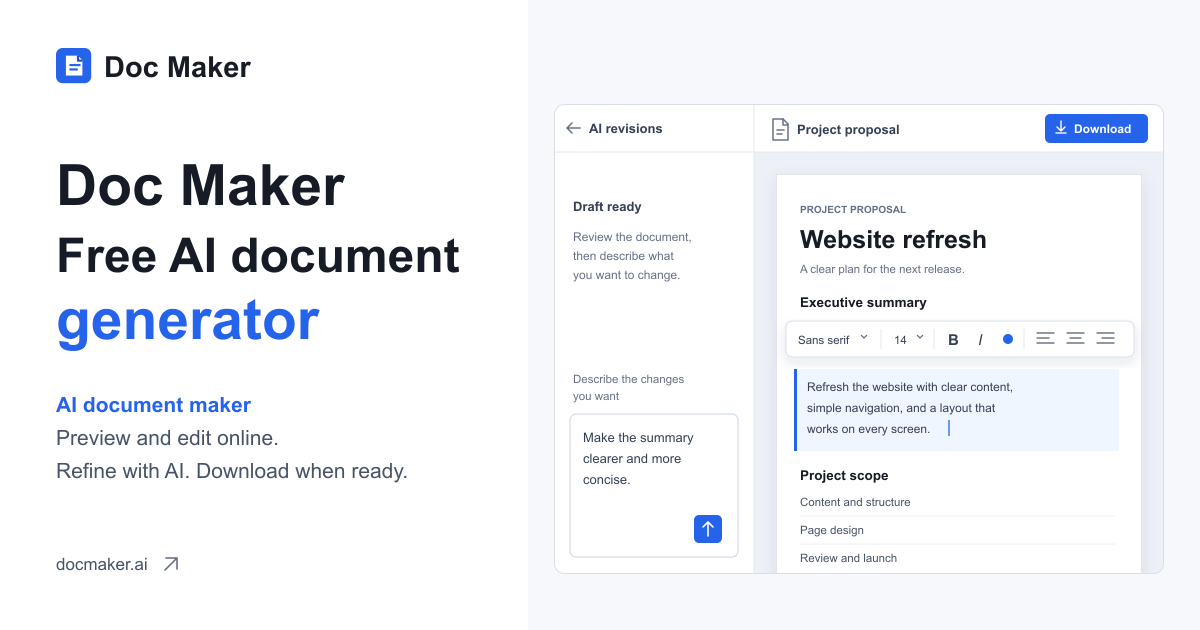
Doc Maker uses AI to generate structured multi-page documents from prompts or files, then lets you refine, preview, and export polished drafts in a single editing workspace.
ai document generatordocument drafting workspacestructured report creatorcontent creationdocument editingproductivitywriting workflowknowledge work
What to expect from an ideal product
- Doc Maker lets you read through a full AI-generated document before it ever leaves your screen, so you catch structure issues, missing sections, or tone problems early.
- You can edit any paragraph, heading, or section directly inside the same workspace where the document was generated, no copy-pasting into a separate editor.
- The live preview shows exactly how your document will look as a PDF, so what you share with a client or employer matches what you intended.
- If your first AI draft misses the mark, you can refine the prompt or manually adjust content without starting the whole document from scratch.
- Doc Maker handles multi-page documents, meaning you can review page flow, check consistency across sections, and export a clean final file in one sitting.