This task can be performed using Optiway
Route planning and dispatch for courier and delivery teams
Best product for this task

Optiway
logistics
Web-based route planning and dispatch for courier and last-mile delivery companies: AI spreadsheet import, multi-driver route optimization, live driver map and proof of delivery. Priced per stops a month, never per driver.
What to expect from an ideal product
- Optiway reads your existing stop spreadsheet and turns it into optimized multi-driver routes in minutes, no reformatting or manual data entry required.
- The AI import detects addresses, time windows, and load details automatically, so dispatchers spend less time fixing files and more time moving deliveries.
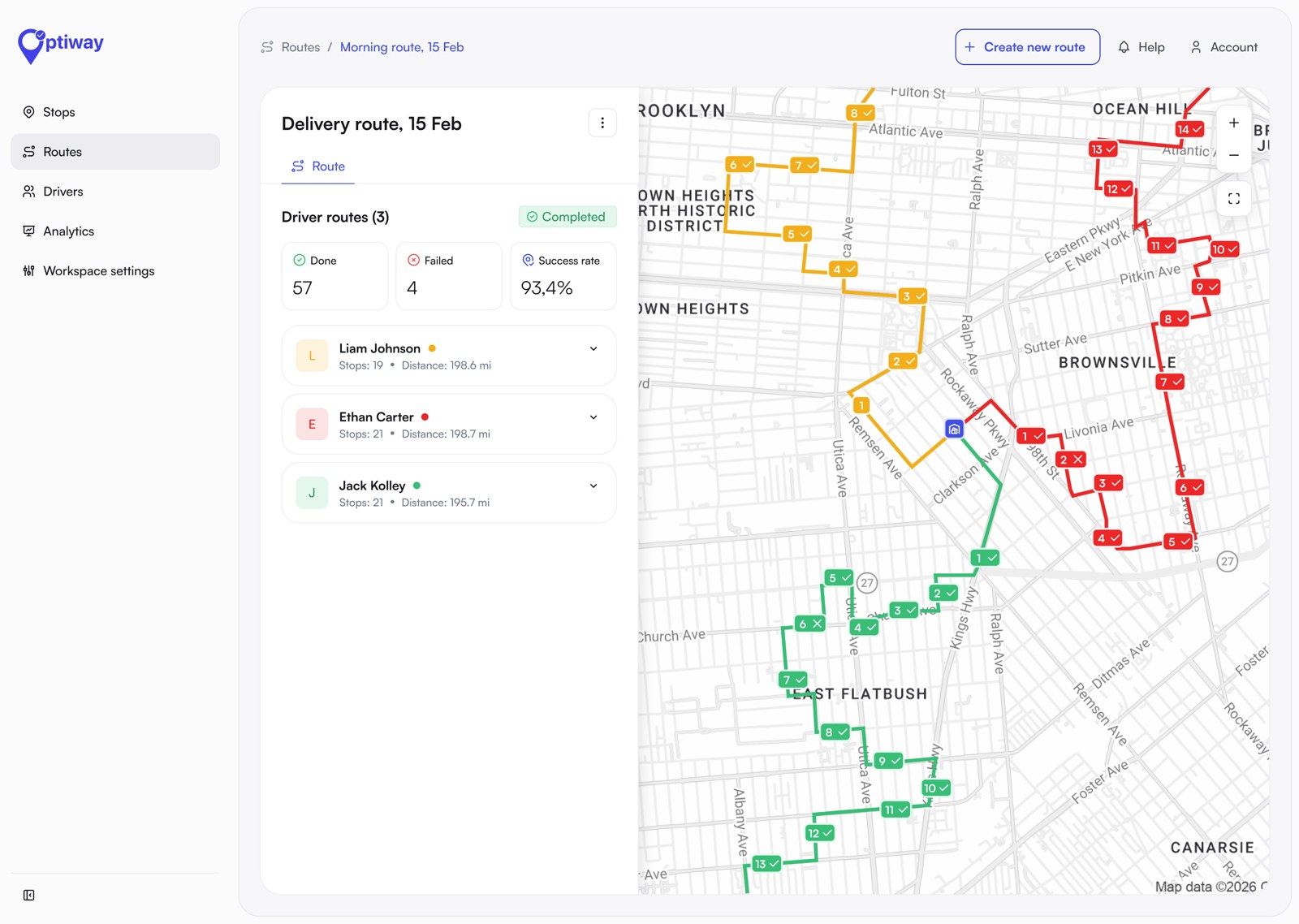
- Route optimization runs across your entire driver fleet at once, balancing stops per driver to cut total distance and avoid overtime.
- Live driver tracking lets dispatchers see every vehicle on one map and reassign stops on the fly when plans change mid-shift.
- Optiway charges per stop per month, not per driver, so growing your team never triggers a sudden jump in your software bill.