This task can be performed using InstaCharts
Instantly create charts from spreadsheet files
Best product for this task

InstaCharts
analytics
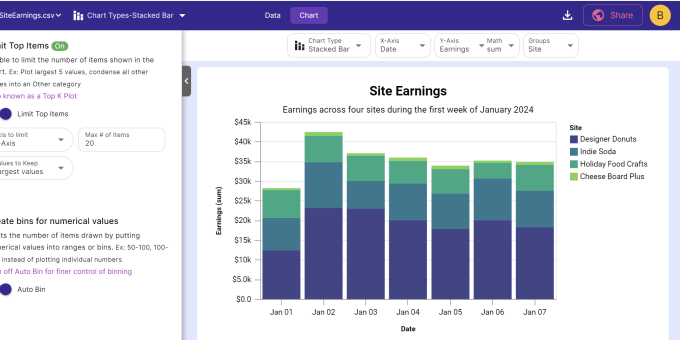
InstaCharts is a no code data exploration tool. Simply upload a spreadsheet and go! The software auto-detects column data types like dates, numbers, currencies, names and formatting. Recommended chart options are auto applied, saving you time setting up visualizations. Find something interesting? Easily share an interactive chart or data table with a teammate through a public link. Charts and data tables can also be embedded into webpages.
What to expect from an ideal product
- Upload your spreadsheet and let InstaCharts do the heavy lifting
- Share interactive charts with coworkers via a simple link
- Embed data visualizations directly into your website
- Skip the hassle of manual chart setup with auto-applied options
- Explore your data quickly without needing coding skills

