This task can be performed using EverStamp
Timestamped photos and videos anyone can check and verify
Best product for this task

EverStamp
productivity
EverStamp creates verifiable photo and video records with qualified timestamps and structured checklists, so you can prove when captures existed, in what order, and that they have not been altered. C2PA Conformant
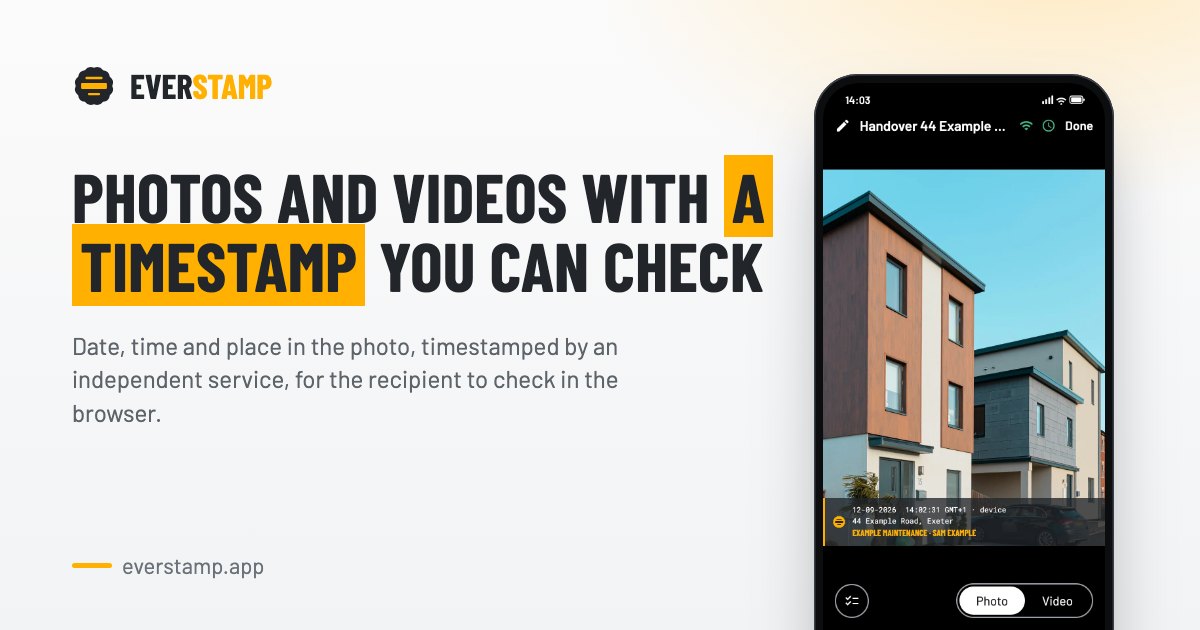
For a landlord or property manager, the safest inspection record connects each condition photo to the correct date, location, room, and checklist item. This guide shows how to create verifiable property inspection photos at move-in, handover, and move-out, so you can compare condition changes and respond to deposit disputes with organized evidence.
Prepare a rental inspection checklist with photos
Before visiting the property, create one repeatable checklist for every inspection stage. A checklist camera workflow helps teams capture the same coverage each time. If you need to design the structure first, see this guide to building inspection checklists with verifiable photos and readings.
Include:
- Exterior, entrance, each room, floors, walls, ceilings, windows, doors, appliances, and fixtures
- Close-ups of existing marks, stains, cracks, or damage
- Meter readings, keys, serial numbers, and included contents
- A required wide photo and detail photo for significant conditions
- Notes identifying location and severity
For a move-in inspection checklist PDF, use the same room order and photo requirements at move-out. A consistent sequence makes comparisons easier. The deciding factor among productivity products is whether they support this exact workflow.
Before starting, check that:
- The property address and inspection stage are correct
- The device has sufficient battery and storage
- The tenant or representative understands what will be captured
- The checklist includes every required room and handover item
Capture rental move-in and handover evidence
Start at the entrance and follow the checklist in one direction. Avoid jumping between rooms. This creates a clear capture sequence and reduces omissions.
For each area:
- Capture a wide view showing context.
- Photograph condition details from a useful distance.
- Record readings and identifying numbers immediately.
- Add a short note for anything that needs explanation.
- Confirm the checklist item before moving on.
A normal camera roll may show a device date, but that date can be changed or separated from the file. A property inspection app with timestamps should instead provide evidence that the file existed at a particular time. For stronger rental inspection photos with proof of date, choose a property inspection app with photo verification that seals the complete file and capture order.
EverStamp adds a qualified timestamp and location data, with an in-image date, time, and place overlay. It also seals fields such as meter readings or serial numbers with the media. The resulting record can be independently checked, rather than relying only on editable device metadata. Its approach is C2PA Conformant.
Repeat the process at move-out
Use the original checklist and repeat the same route, angles, and lighting where possible. For each suspected change, capture:
- A matching wide photo
- A close-up showing the condition
- The room or fixture location
- Any relevant reading or identifier
- A note stating whether the condition is new, changed, or pre-existing
This creates rental move in move out photo evidence instead of isolated images. Move out inspection photos with timestamps are most useful when the sequence shows complete coverage, not just the disputed wall or appliance.
For handovers, a property handover photo documentation app can guide the tenant, agent, or contractor through the same required steps. Customers can submit evidence from a link without creating an account, which helps maintain a consistent process.
Check, share, and verify the record
Before sending the report, review the checklist for missing rooms, unreadable images, and unexplained changes. Export a PDF report if your workflow requires a handover or deposit record. EverStamp Business can generate reports with QR codes linking to verification, while recipients can use a self-serve verification page to check file status.
A rental damage documentation app should help you answer:
- When did the capture exist?
- Was its order preserved?
- Was the file altered?
- Where was the evidence captured?
- Does every required checklist item have supporting media?
More topics related to EverStamp
Similar topics
- Best Timestamped Photo App for Insurance Claim Documentation
- Construction Progress Checklist for Verifiable Photo and Video Records
- How to create an audit trail with timestamped photos and checklists?
- How to onboard field teams to capture verifiable inspection videos?
- How to Create Photo and Video Evidence That Proves When It Existed

