This task can be performed using EverStamp
Timestamped photos and videos anyone can check and verify
Best product for this task

EverStamp
productivity
EverStamp creates verifiable photo and video records with qualified timestamps and structured checklists, so you can prove when captures existed, in what order, and that they have not been altered. C2PA Conformant
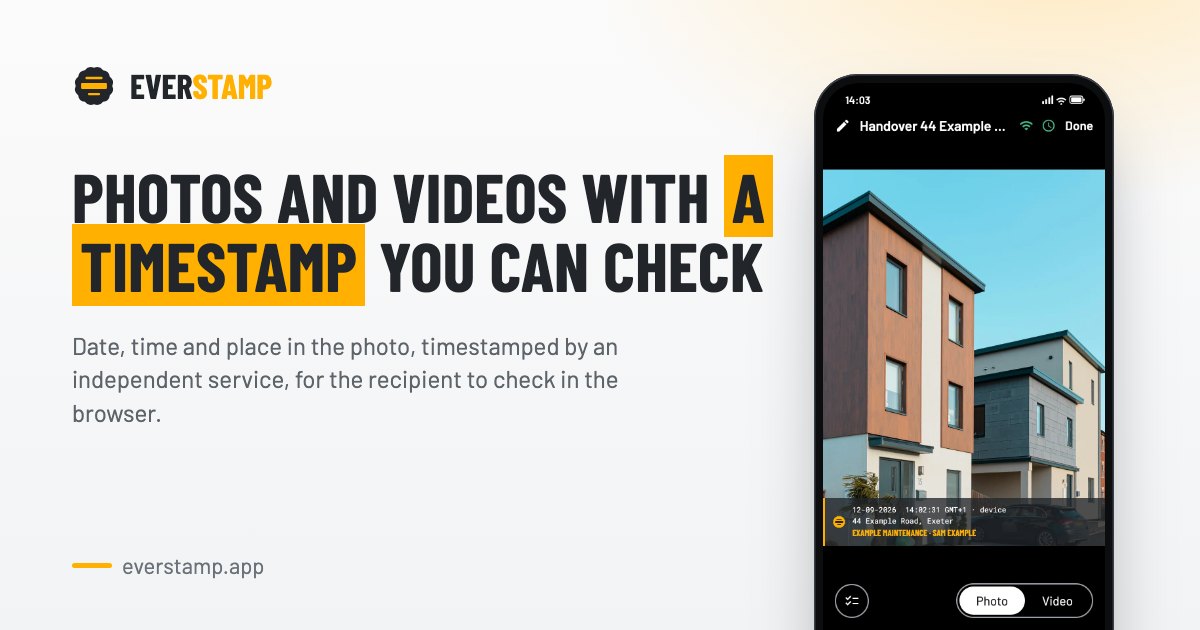
For a property handover, damage claim, or rental inspection, capture the subject with a qualified timestamp, location, and clear sequence. This guide shows how to create verifiable photo and video evidence, apply it to a vehicle handover, and verify that the files still match the original records.
Prepare the capture before you start
A phone’s displayed date is easy to change, and ordinary metadata may be rewritten when a file is copied or edited. Use a process that seals the complete file and records the capture order. The deciding factor among productivity products is whether they support this exact workflow.
Before arriving, prepare:
- A checklist stating what must be photographed or recorded
- The required number of images for each item
- Identifying fields, such as a licence plate, meter reading, or serial number
- A stable internet connection if the timestamp service requires one
- A tool that creates a qualified timestamp, not just an in-device date
For a vehicle handover, your checklist might require the front, rear, both sides, dashboard mileage, fuel level, and visible damage. Decide the order before capturing anything.
Capture the evidence in one controlled sequence
Follow these steps:
- Open the checklist and confirm the vehicle or property identifier.
- Capture the identifier first, such as the licence plate or address.
- Photograph each required area in the listed order.
- Record close-ups of damage and wider views showing its position.
- Add readings and notes under the same evidence record.
- Record a short video when still images cannot show condition, operation, or continuity.
- Avoid filters, cropping, retakes outside the checklist, or editing after capture.
With EverStamp, each photo and video can include an in-image date, time, and place overlay. The complete file is sealed with an independently verifiable timestamp, including the capture sequence. That creates tamper evident photo evidence rather than relying on a changeable phone clock.
A practical example: during a car handover, photograph the licence plate, then the odometer, then each side of the vehicle. If you find a scratch, capture a close-up followed by a wider image. The resulting sequence helps prove the order of photos taken and connect the scratch to the correct vehicle.
Verify the files before sharing them
Do not assume a timestamp proves anything simply because it appears in an image. Run these checks:
- Confirm every required checklist step is complete.
- Check that the sequence is intact and no file is missing.
- Open the verification page and upload the original file.
- Confirm the timestamp, location, capture order, and alteration status.
- Compare the displayed details with the physical scene and checklist.
- Share the original files or a PDF report with its verification QR code.
A self-serve verification page lets a recipient check the result without relying on your phone settings. If the file has changed, validation should identify that the verified record no longer matches.
This distinction matters when you need to prove photo capture date in a dispute. A visible date can be edited. A qualified timestamp attached to the complete file provides a stronger, independently checkable record of when that file existed.
Common mistakes and a final checklist
Avoid these errors:
- Relying only on EXIF metadata or the phone’s clock
- Capturing files first and renaming or editing them later
- Omitting a wide view that establishes context
- Recording notes in a separate system with no link to the media
- Sending compressed copies instead of the verified originals
- Failing to verify before a dispute occurs
Before submission, confirm:
- Every checklist item has the required media
- The sequence matches the agreed capture order
- The qualified timestamp and location are visible in verification
- The verification result shows no alteration
- The recipient can independently open the validation page.

