This task can be performed using AntiPhish.AI
Protecting You from Phishing Attacks with AI
Best product for this task

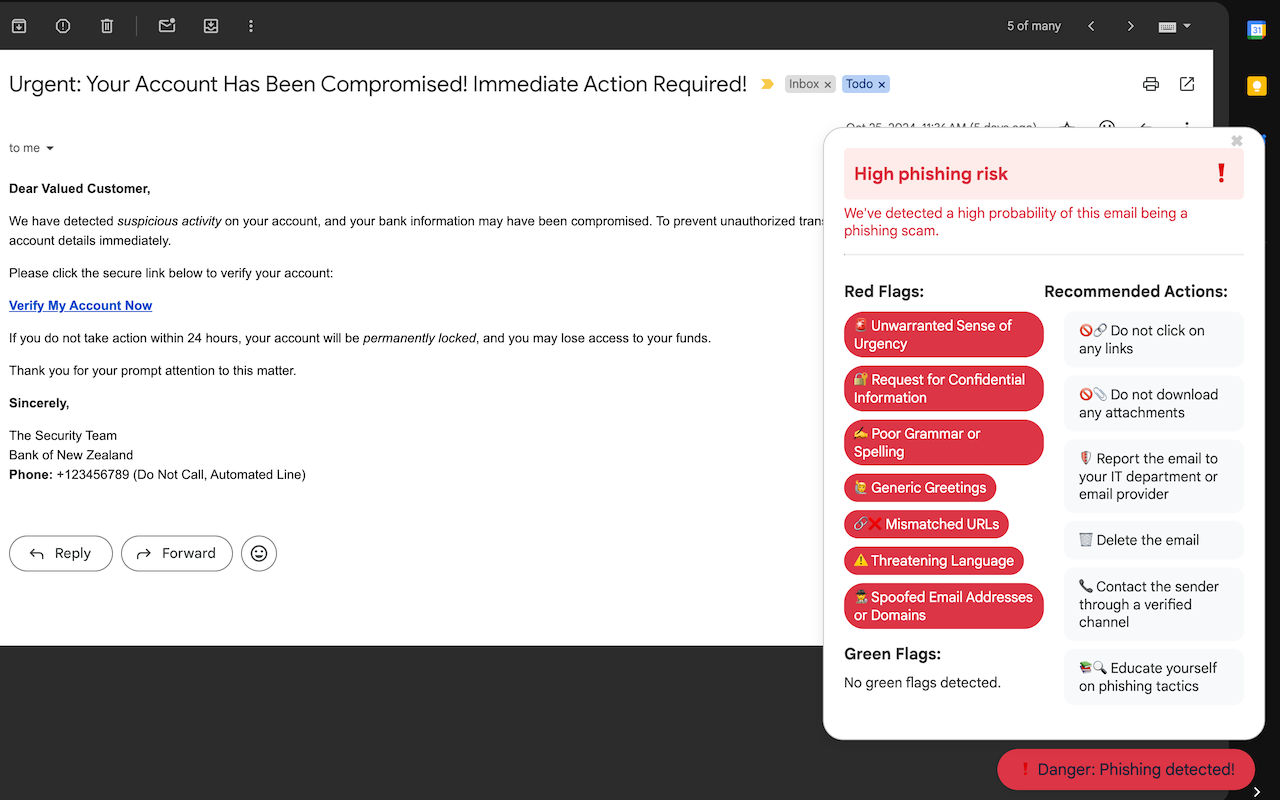
AntiPhish.AI is a Gmail Chrome Extension that helps user to identify phishing attempts by highlighting risks in their inbox. Instead of blocking emails, we use red flag green flag system to indicate the likelihood of phishing with each message. This is for every Email users who wants a better online security.
What to expect from an ideal product
- Adds colored flags next to emails showing risk levels at first glance
- Scans every incoming message to check for phishing warning signs
- Works right in your Gmail inbox without blocking any emails
- Shows you which messages need extra attention before opening
- Runs quietly in Chrome while you check your emails normally

