This task can be performed using EmojiSpark
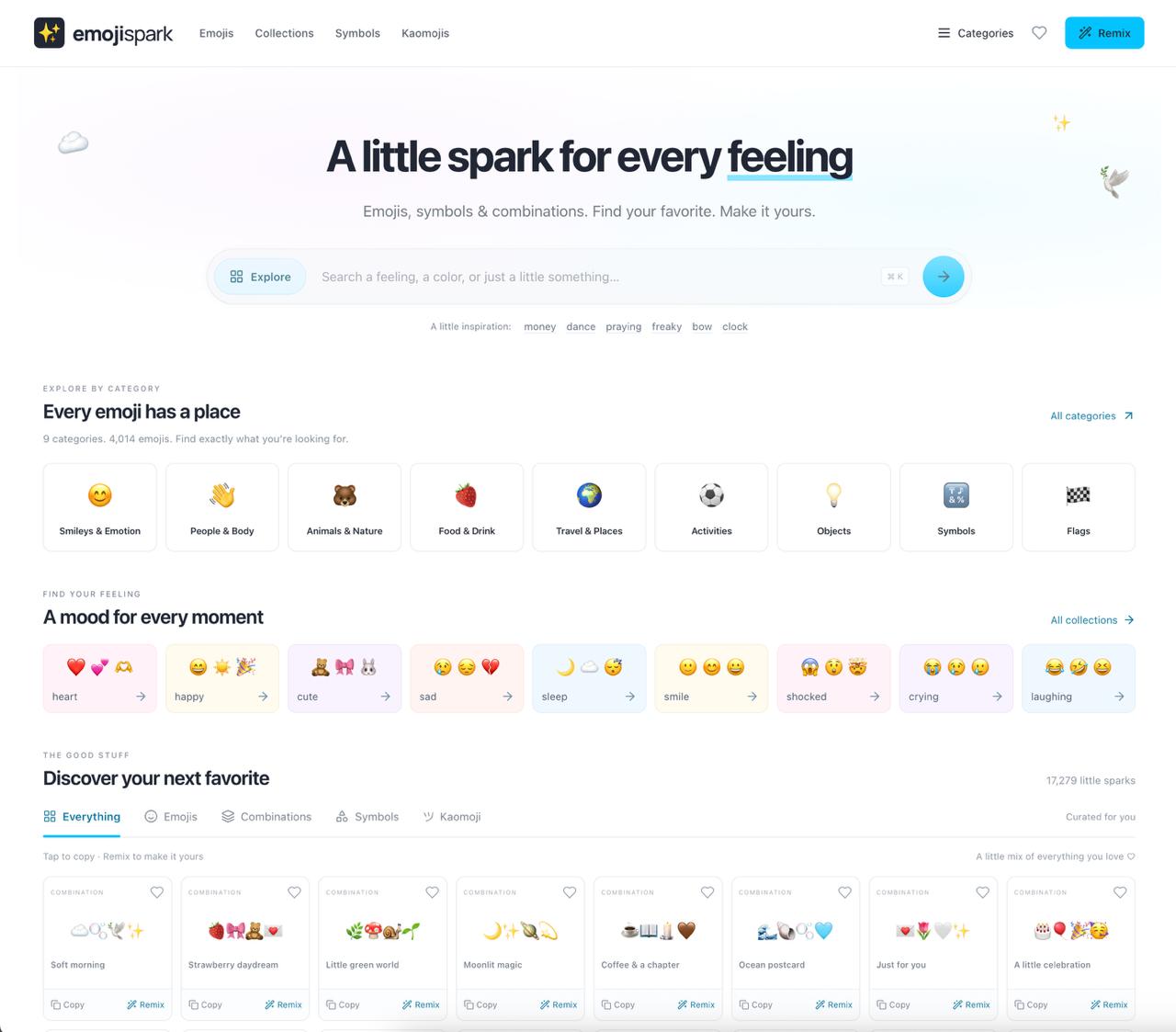
A little spark for every feeling
Best product for this task
EmojiSpark
social-tools
EmojiSpark is a curated emoji discovery site for finding, copying, and remixing expressive emoji combinations, symbols, and text art to match any mood, aesthetic, or message.
Need a softer Instagram bio, a caption for a sunset photo, or a quick visual moodboard? Use this guide to choose aesthetic emoji combinations, add symbols, and verify that the final design is readable and easy to copy.
1. Choose one clear mood and purpose
Before searching, decide where the design will appear and what it should communicate. The deciding factor among social-tools products is whether they support this exact workflow.
- Bio: show personality in a small space.
- Caption: support the photo without replacing the message.
- Moodboard: create a visual sequence with several related ideas.
Pick one main mood, such as cozy, dreamy, playful, romantic, nature-inspired, or celestial. Limit yourself to two or three visual themes. For example, a soft travel mood might use clouds, a camera, sparkles, and a coffee cup.
A useful starting formula is:
main subject + mood marker + decorative symbol
Examples:
- Travel bio:
✈️ ☁️ collecting little moments ✧ - Cozy caption:
☕️ 🧸 slow mornings and warm light - Night moodboard:
☾ ✦ 🌙 🕯️ ✧
You can browse an emoji library for curated sets when you need ideas without searching for each character separately.
2. Build a matching emoji set
Choose emojis that share a visual style. Avoid combining too many bright, detailed, and minimalist characters in one line.
Try these emoji themes for Instagram:
- Soft:
୨୧ 🪽 🌷 🤍 ✧ - Ocean:
𓇼 🐚 🌊 🫧 🩵 - Celestial:
☾ ✦ 🌙 ⭐️ 🔮 - Nature:
🍃 🌿 🦋 🌼 ☀️ - Cute:
૮₍ ˶ᵔ ᵕ ᵔ˶ ₎ა 🎀 🧸 ♡
For additional decoration, test symbol gallery products for special symbols copy-and-paste, cute symbols copy-and-paste, and text symbols for an Instagram bio. Keep decorative symbols at the beginning or end of a line so the core message remains clear.
EmojiSpark lets you search by feeling, topic, or vibe, then copy one emoji or a complete combination. Its Combo Studio is useful when you want to remix an existing set instead of starting from zero.
3. Apply the design to a real post
Suppose you are creating a bio for a photography account focused on quiet city walks. Start with the subject, then add atmosphere:
📷 documenting quiet corners ☁️ ✦
For a matching caption, use fewer elements:
city light, slow steps 📷 🌆 ✧
For a moodboard, create three short rows:
🌆 📷 ☕️
☁️ 🚶🏻♀️ ✦
🕯️ 🎧 🌙
If emojis do not fit the intended tone, replace one with a unicode symbol for captions. Symbols such as ✦, ♡, ☾, and ୨୧ can make a line feel more balanced without adding another colorful icon.
4. Copy, test, and refine
Copy the finished design into the actual bio, caption field, or moodboard app. Then check it on the device where it will be viewed.
- Does the first line communicate the mood immediately?
- Are the emojis displayed correctly?
- Is the text still readable without the decorations?
- Do repeated symbols feel intentional?
- Does the bio or caption fit the available space?
- Does the sequence look balanced on a narrow screen?
Rendering can vary between platforms, so replace missing boxes or awkward characters with simpler emojis. Also avoid relying on a long string of symbols to communicate essential information.
For a faster final pass, use combination studio products to compare variations before publishing. If you want more expressive designs, EmojiSpark also includes Heart Text Art, a Heart Sticker Maker, and Moon Phase Emoji tools. Start with EmojiSpark to find, copy, and personalize a set for your next post.
The best result is one you can understand at a glance. Read the bio or caption once without focusing on the emojis, then check whether the symbols add mood rather than noise.
More topics related to EmojiSpark
Similar topics
- How to Find and Copy Emoji Combinations for Any Mood?
- How to Remix Emojis and Text Art for Social Media Posts?
- Best Emoji Combinations for Instagram Bios, Captions, and Comments
- Copy and Paste Text Art Templates for Discord Profiles and Statuses
- How to choose copy-paste emoji combinations for any mood or message

