This task can be performed using HowsItLook
Preview every link appearance before your visitors ever do.
Best product for this task

HowsItLook
seo
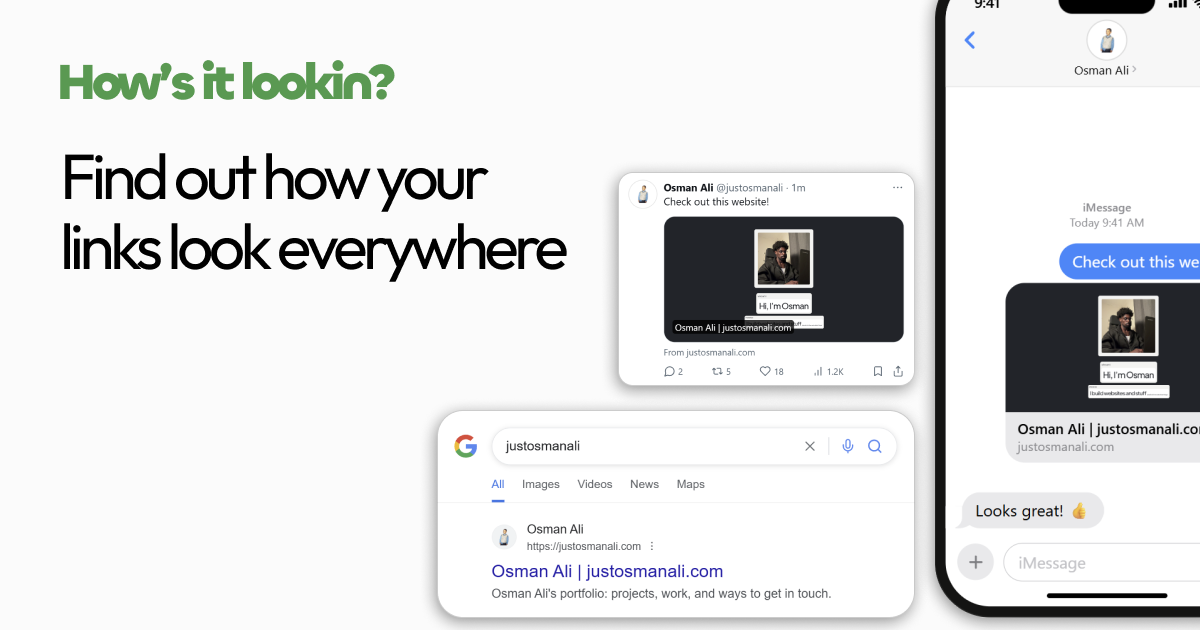
How’s It Lookin? previews and audits your link cards across search, messaging, and social, then gives you concrete meta tag fixes so every shared URL looks polished and clickable before anyone else sees it.
open-graph-auditorlink-preview-checkermeta-tag-inspectorseosocial-sharinglink-previewsgrowth-marketingcontent-optimization
What to expect from an ideal product
- HowsItLook shows you exactly how your URL will render as a link card in Slack, iMessage, and other platforms before you hit send, so you catch broken previews early.
- Paste any link and get a live visual preview of your title, description, and thumbnail the way Slack or iMessage will actually display it to recipients.
- If your og:image is missing or your meta description is getting cut off, HowsItLook flags the exact tag causing the problem and tells you how to fix it.
- Sharing a link in a team channel with a blank or ugly preview card hurts click rates, HowsItLook lets you fix that before the message ever goes out.
- Works for any URL you control, blog posts, landing pages, product links, so your shared content always looks intentional and worth clicking.