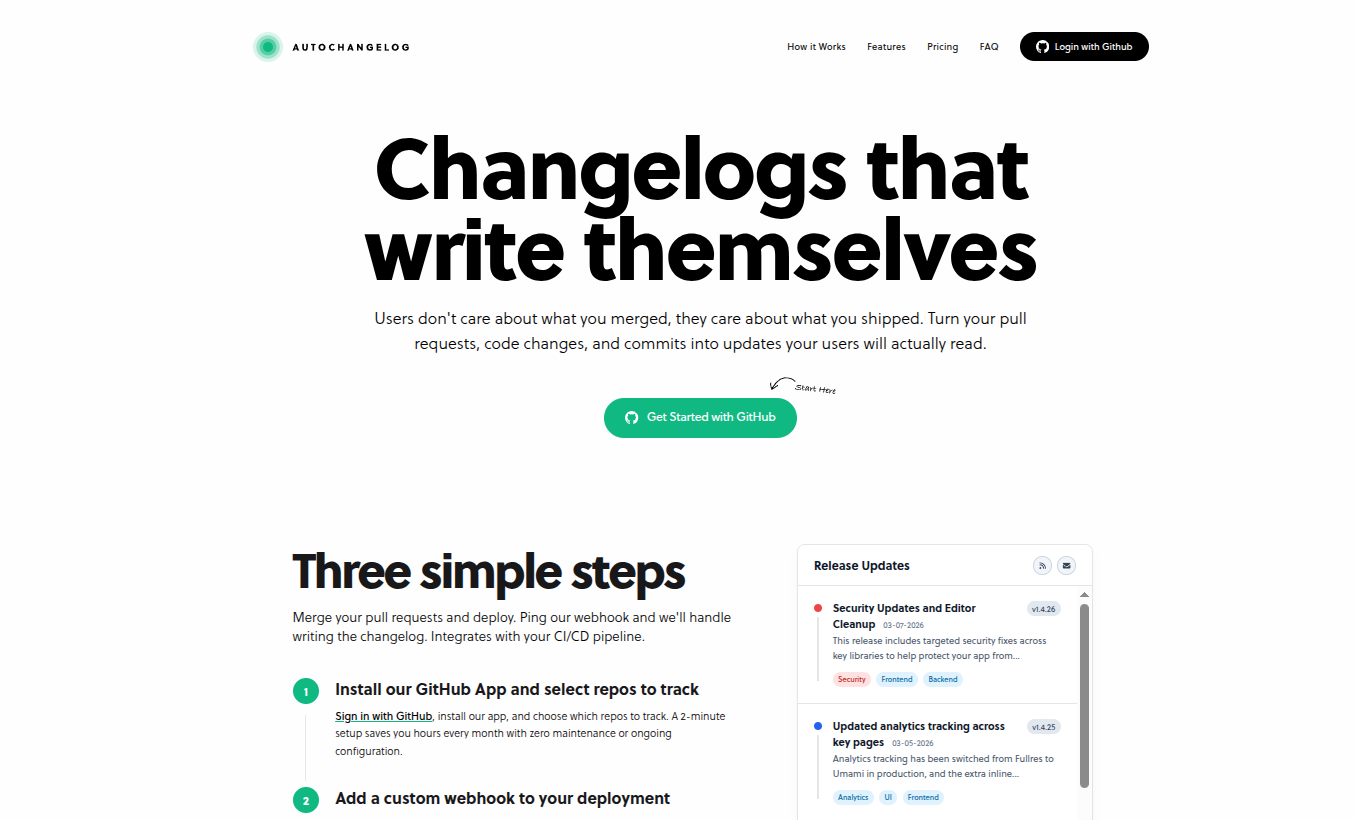
AutoChangelog Review (2026) — Automated Changelogs.
Comprehensive Review of AutoChangelog: Automated Changelogs that that actually ship themselves. Made for developers.

SaidAitmbarek
January 11, 2026
If you ship often but hate writing release notes, AutoChangelog might be the quiet DevOps assistant you didn’t know you needed.”
When you're building fast, changelogs are usually the first thing to break. You merge PRs. You deploy features. You squash bugs.
And then someone asks: “Can we publish release notes?”
That’s where AutoChangelog comes in.
It automatically generates human-readable changelogs from your GitHub commits and pull requests — triggered directly from your deployment pipeline.
In this review, I’ll break down:
- What AutoChangelog does, how it works
- Setup experience
- AI Changelog generation
- Pros & cons, limitations
- Who it’s best for
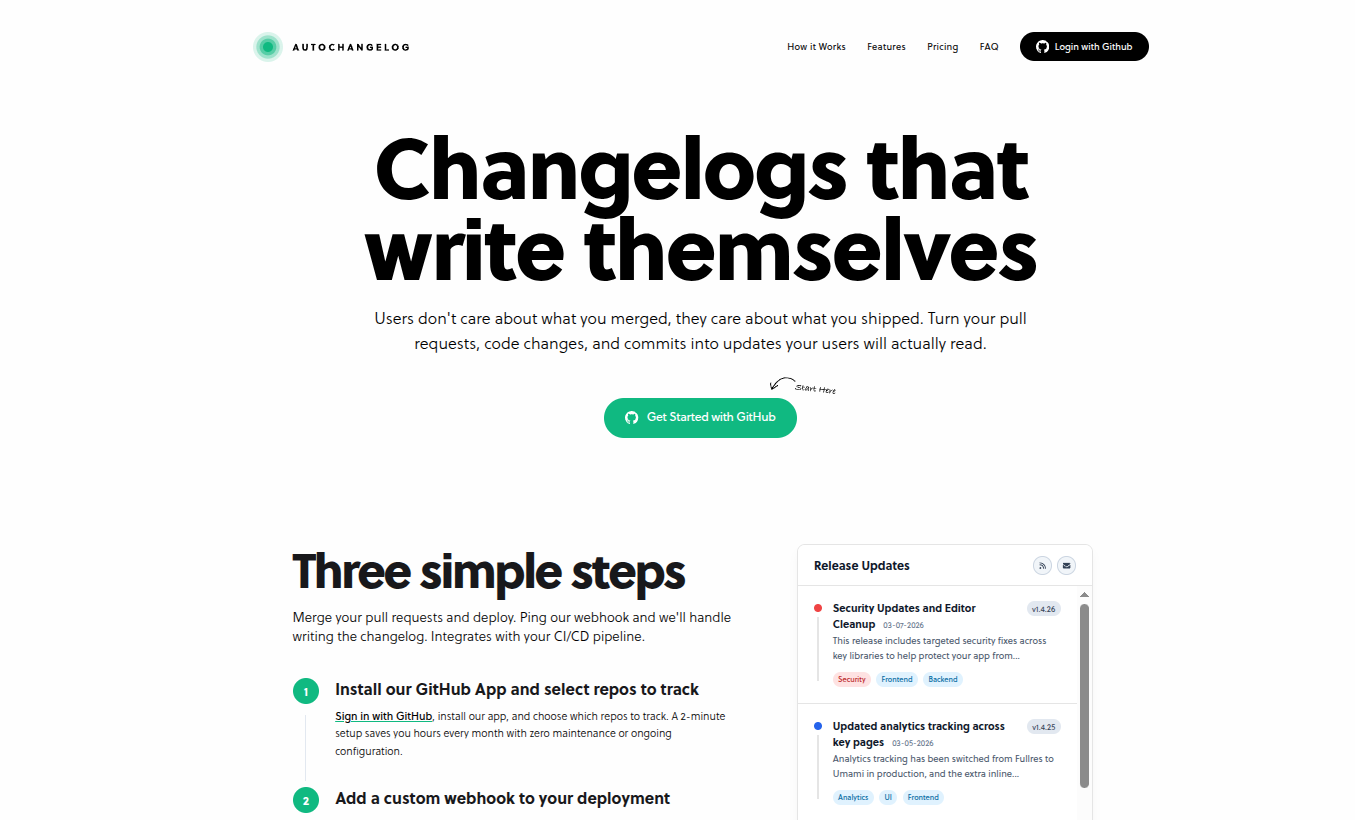
What Is AutoChangelog?
AutoChangelog is a GitHub-based changelog automation tool that turns:
- Pull requests
- Commit messages
- Code diffs
- Deployment events
into structured, readable release notes — automatically.
Instead of manually writing changelogs after every release, AutoChangelog generates them when you deploy.
If you're shipping weekly (or daily), that removes real overhead.
How AutoChangelog Works
The workflow is simple:
- Install the GitHub app
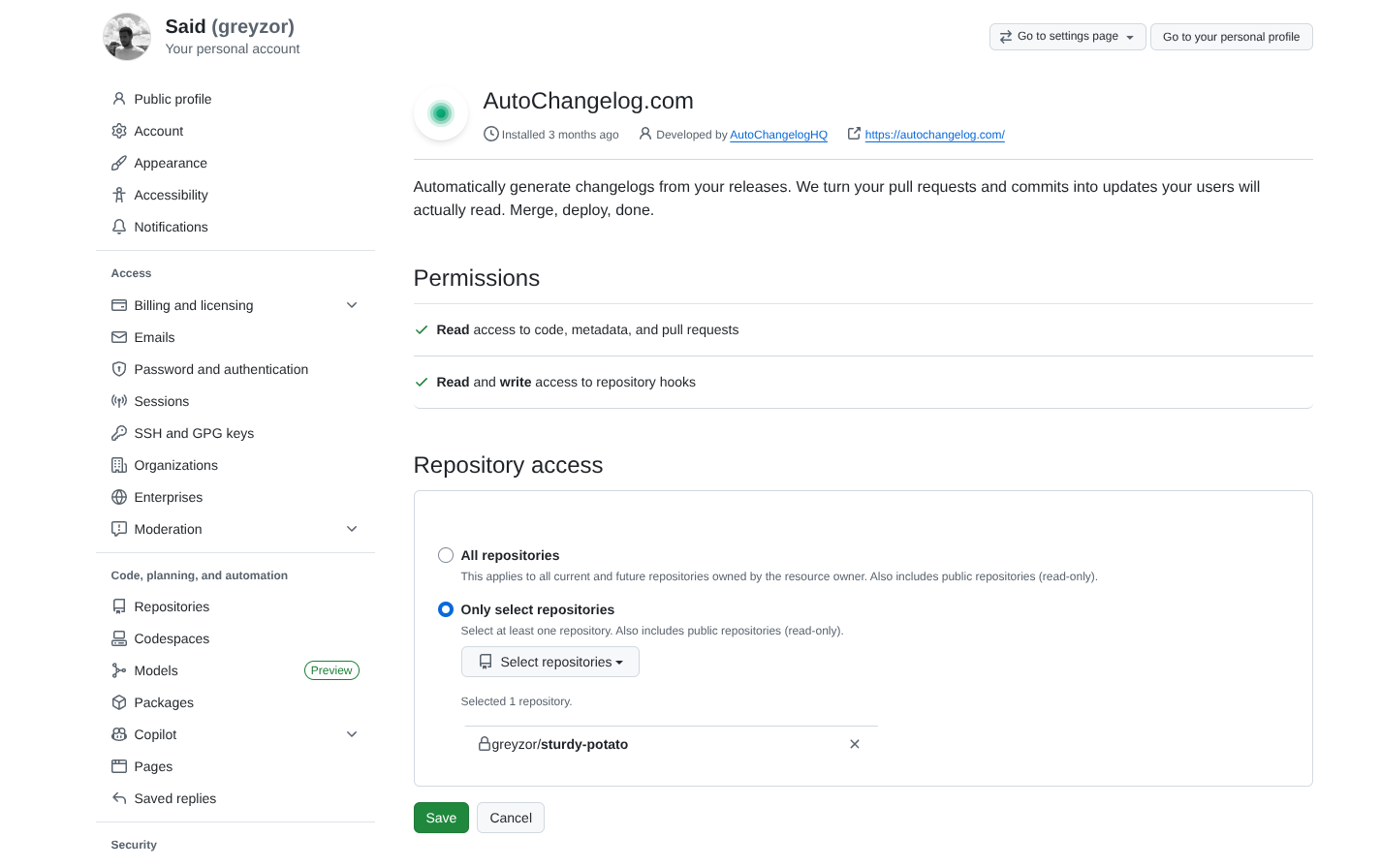
- Connect your repository
- Add a deployment webhook to your CI/CD
- Ship code
- Changelog appears automatically
That’s it.
In theory, it fits directly into your existing development workflow without changing how you build.
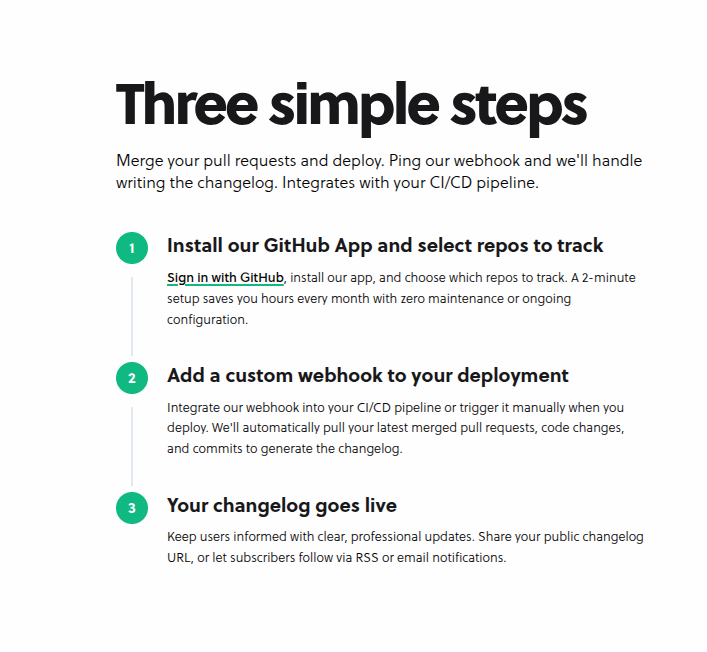
Product Overview
AutoChangelog provides a hosted changelog page for each project, including:
- Clean UI
- Dark mode
- SEO-friendly structure
- RSS feed
- Embeddable widget
Setup Experience (Hands-On Section)
To make this a proper review — not just a feature summary — document:
- How long GitHub connection took
- Whether onboarding was smooth
- How intuitive the dashboard feels
- Webhook configuration steps
- Which CI/CD you used (Vercel? Railway? GitHub Actions?)
- Any friction or bugs
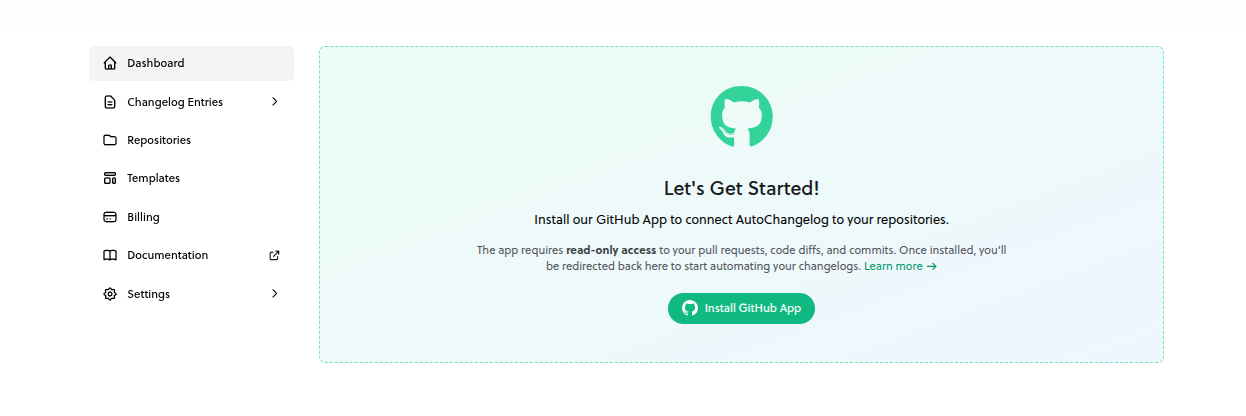
My Setup Experience
Connecting GitHub took approximately 2 minutes.
The first deployment triggered automatically and generated...
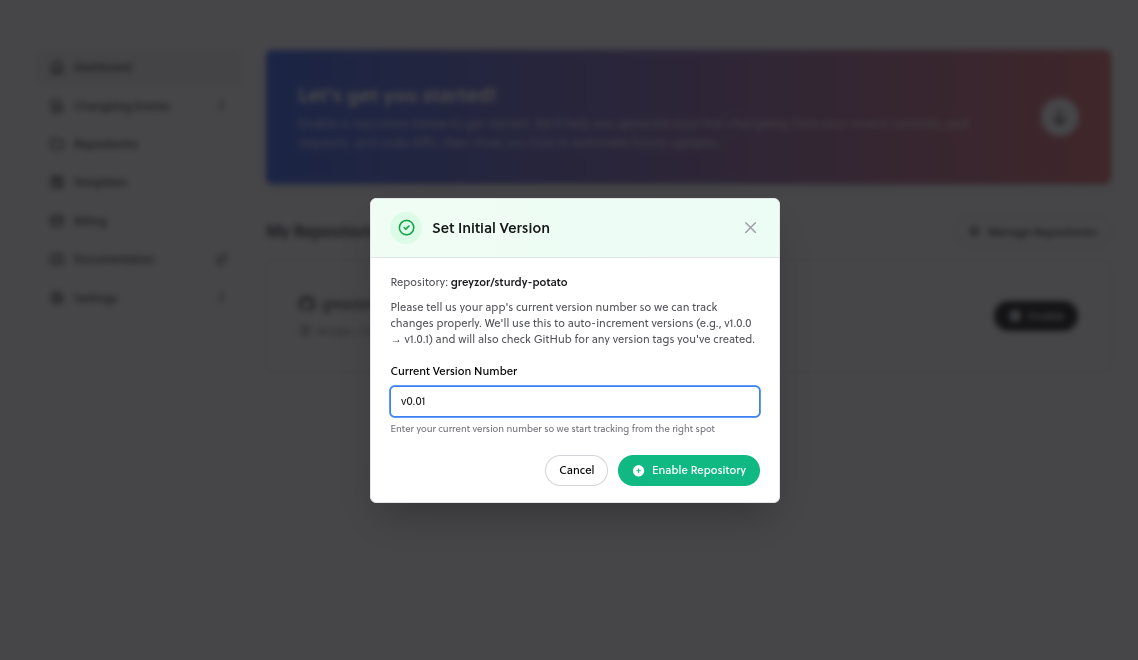
You'll then need to connect your Github repositories. Pick the ones you want to auto-generate changelogs for.
Core Features
1. Fully Automated Changelog Generation
Once connected to GitHub and your deployment pipeline, AutoChangelog generates release notes automatically whenever you ship.
That means:
- No manual writing
- No copy-pasting commit logs
- No forgetting to publish updates
- No inconsistent formatting
Your changelog becomes part of your deployment process — not an afterthought.
2. AI-Powered Summaries
AutoChangelog converts raw commits into readable release notes automatically.
In practice, this saves a surprising amount of time — especially if you ship often.
It’s not a full replacement for crafted product messaging, but for routine updates, it does most of the job for you.
3. Hosted Public Changelog Pages
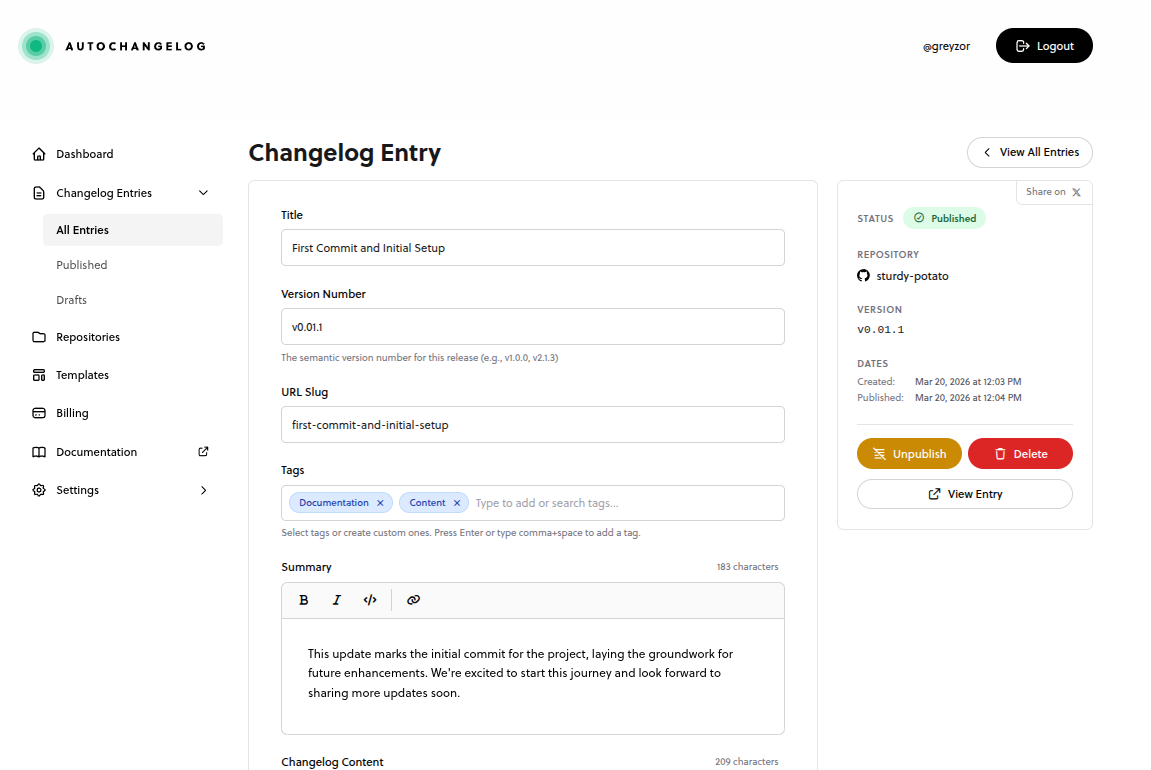
Each project gets a clean, hosted changelog page.
Features include:
- SEO-friendly structure
- Public shareable URL
- Dark mode support
- RSS feed
- Embeddable widget
- Email notifications (on paid plans)
You can use this as:
- A public transparency page
- A lightweight content marketing channel
- A product update feed for users
4. Review & Edit Before Publishing
Automation doesn’t remove control.
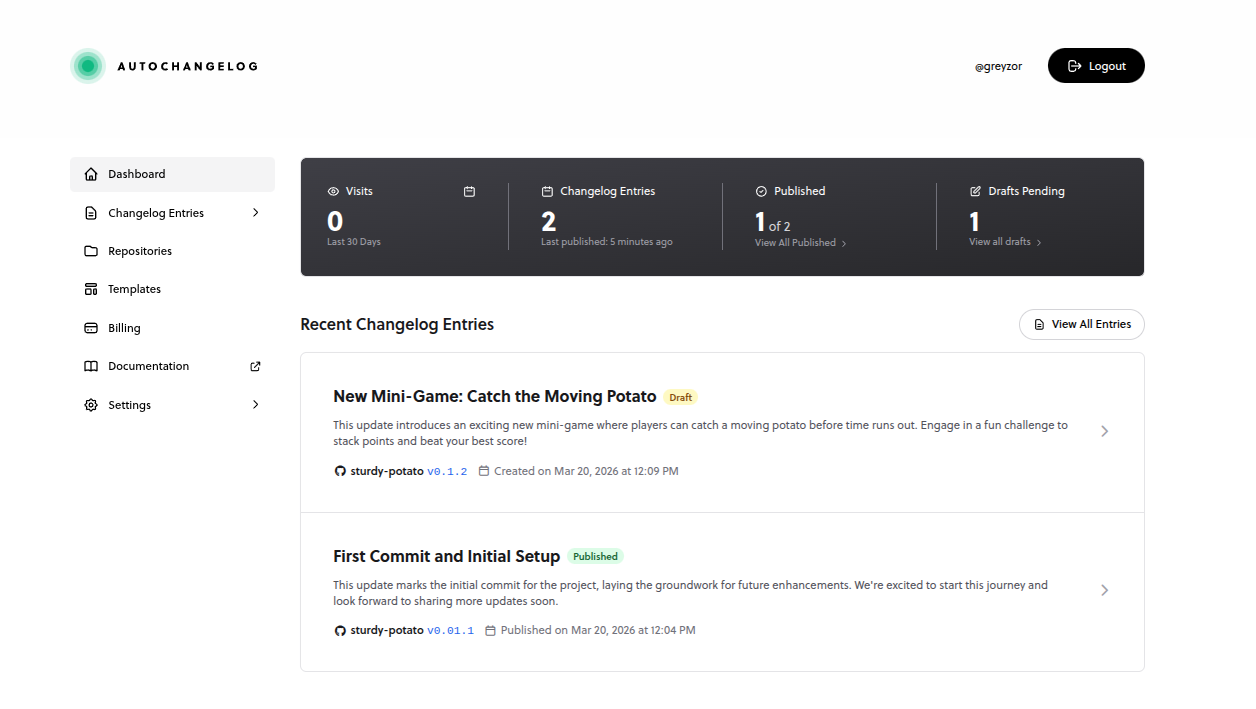
AutoChangelog allows you to review and edit generated entries before publishing.
This matters for:
- Major feature releases
- Sensitive fixes
- Messaging-heavy updates
- Clarifying technical changes
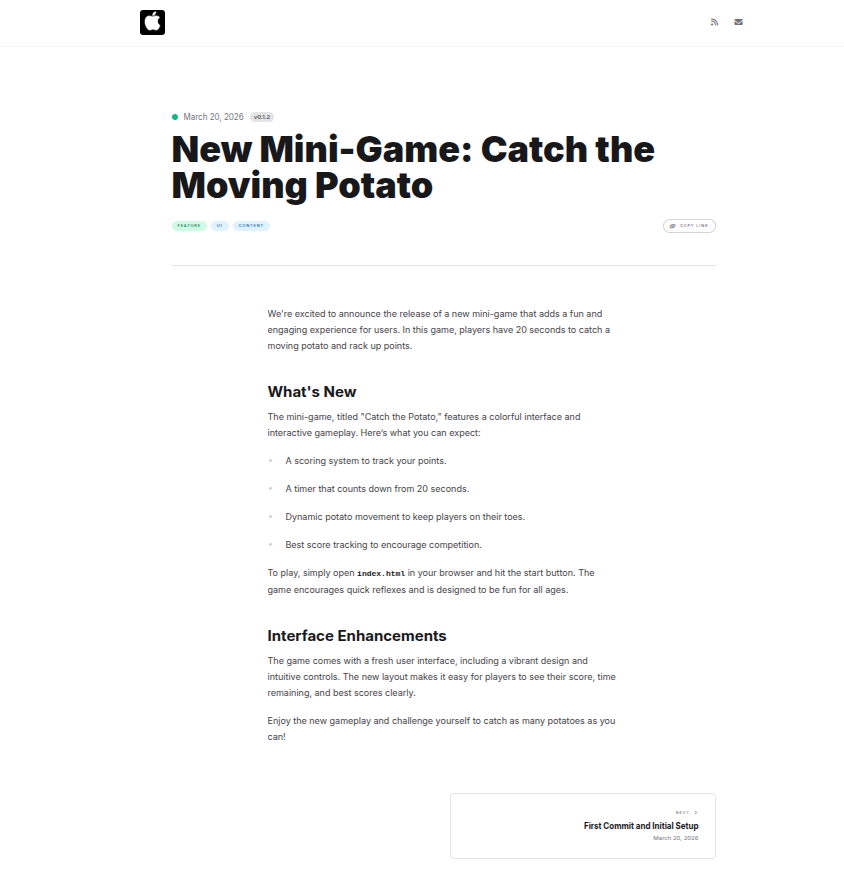
5. Real-world Changelog
I tested AutoChangelog on a mini-game project and deployed it:
👉 Live demo.
The generated changelog was accurate, well-structured, and visually clean.
It handled most updates automatically with minimal edits needed. Feels like a solid time saver for both large releases and day-to-day updates.
6. Private Repository Support
AutoChangelog works with private GitHub repositories and requests read-only access.
For SaaS founders and startups, this is essential.
You can ship proprietary code while still generating public-facing release notes.
Pricing Breakdown
At the time of writing:
| Plan | Price | Repos | Deployments | Branding |
|---|---|---|---|---|
| Free | $0/mo | 1 | 10/month | AutoChangelog badge |
| Pro | $14/mo | 1 | Unlimited | No badge |
| Team | $29/mo | Unlimited | Unlimited | Team features + API |
Official pricing: https://autochangelog.com
Pros & Limitations
Pros
- Eliminates manual release note writing
- Fits naturally into GitHub workflows
- AI summaries are readable and structured
- Clean, hosted changelog pages
- Helpful for indie hackers and small SaaS teams
Limitations
- GitHub-only (no GitLab/Bitbucket support)
- AI quality depends on commit clarity
- Free plan has deployment limits
- Major releases may still require manual storytelling
Who Is AutoChangelog Best For?
Ideal For
- Indie hackers
- Micro-SaaS founders
- Startup teams shipping weekly
- Developer-led products
- Teams practicing “build in public”
Not Ideal For
- Enterprise teams with strict release governance
- Teams not using GitHub
- Companies with complex release management workflows
AutoChangelog vs Manual GitHub Releases
| Feature | Manual GitHub Releases | AutoChangelog |
|---|---|---|
| Automated | ❌ No | ✅ Yes |
| AI Summaries | ❌ No | ✅ Yes |
| Hosted Public Page | ❌ Limited | ✅ Yes |
| RSS Feed | ❌ No | ✅ Yes |
| Manual Writing Required | ✅ Yes | ❌ Mostly No |
Manual releases offer full narrative control.
AutoChangelog optimizes for speed and consistency.
Bonus: SEO & Growth Angle
Public changelog pages can:
- Rank for feature-related queries
- Increase product transparency
- Improve user trust
- Serve as compounding SEO assets
If structured properly, changelogs become long-term organic traffic drivers.
Final Verdict
AutoChangelog solves a very real problem — and does it well.
If you ship frequently, it removes one of the most annoying parts of the process: writing release notes.
After testing it, our biggest takeaway: it won’t replace thoughtful product communication, but it dramatically reduces the effort required to get there.
For indie hackers and small teams, that’s a meaningful upgrade.
If your workflow is GitHub-based and you ship often, AutoChangelog is absolutely worth trying.
Related Reads

