MD2Word Reviews — Discover what people think of this product.

MD2Word
MD2Word support full GFM
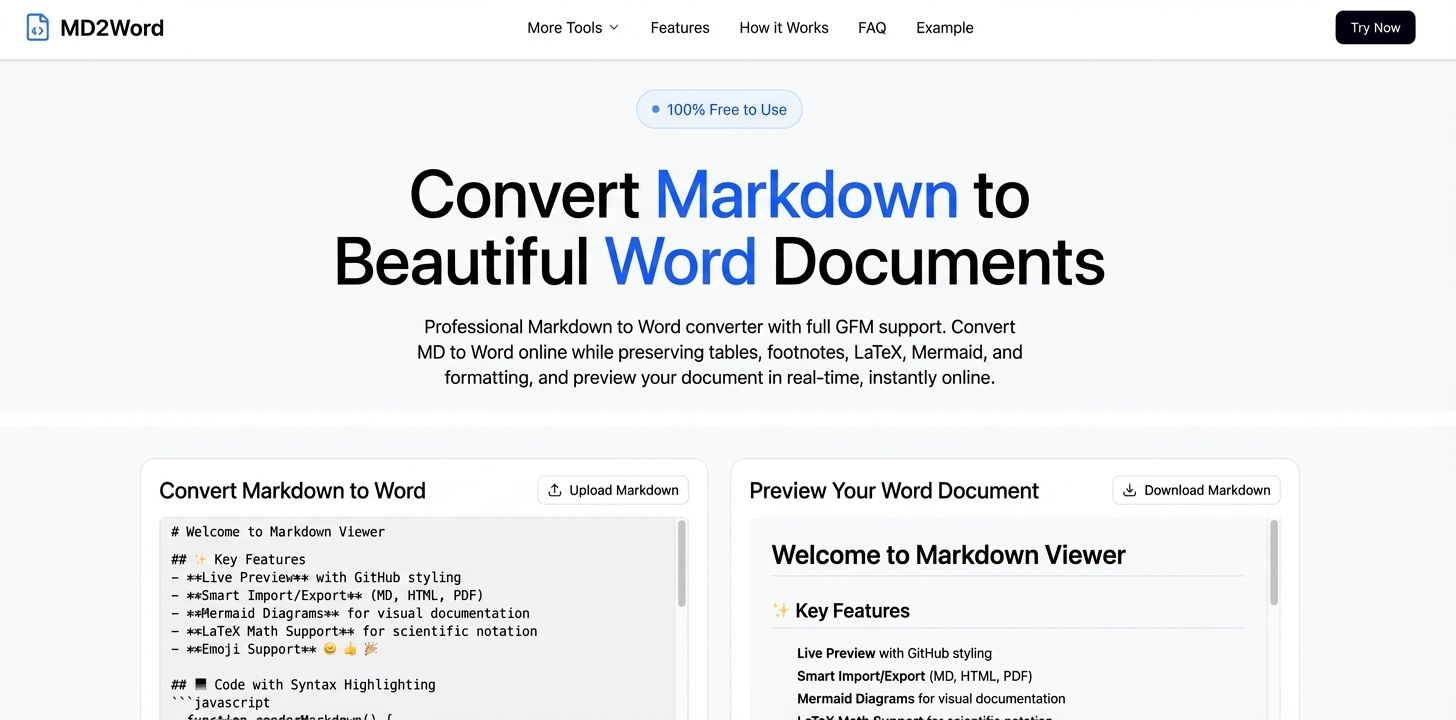
- supporters
What does MD2Word help with?
I. Product Introduction
Markdown to Word (https://markdowntoword.pro) is a fast, free, and browser-based online conversion tool that transforms Markdown (.md) files into professional Word (.docx / .doc) documents instantly. No software installation, no account, and no uploads required—everything runs right in your browser, ensuring maximum speed and privacy. :contentReference[oaicite:0]{index=0}
II. Core Features
1. Instant Markdown → Word Conversion
-
Convert Markdown files (.md / .markdown) into .docx or .doc Word documents instantly. :contentReference[oaicite:1]{index=1}
-
Upload files or paste Markdown text directly into the editor. :contentReference[oaicite:2]{index=2}
2. Real-Time Preview
-
See a live preview of your Word document as you type or upload content. :contentReference[oaicite:3]{index=3}
-
Verify formatting before downloading to ensure perfect output every time. :contentReference[oaicite:4]{index=4}
3. Full Markdown Syntax Support
-
Preserves headings, lists, code blocks, tables, emojis, images, LaTeX formulas, footnotes, and other elements from GitHub Flavored Markdown (GFM). :contentReference[oaicite:5]{index=5}
-
Converts complex Markdown structures into native Word format while maintaining layout integrity. :contentReference[oaicite:6]{index=6}
4. Multiple Output Formats
- Choose between .docx (modern) or .doc (legacy) Word formats to ensure compatibility with any version of Microsoft Word. :contentReference[oaicite:7]{index=7}
5. Browser-Only Privacy
-
Conversion happens entirely in the browser, so your content never leaves your device. :contentReference[oaicite:8]{index=8}
-
No uploads, no storage, and no third-party access—your data stays private and secure. :contentReference[oaicite:9]{index=9}
III. Why Choose Markdown to Word
✨ Fast & Seamless
Convert your Markdown documents to professionally formatted Word files in seconds—no waiting, no setup, no plugins. :contentReference[oaicite:10]{index=10}
🔒 Privacy First
All conversion logic runs locally in your browser, ensuring your content stays confidential and never touches external servers. :contentReference[oaicite:11]{index=11}
💼 Professional Output
Generated Word documents are clean, polished, and ready for collaboration, publishing, reporting, or academic submission—fully compatible with Microsoft Word and other major editors. :contentReference[oaicite:12]{index=12}
💻 Browser-Based & Free
Works on all platforms (Windows, macOS, Linux, iOS, Android) without any downloads, sign-ups, or usage limits. :contentReference[oaicite:13]{index=13}
Start converting your Markdown content to beautiful Word documents now—100% free and privacy-focused! :contentReference[oaicite:14]{index=14}
Featured Today

Scale globally with less complexity
With Paddle as your Merchant of Record
Compliance? Handled
New country? Done
Local pricing? One click
Payment methods? Tick
Weekly Drops: Launches & Deals