This task can be performed using Fluorly
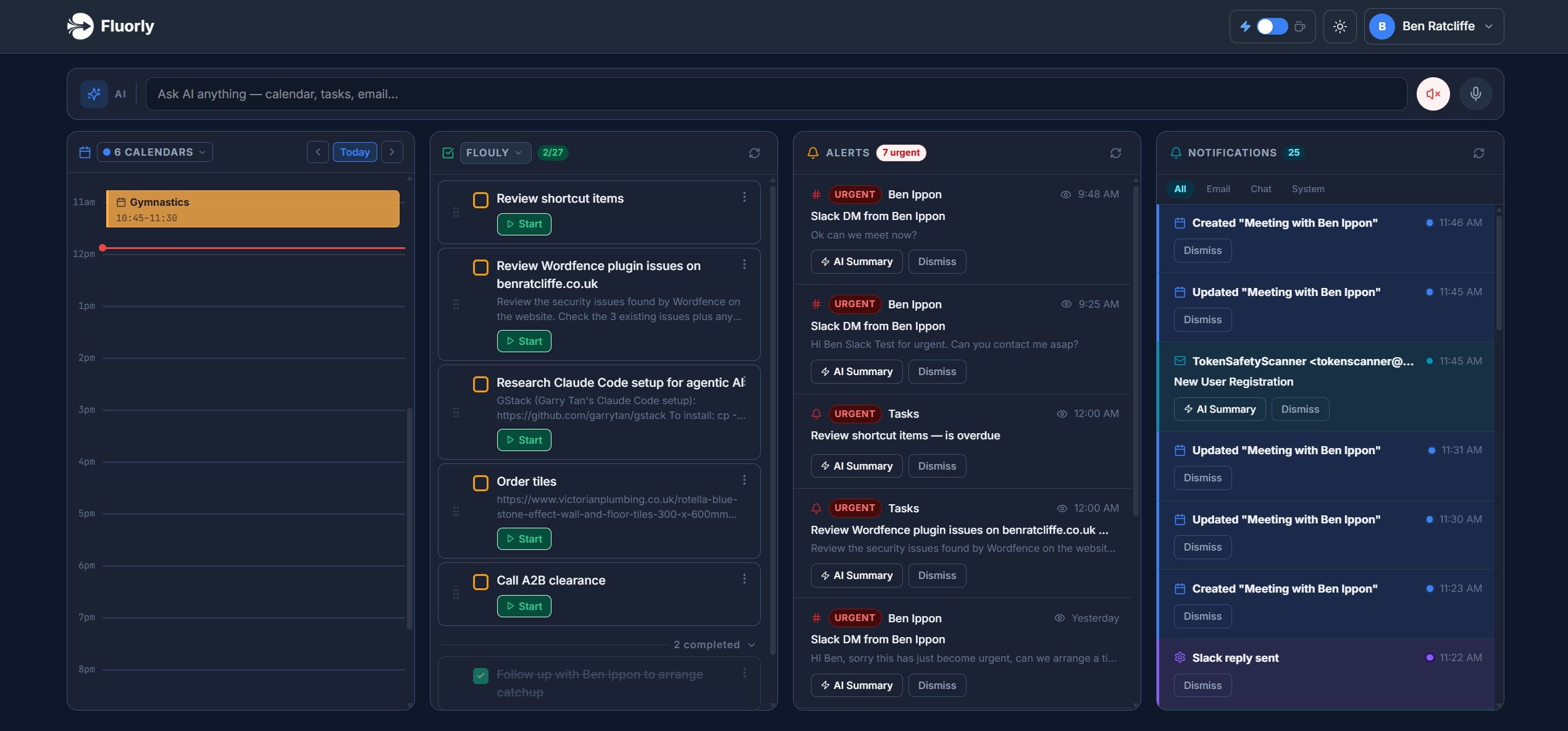
Fluorly gatekeeps your attention across Gmail, Slack, and Google Chat.
Best product for this task

Fluorly
ai
Fluorly is a voice-first AI communication triage platform designed for busy entrepreneurs. It tackles message overload by consolidating incoming communications across channels like email and Slack into one simple, easy-to-view dashboard. By keeping tabs on your messages and highlighting priority items, Fluorly reduces the noise so you can focus on deep work. Simply chat with your smart assistant to triage your daily communications and take back control of your time.
What to expect from an ideal product
- Fluorly pulls Gmail, Slack, and Google Chat into one dashboard so you stop context-switching between three open tabs just to figure out what actually needs your attention today.
- Instead of scanning every thread yourself, you talk to Fluorly's voice assistant and it tells you what's urgent, what can wait, and what you can ignore completely.
- Busy entrepreneurs use Fluorly to protect their deep work hours by letting the AI filter incoming message noise before it ever hits their focus time.
- Fluorly flags priority messages across all three platforms at once, so a critical Slack reply does not get buried under a Gmail newsletter or a routine Chat notification.
- If message overload is killing your mornings, Fluorly gives you a single triage routine that replaces the habit of obsessively checking every channel throughout the day.

