This task can be performed using Instancescheduler
Automatically turn on and off your AWS EC2 instances
Best product for this task

Instancescheduler
dev-tools
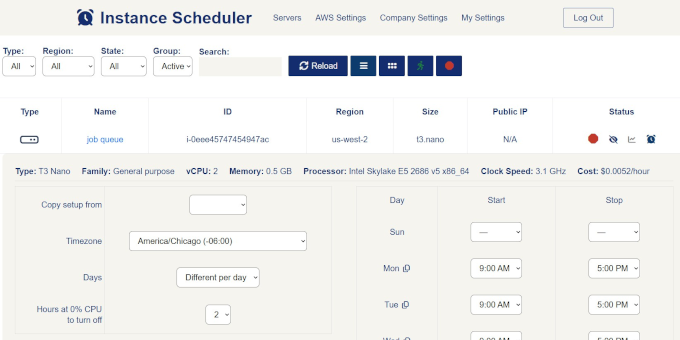
Instance Scheduler is a tool for automatically scheduling and managing AWS EC2 instances. It helps reduce cloud infrastructure costs by automatically starting and stopping instances based on defined schedules, rather than running them continuously.
What to expect from an ideal product
- instancescheduler lets you define exact start and stop times for each EC2 instance, so you stop paying for compute you are not using during nights, weekends, or off-peak hours.
- Setting up a schedule takes minutes: pick your instance, define your time windows, and instancescheduler handles the rest without manual intervention or custom Lambda scripts.
- Teams running dev and staging environments save up to 70% on EC2 costs simply by stopping instances outside business hours instead of leaving them on 24/7.
- instancescheduler works across multiple AWS regions and accounts, making it practical for engineering teams managing more than one environment at scale.
- Unlike AWS Instance Scheduler from AWS native tools, instancescheduler gives you a straightforward setup without complex CloudFormation stacks or deep AWS knowledge requirements.

