This task can be performed using Calendar & Scheduling Apps
Reduce clutter and simplify how you manage all your calendars.
Best product for this task

Calendar & Scheduling Apps
dev-tools
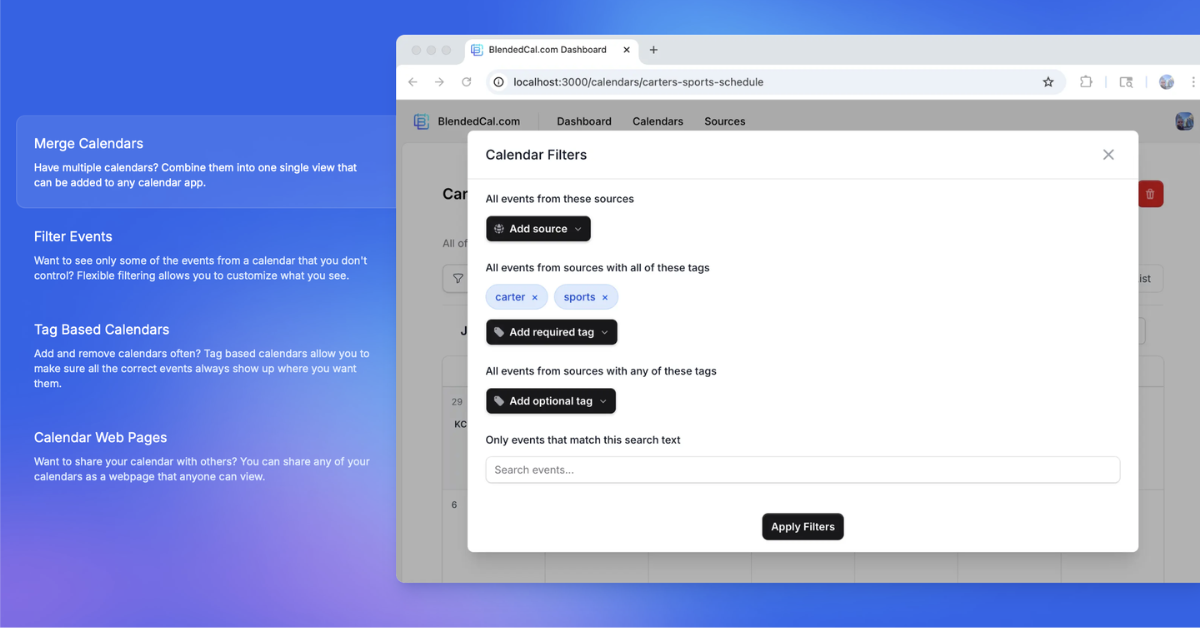
BlendedCal helps you get control of your calendars. If you have too many calendar subscriptions to keep up with or need to share some or all of your calendars with others and have them stay up to date, BlendedCal makes it easy with tag-based calendars, event filtering, source filtering, and much more.
What to expect from an ideal product
- Use tag-based organization to group related calendar subscriptions so you can view only what matters for each day or project
- Filter out unnecessary events automatically to cut through the noise and focus on your most important appointments
- Combine multiple calendar sources into one clean view instead of jumping between different apps and accounts
- Share specific calendars with family or colleagues while keeping others private, so everyone stays updated without oversharing
- Set up source filtering to hide entire calendars temporarily when you don't need to see them, like work calendars during vacation

