This task can be performed using G Maps Extractor
Extract Google Maps business leads
Best product for this task

G Maps Extractor
marketing
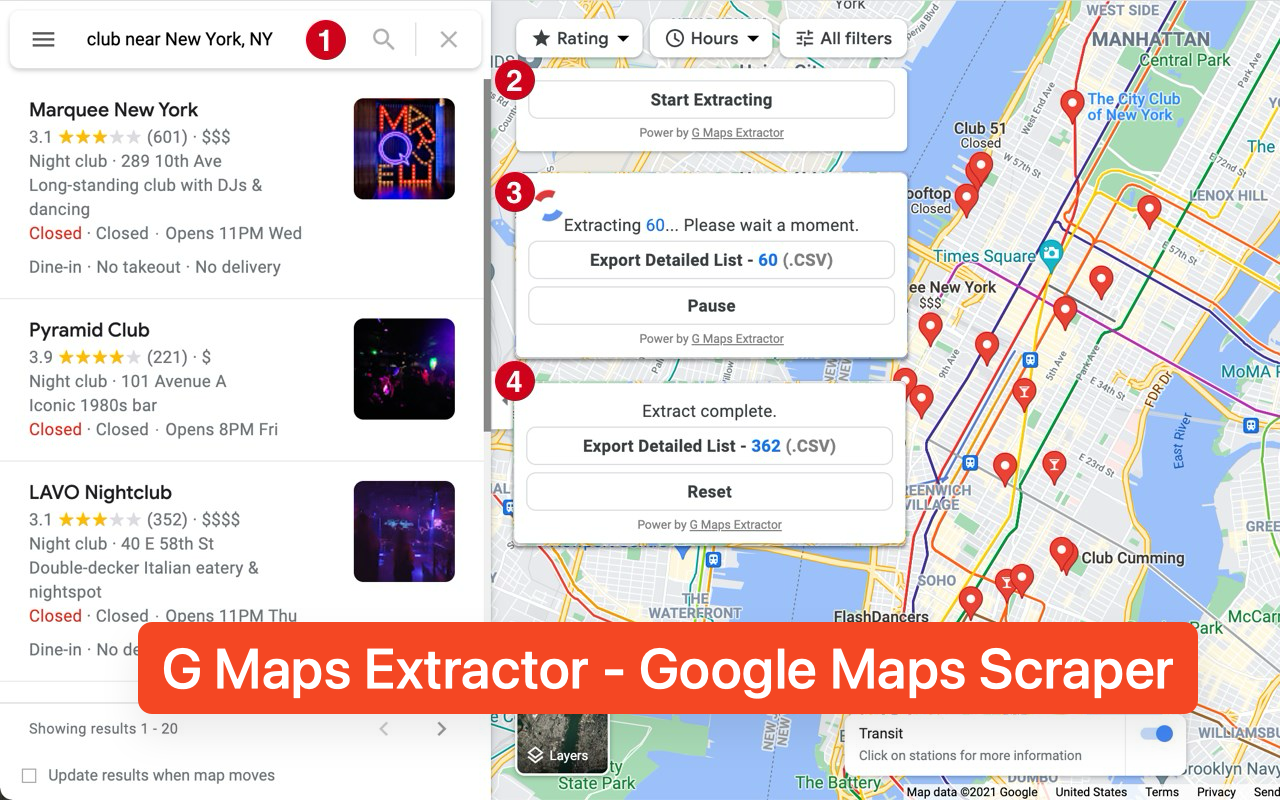
G Maps Extractor is a no-code Google Maps scraper for collecting local business data at scale. It extracts names, addresses, phone numbers, emails, websites, social profiles, ratings, reviews, photos, and other public listing details. Users can run jobs in the cloud or through a Chrome or Edge extension, then export structured results to CSV, Excel, or JSON for lead generation, local SEO, outreach, and market research.
1. Flexible Google Maps Extraction2. RichExport-Ready Business Data3. Built for Real Business Workflows
What to expect from an ideal product
- G Maps Extractor pulls business names, phone numbers, emails, and websites directly from Google Maps listings and lets you download everything as a clean CSV or Excel file ready for cold outreach.
- No coding or API keys needed. Run the scraper from a Chrome or Edge extension or trigger cloud jobs to collect hundreds of local leads without touching a single line of code.
- Each export includes structured columns like ratings, review counts, addresses, and social profiles so you can filter and prioritize leads before you ever send an email.
- Built for scale. Whether you need 50 plumbers in Austin or 5,000 restaurants across 20 cities, G Maps Extractor handles bulk Google Maps data collection in one job without manual copy-pasting.
- Exported files drop straight into Google Sheets, Excel, or any CRM so your sales or local SEO workflow picks up exactly where the scraper leaves off.

