This task can be performed using SheetQuery
Run SQL on Google Sheets
Best product for this task

SheetQuery
analytics
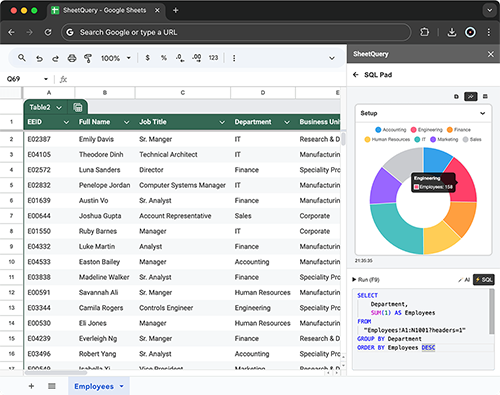
SheetQuery is the add-on that lets you run SQL directly on your spreadsheets. Combine the flexibility of Google Sheets with the power of SQL to analyze, update, and manage data like never before.
What to expect from an ideal product
- Write SQL SELECT statements to filter and sort spreadsheet data without learning complex formulas
- Join data from multiple sheets using standard SQL syntax instead of VLOOKUP functions
- Group and summarize rows of data using familiar SQL aggregation commands
- Transform spreadsheet data with SQL UPDATE and DELETE operations right in Google Sheets
- Create custom views of your data by writing SQL queries that combine columns from different sheets

