ScholarSail Reviews — Discover what people think of this product.

Screenshot 2026 09 25 215452
Screenshot 2026 09 25 215524
Screenshot 2026 09 25 215631
- supporters
What does ScholarSail help with?
ScholarSail is a study workspace. It brings the tools involved in learning something, writing about it and getting the work done into one account, so notes, maps, cards and plans stay connected instead of living in separate apps.
It does not prescribe a method. Each tool is useful on its own, and they link where linking helps.
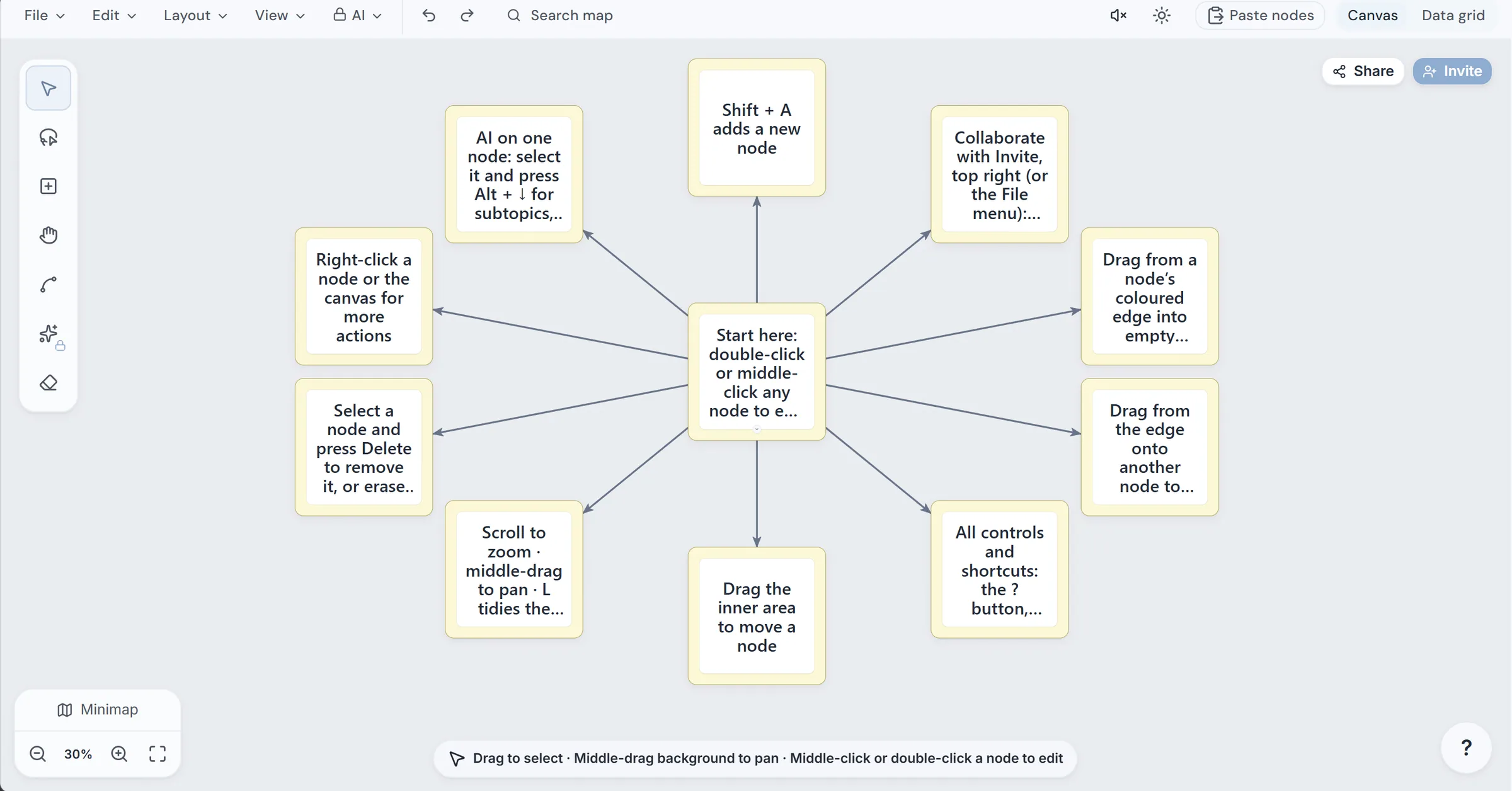
Map Mind maps on an infinite canvas with automatic layouts (tree and force-directed), a data-grid view of the same map, and AI generation from a topic or from a document. From any node you can ask for subtopics, related ideas or the idea above it. A sidebar assistant can rename, recolor, connect and rearrange nodes on request. Maps can be shared by link or QR code and copied into another account.
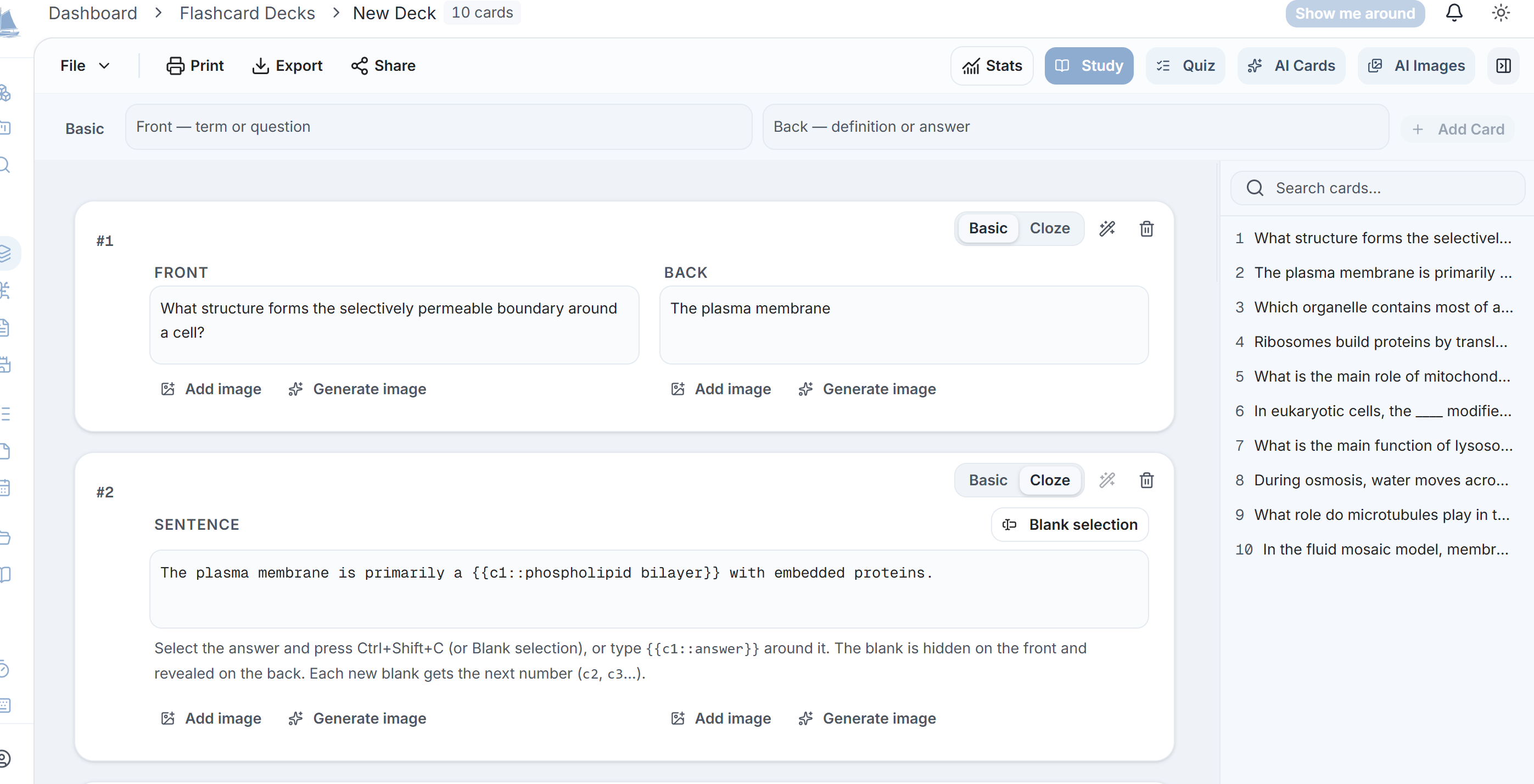
Remember Flashcards scheduled with SM-2 spaced repetition, including learning and relearning steps. Decks can be written by hand, imported from CSV, Markdown, Word or Anki text, or generated from your notes. Cloze cards can split into one card per blank, and a region of an image can be masked as an image-occlusion card. Each study session is a saved run, so an answer is confirmed before the next card loads and an interrupted session resumes where it stopped. A deck can also be turned into an AI quiz, printed as double-sided physical cards, or studied through two games.
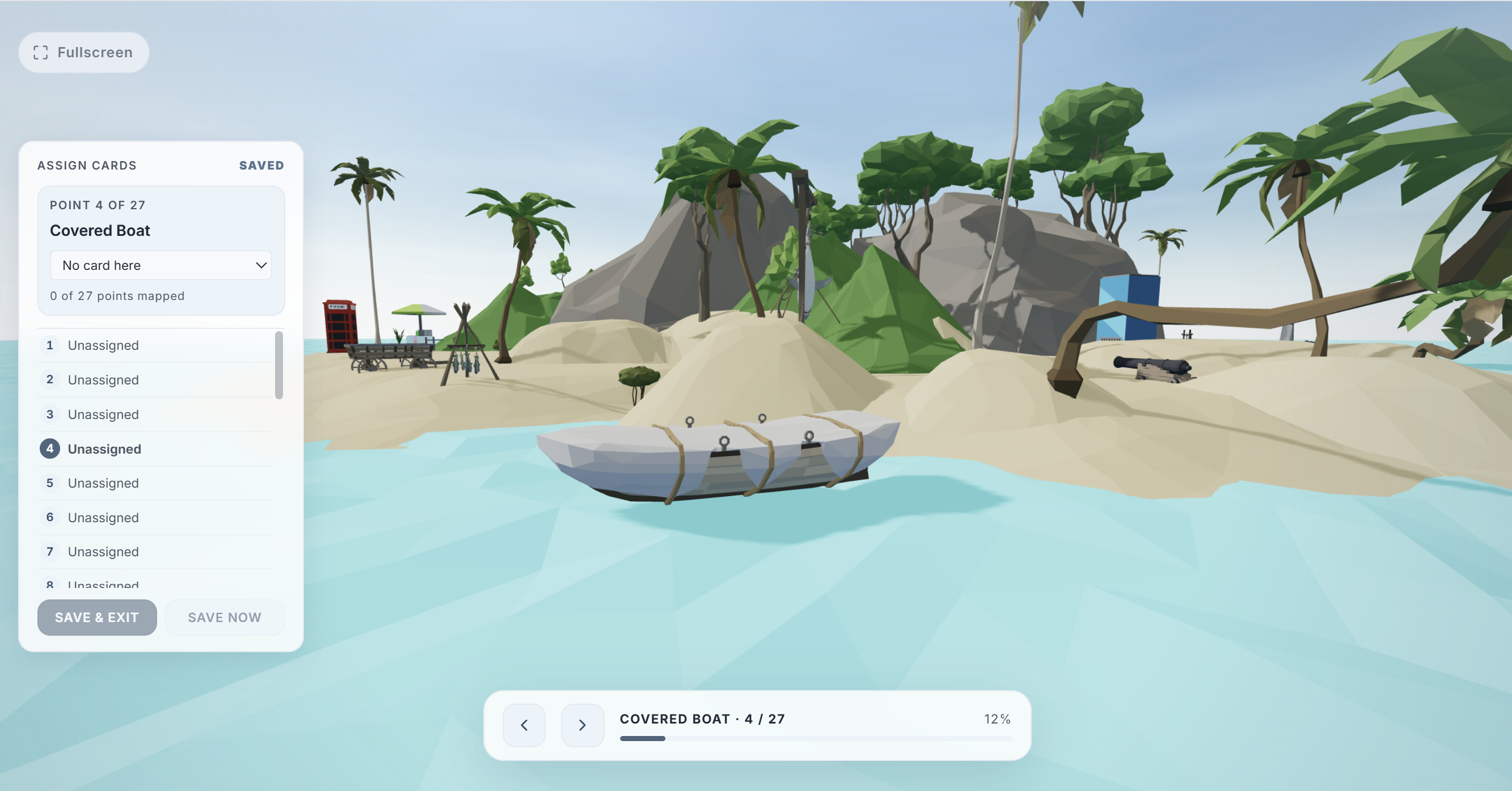
View it A memory palace: a walkable 3D island scene where a deck's cards are placed at fixed viewpoints and reviewed along a route. Ratings feed the same spaced-repetition schedule as the flashcards. Memory Story writes a deck and a palace mapping from a single topic using the story method.
Plan and focus Kanban boards with task dependencies (a task cannot be completed while something it depends on is open). A Pomodoro timer with session logs, and a circadian rhythm view for choosing when to do demanding work. Ambient audio: six colors of noise and binaural beats.
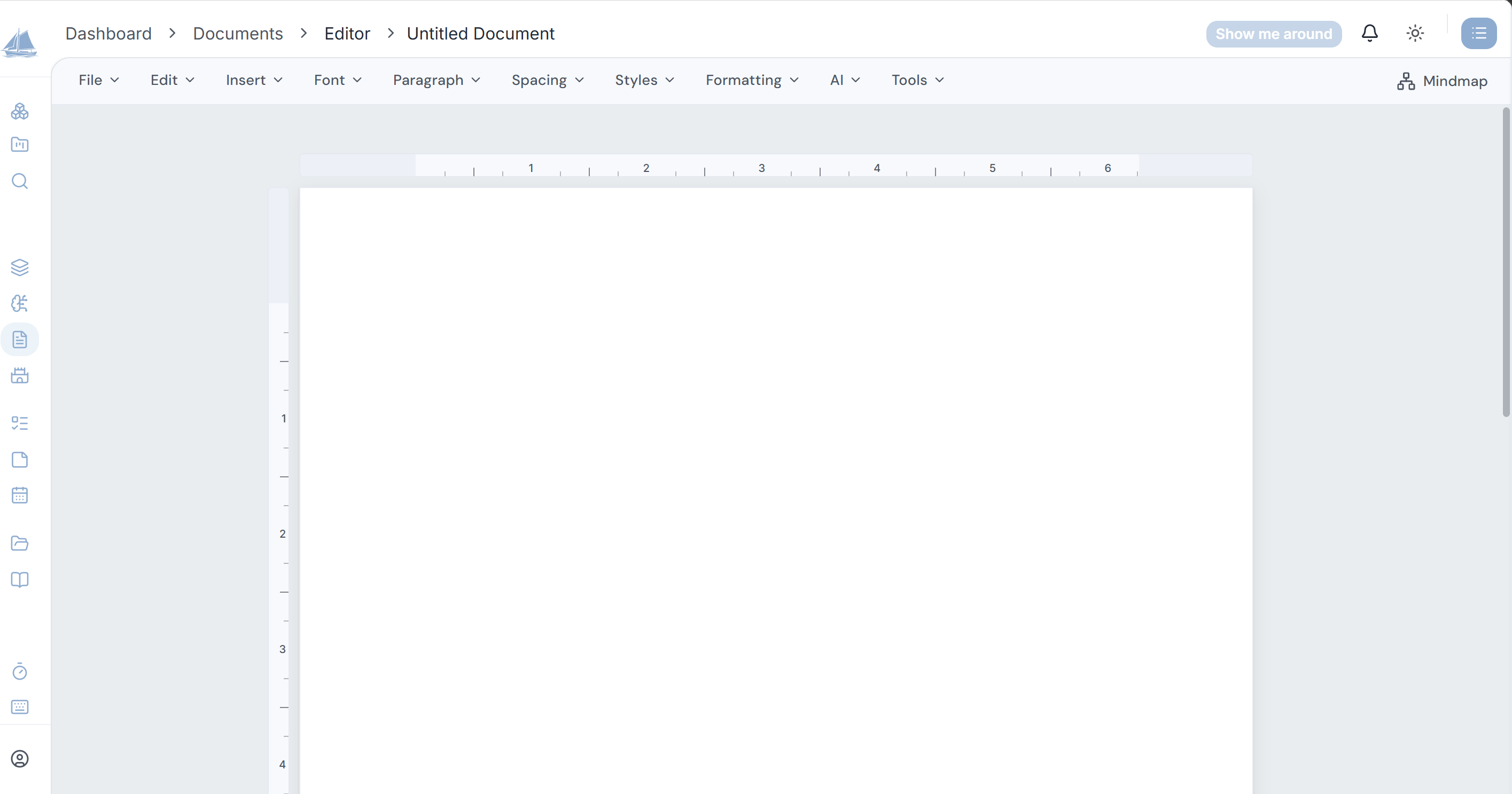
Organize Every collection supports nested folders. Workspaces group folders and items by area of study, with projects inside them, and a workspace can be shared with other people. Quick notes capture a thought from any page with one shortcut. Uploaded PDFs, Word, PowerPoint, Markdown and text files are parsed in the browser, so only the extracted text is stored.
Email, when you want it An optional daily digest of due cards and open tasks, a Saturday week-in-review, and one reactivation note if you have been away. One switch turns all of it off.
Try it without an account The flashcard deck builder, the mind map maker, the Pomodoro timer, colored noise pages and about two dozen free calculators and templates are public. A draft made in the deck builder or map maker is imported into your account when you sign up.
Pricing Free and Premium have the same features. They differ in the monthly AI credit allowance (30 on Free, 1,000 on Premium at $20/month) and in which models are available for generation. Small credit packs can be bought once without a subscription. No card is required to start.
Featured Today


tiun
Payments backend for indie hackers
All-in-one: Auth, payments & DB
Single command: MCP, Skills
Built for developers.
Merchant of Record. Better fees.
Join the Microlaunch builder community
Get product updates, weekly standouts, and founder deals.