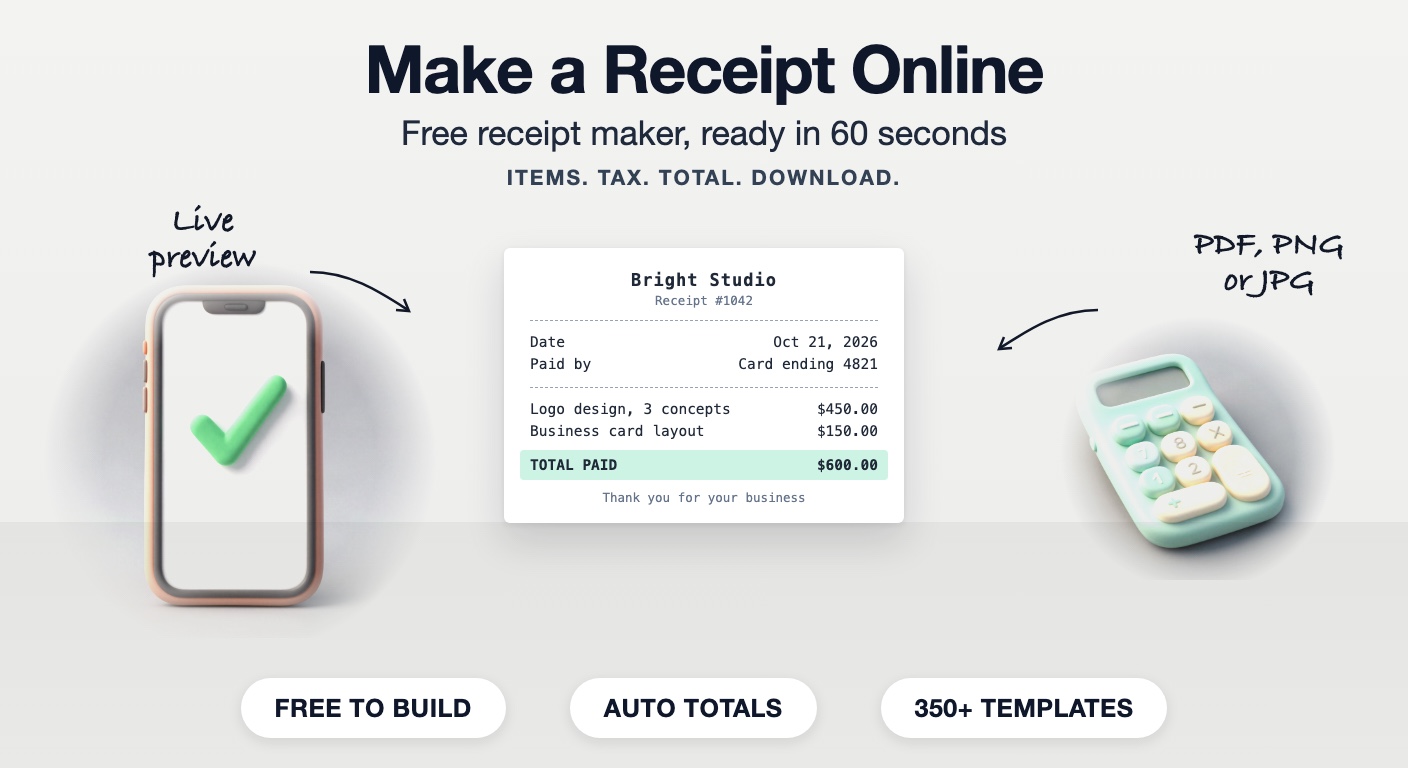
How to make receipts and invoices online: a complete guide for small businesses
What a receipt must show, how to build one step by step, which template fits your sale, and how to write an invoice that gets paid
October 22, 2026
Most small businesses need a receipt at an awkward moment. A client pays in cash and asks for proof. A customer needs a receipt for an expense claim. You need a record for your own books at the end of the month. Writing one by hand looks unprofessional, and setting up accounting software for the odd receipt is overkill.
This guide covers everything you need to get it right: what a receipt has to show, how to make one online in a few minutes, which template fits which kind of sale, and when you need an invoice instead. The examples use Makecepeit's receipt builder, which you can try in your browser without installing anything.
Contents
- What a receipt needs to show
- How to make a receipt online, step by step
- Choosing the right receipt template
- Receipt or invoice: which one do you need?
- How to make an invoice that gets paid
- Habits that save problems later
1. What a receipt needs to show
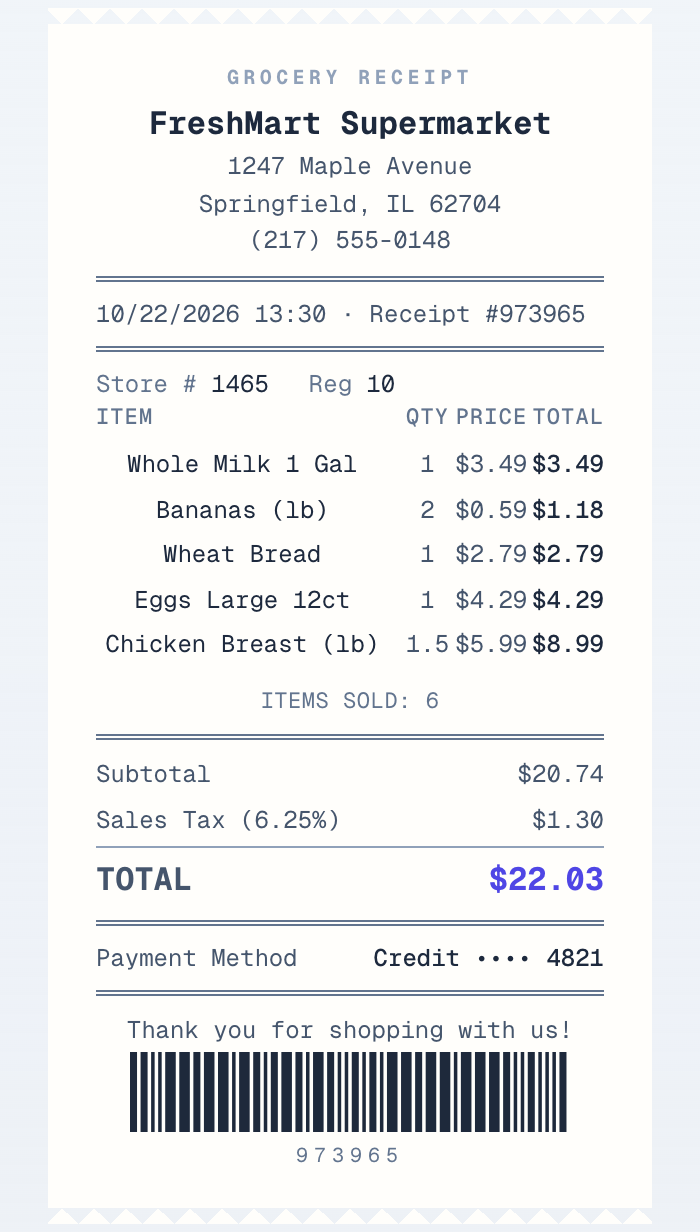
A useful receipt answers five questions:
- Who was paid: your business name, address and contact details
- When: the date, plus the time for retail and food sales
- What was bought: each item or service on its own line, with quantity and price
- How much: subtotal, tax and total
- How it was paid: cash, card, bank transfer or a payment app, with a reference if there is one
Add a receipt number as well. It makes the receipt easy to find later and easy to match to a payment in your bank statement.
2. How to make a receipt online, step by step
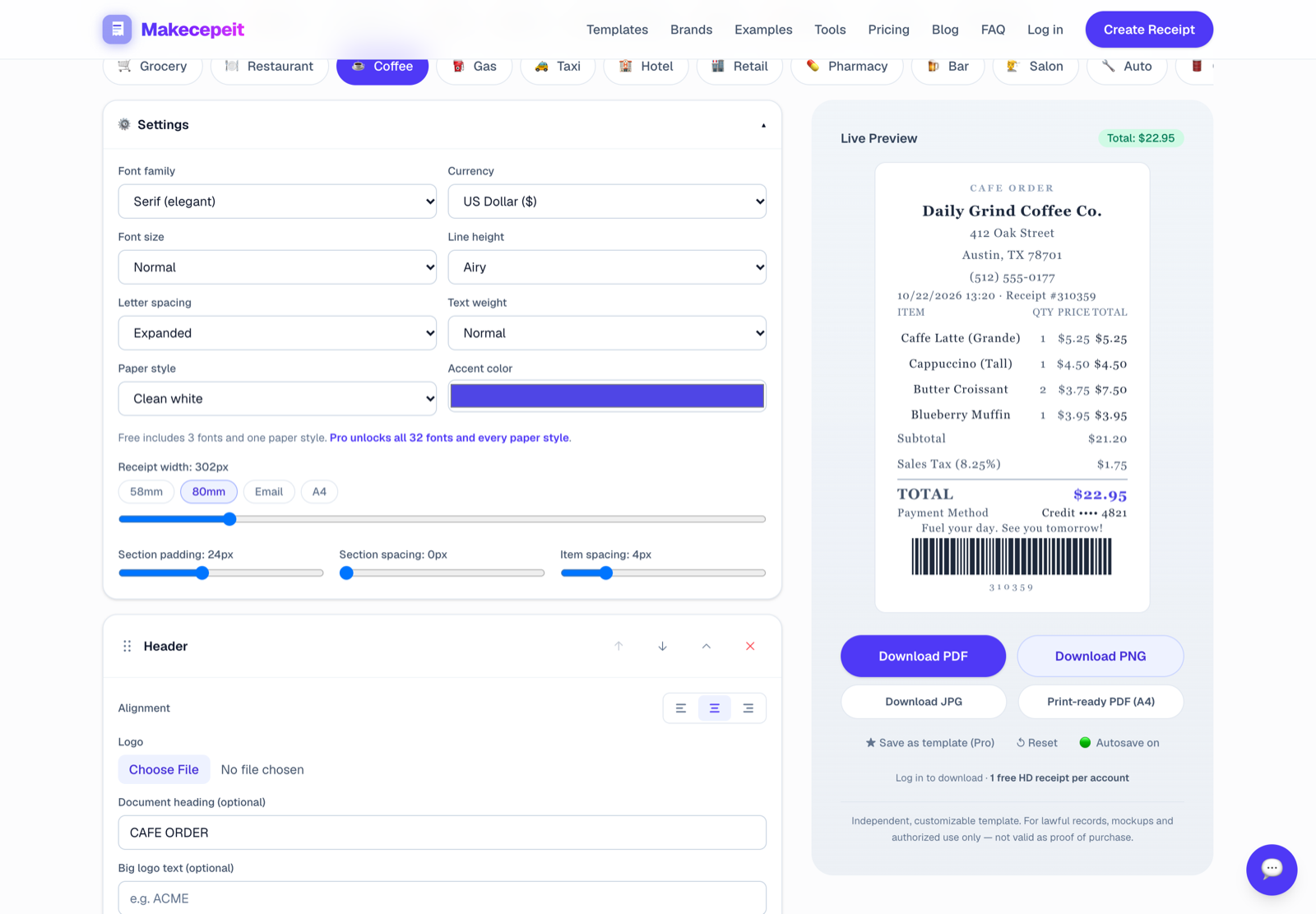
Step 1: Open the builder. Go to the receipt generator. It runs in the browser, and you can build and preview a receipt without creating an account.
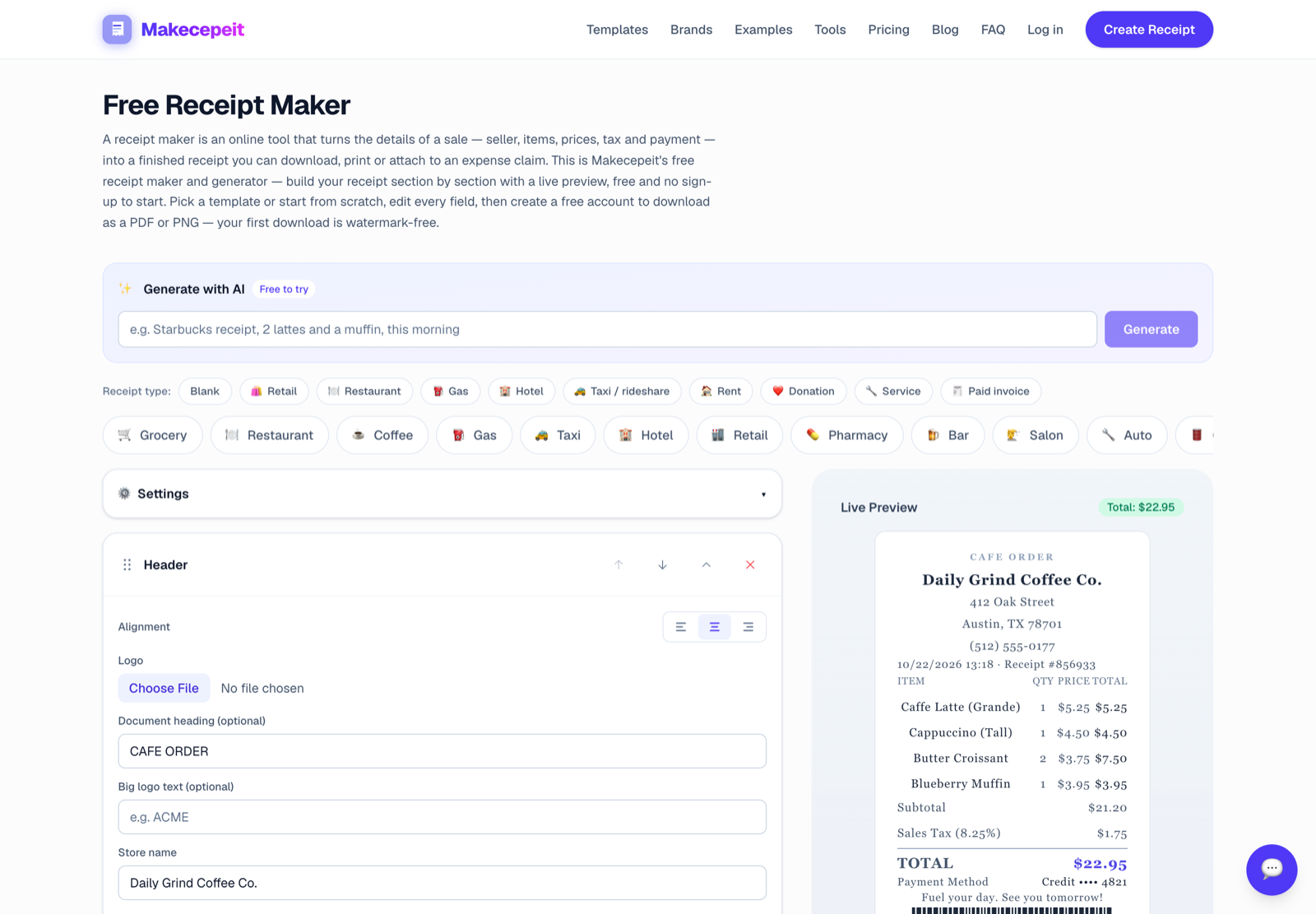
Step 2: Pick a starting point. Choose a receipt type such as retail, restaurant, gas, hotel, rent or service, or start from a blank receipt. The type sets which fields appear, so a restaurant receipt gets a tip line and a rent receipt gets a rent period.

Step 3: Add your business details. Business name, address and phone number. Upload your logo if you have one.
Step 4: Add the items. Type each line with its quantity and price. The subtotal, tax and total are calculated for you, so the numbers always add up.
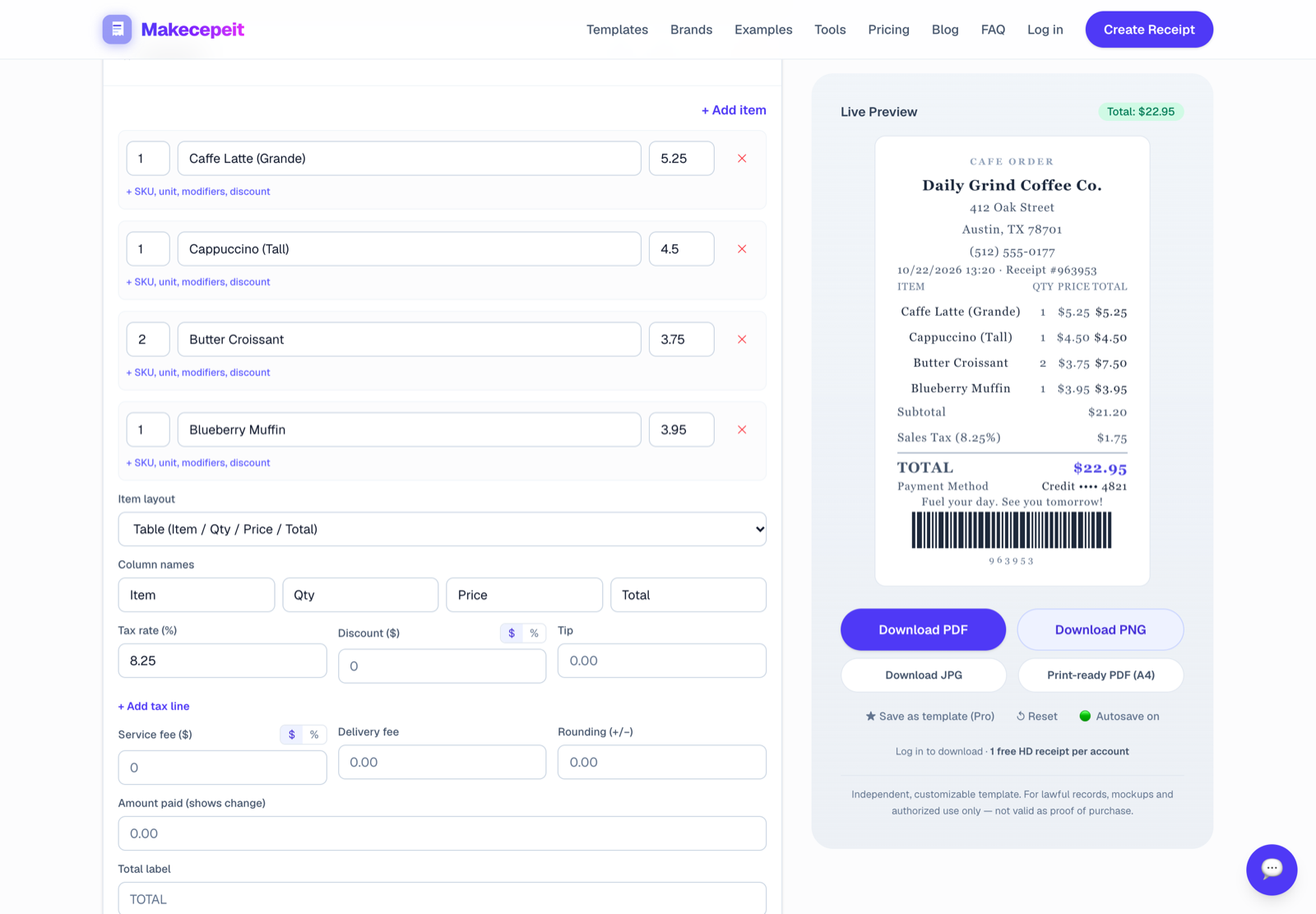
Step 5: Set the payment details. Choose how the money arrived, for example cash, card (with the last four digits) or bank transfer (with the reference).
Step 6: Check the live preview. Every change shows up in the preview as you type, so you see exactly what your customer will get. The Settings panel adjusts the font, spacing, currency and receipt width, from a 58mm till roll to a full A4 page. Free accounts get three fonts and one paper style; a paid pass unlocks the rest.
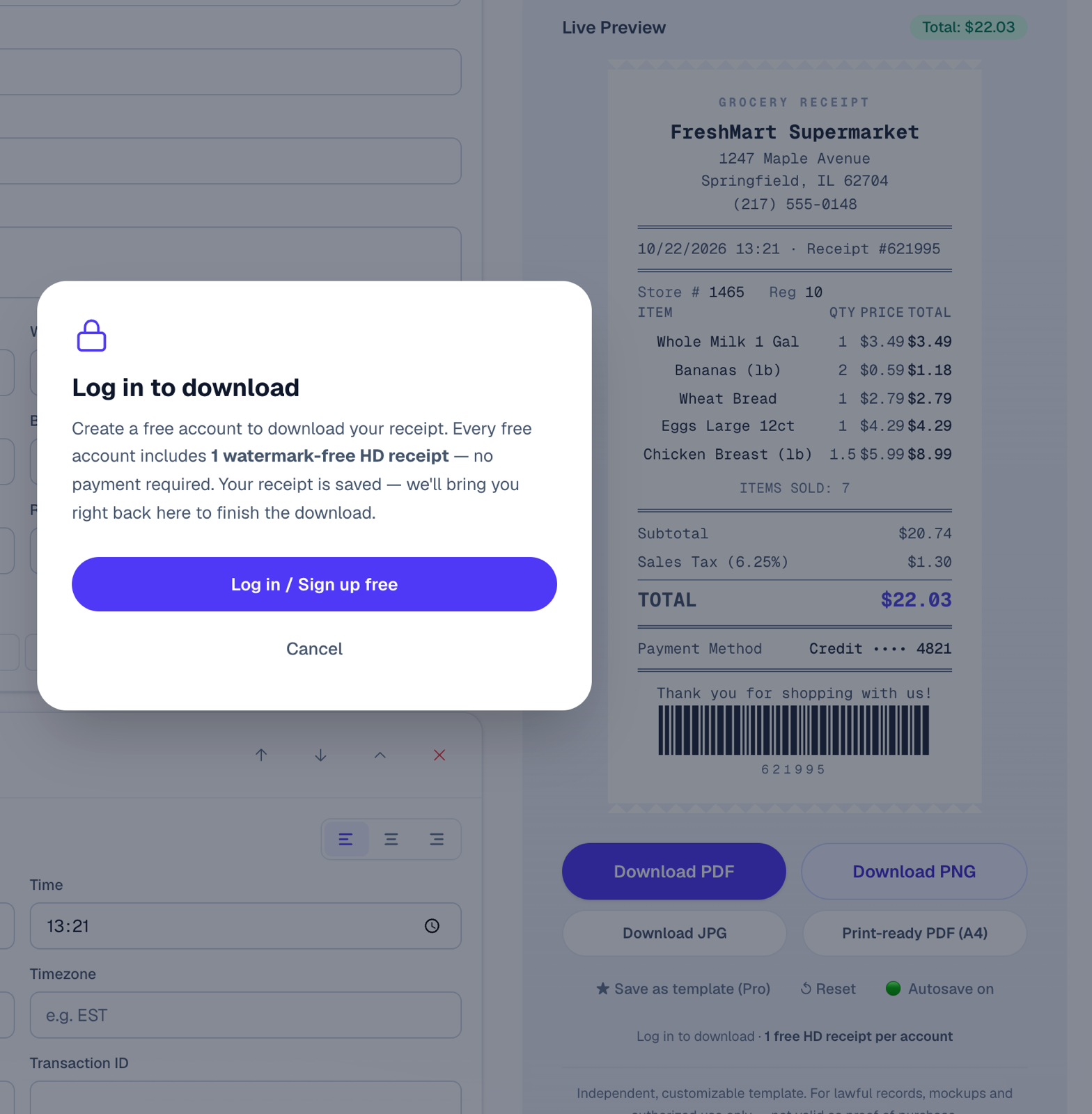
Step 7: Download it. Export as PDF, PNG or JPG. Downloading needs a free account: your first high-resolution download is watermark-free, and later free downloads carry a small watermark that a paid pass removes.
The whole process takes a few minutes the first time and under a minute once your business details are saved.
3. Choosing the right receipt template
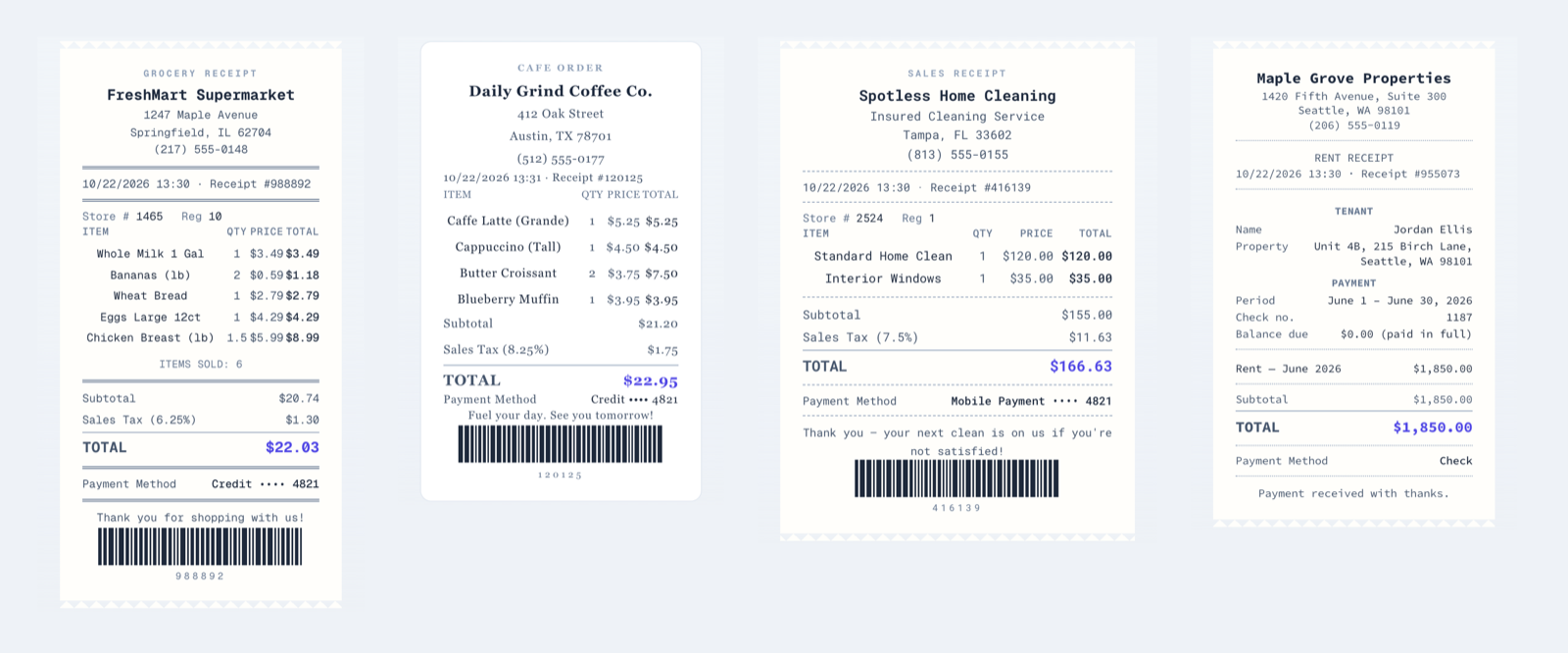
A receipt is not one-size-fits-all. Picking a template built for your kind of sale saves time and makes the receipt easier for customers and accountants to read. You can browse them all in the receipt template library.
Retail and grocery. Use this when you sell physical items. Each product gets its own line with quantity and unit price, followed by subtotal, sales tax and total. For weighed goods such as produce, the weight goes in the quantity column.
Restaurant, café and bar. These add what retail receipts do not: a table or order number, the server's name and a tip line. If you charge a service fee, show it separately from the tip, because the two are treated differently for tax and payroll.
Services and trades. For cleaning, repairs, tutoring or consulting, describe the work clearly and include the date of service. Put labor and materials on separate lines. Mechanics and contractors benefit most from this, since customers want to see what the parts cost.
Rent. A rent receipt should show the tenant's name, the property address, the rent period covered, the amount received, the payment method and any balance still owed, signed by the landlord.
Brand-style layouts. Some businesses and franchisees want a layout that follows a familiar store format, such as a big-box retailer or coffee chain. The library includes these too, for example a Walmart-style receipt layout. Whatever the layout, a receipt must record a real transaction.
Quick way to choose:
- Selling items? Retail or grocery.
- Serving food or drinks? Restaurant.
- Doing work for someone? Service.
- Collecting rent? Rent receipt.
- Not paid yet? Invoice (see below).
4. Receipt or invoice: which one do you need?
They look similar, but they do opposite jobs:
- An invoice asks for payment. You send it before the money arrives.
- A receipt confirms payment. You send it after the money arrives.
If a customer pays on the spot, a receipt is all you need. If you deliver work first and bill afterwards, start with an invoice. Once it is paid, mark it as paid and the same document serves as the receipt.
5. How to make an invoice that gets paid
Missing details are the most common reason invoices sit unpaid. No due date, no invoice number, or a vague line like "work done" gives the client a reason to wait.
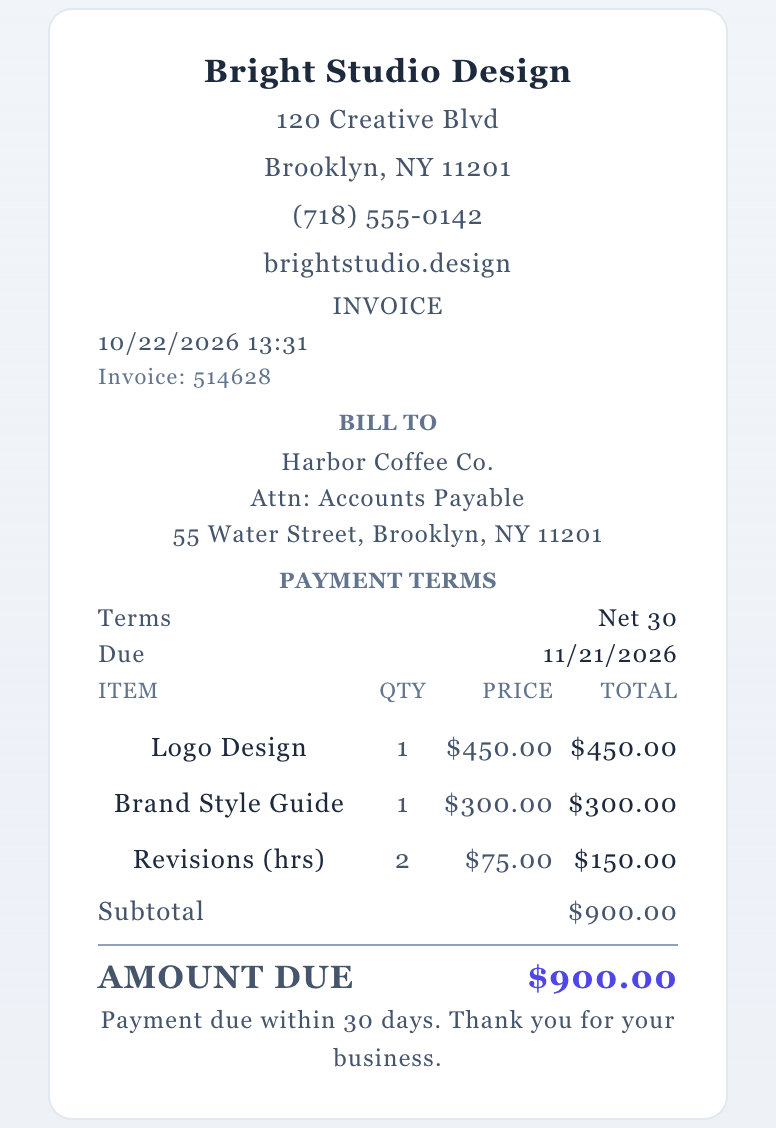
The nine fields every invoice needs
- Your details: business name, address, email or phone
- Bill to: the client's name, company and billing address
- Invoice number: unique and in sequence, for example INV-2026-001
- Issue date: the day you send it
- Due date: the day payment is expected
- Line items: each service or product, with hours or quantity, rate and amount
- Tax: on its own line, if you charge it
- Total amount due: what the client owes
- How to pay: bank details, a payment link or the methods you accept
Payment terms in plain English
- Due on receipt: pay now
- Net 15 / Net 30: pay within 15 or 30 days of the invoice date
- 2/10 Net 30: take 2% off if paid within 10 days, otherwise pay the full amount within 30
Always write the actual due date next to the terms, so the client does not have to work it out.
Making one
- Open the invoice generator.
- Add your details, then the client under Bill to.
- List each service with its hours or quantity and rate.
- Set the invoice number, payment terms and due date.
- Download the PDF and send it.
- When the client pays, mark it as paid so it becomes their receipt.
Habits that get invoices paid faster
- Send the invoice on the day the work is delivered, while it is fresh.
- Address it to the person who approves payments, not only to your day-to-day contact.
- Use a clear email subject, such as "Invoice INV-2026-014 from Bright Studio, due Nov 30".
- Follow up politely on the due date, then again a week later.
US freelancers are often asked for a W-9 before their first payment. Send it as a separate document, never attached to the invoice itself.
6. Habits that save problems later
These apply to receipts and invoices alike:
- Number everything and never reuse a number.
- Keep a copy of every receipt and invoice you issue, even small ones. They are part of your business records.
- Itemize. "Services: $450" invites questions. "Logo design, 3 concepts: $450" does not.
- Match the payment method to how the money actually arrived.
- Record only real transactions. A receipt is a record of a sale that happened, and that is what makes it useful to you, your customer and your accountant.
Get started
Pick the template that fits your sale, fill in your details and watch the live preview update as you go:

